
ChatGPT Photo Editing Prompts: 16 Formulas
Copy 16 tested ChatGPT photo editing prompts for headshots, background swaps, and film grades. Use the 4-part keep-list formula to stop facial likeness drift.
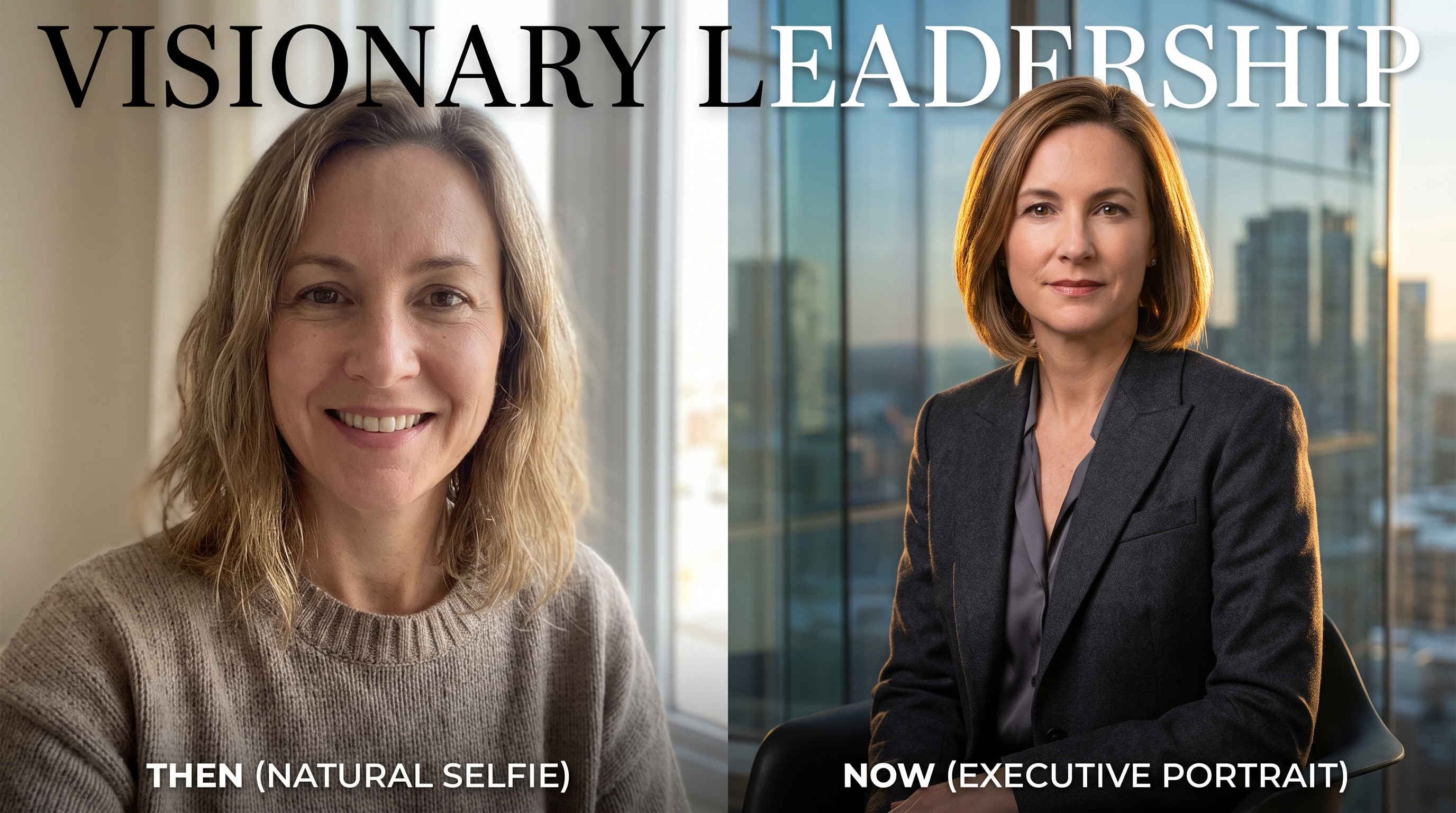
Anyone who has pasted a portrait into an AI chat window knows the immediate frustration. You upload a decent smartphone selfie, ask for a polished corporate headshot, and receive an unrecognizable corporate stranger. The jacket looks expensive, the background is nicely blurred, but the face belongs to an imaginary stock model with airbrushed plastic skin.
This likeness drift happens because conversational diffusion models treat every pixel as negotiable unless instructed otherwise. When you use conversational chatgpt photo editing prompts, the difference between an authentic edit and an AI hallucination comes down to a strict constraint system. In this guide, you will find 16 tested, copy-and-paste formulas across six high-demand editing workflows, the four-part prompt anatomy that prevents facial distortion, and an honest look at where conversational prompting ends and dedicated image pipelines take over.
⚡
Need zero likeness drift right now?
Skip typing 80-word prompt formulas. Run one-click identity-locked portraits in the studio editor.
Launch AI Headshot Generator →
The 4-part anatomy of a prompt that will not warp your face
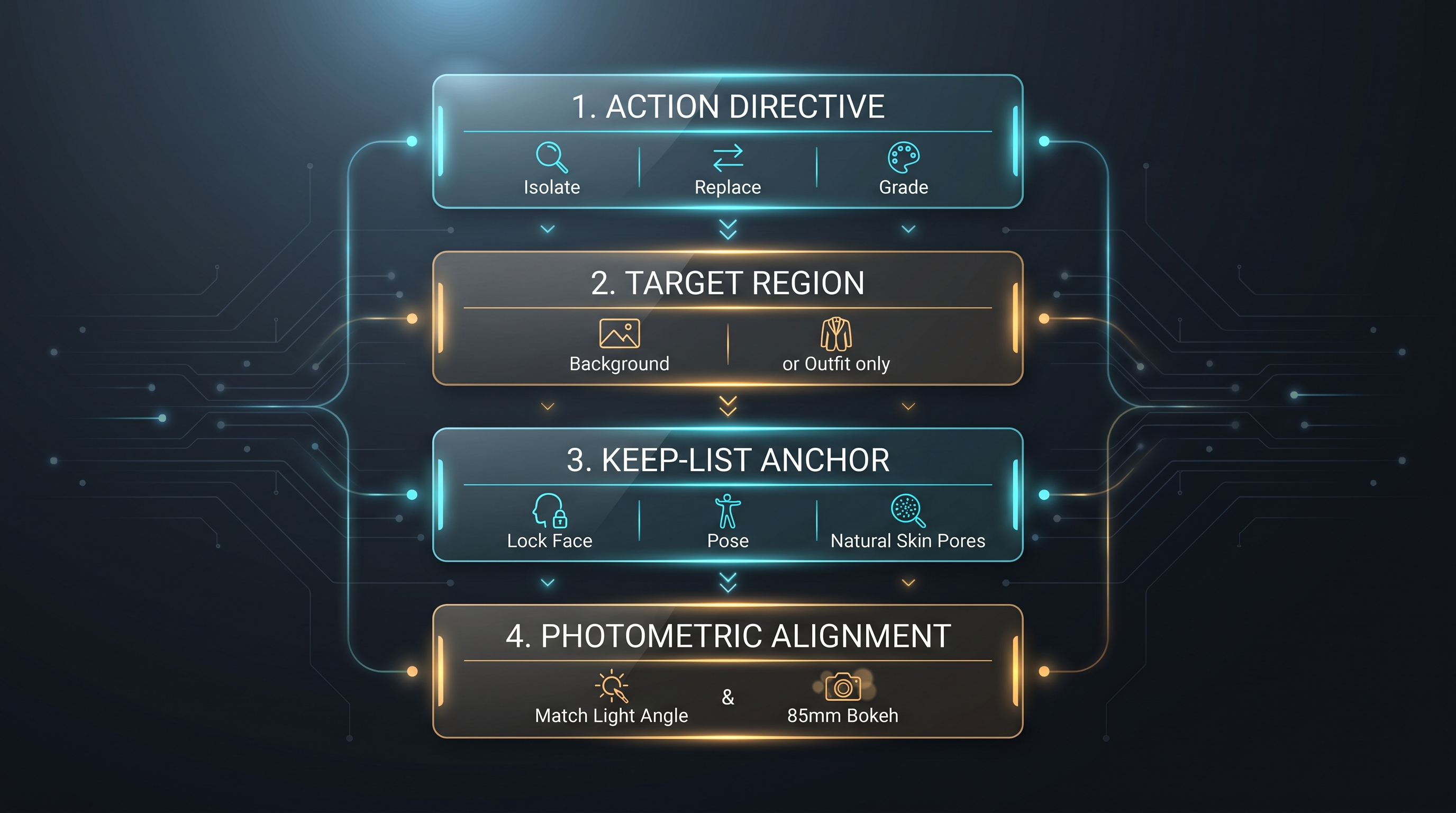
Most failed edits fail in the first sentence. Generic instructions like "make this photo look professional" force the model to invent both the changes and the boundaries. A reliable photo editing prompt operates like a surgical checklist with four distinct components:
- Action Directive: A clear, single-verb command specifying the primary transformation (e.g., Isolate, Replace, Recolor, Grade).
- Target Region: The exact spatial boundary of the modification. Naming what changes prevents the model from regenerating unaffected areas.
- The Keep-List Anchor: The negative constraint boundary. This sentence lists every physical attribute that must remain identical to the original image.
- Photometric Alignment: Lighting angle, focal length, depth of field, and texture parameters that ensure the modified elements match the original subject.
Why the keep-list sentence is non-negotiable
In image-to-image pipelines like DALL-E 3 and GPT Image 2.5, the model calculates cross-attention weights across the entire prompt. If your prompt describes an executive setting without constraining facial features, the model pulls tokens associated with typical corporate imagery: idealized jawlines, smoothed foreheads, and synthetic eye reflections.
To anchor the original pixel likeness, your keep-list must explicitly name anatomical invariants:
"Keep unchanged: original facial bone structure, eye shape, iris color, nose, lips, natural skin pores, ear shape, hairline, and original bodily posture. Do not airbrush or beautify the face."
When you provide this sentence, the model weights the input reference image over its generative biases, preserving the person in the photo rather than substituting an AI avatar.
1. Professional headshots and executive portraits
Transforming a casual snapshot into an executive portrait is the most popular search intent for ChatGPT editing prompts. The key is upgrading wardrobe and environment while holding facial geometry constant.
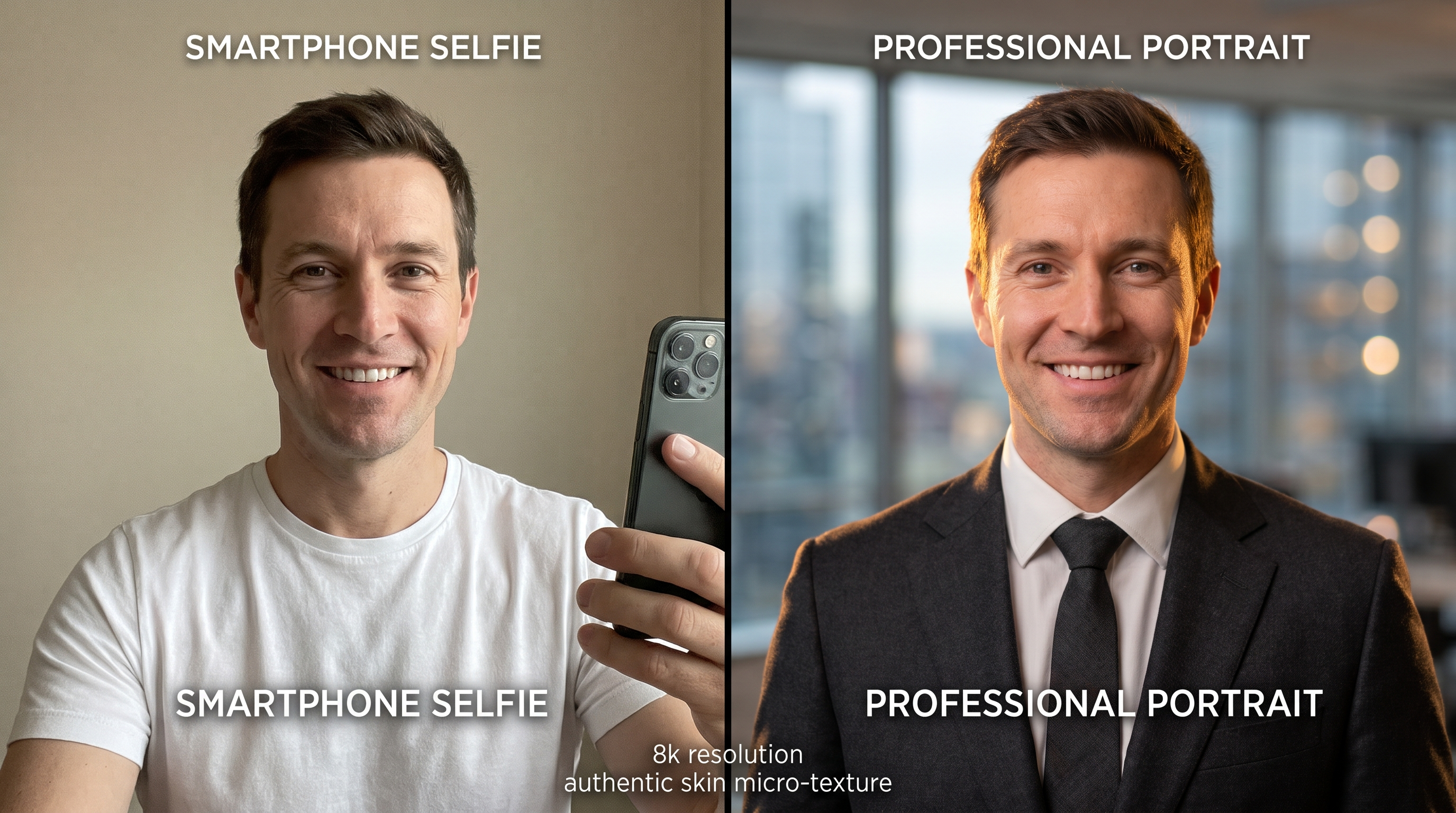
Modern executive studio headshot
Edit this portrait into a professional executive headshot. Change the casual clothing to a tailored dark charcoal wool blazer over a crisp white collared shirt. Replace the current background with a clean, neutral medium-gray studio backdrop featuring a subtle radial gradient. Apply soft three-point studio lighting with a gentle rim light on the shoulders. Keep unchanged: the person's exact face, facial expression, eye color, nose shape, smile, skin pores, and hair structure from the original photo. Photorealistic, 85mm portrait perspective.
What it does: Replaces casual collars with structured wool tailoring, creates depth with an editorial gray gradient, and preserves facial micro-contrast.
Tuning dial: If the gray background looks too flat, replace neutral medium-gray studio backdrop with softly blurred minimalist architectural glass wall.
Casual creative headshot (architectural blur)
Transform this uploaded image into a modern creative professional headshot. Change the background to a softly out-of-focus Scandinavian design studio with warm natural window light streaming from the upper left. Adjust the subject's outfit to a textured dark navy crewneck sweater. Match the directional sunlight to the shadows on the subject's cheeks. Keep unchanged: the subject's exact facial structure, jawline, natural skin texture, eye shape, and authentic expression. Natural depth of field shot on 50mm f/1.8 lens.
What it does: Delivers an approachable tech or design industry profile photo without the stiff formality of a corporate suit.
Tuning dial: For warmer undertones, add golden morning light spill on the left collarbone.
Warm consulting portrait (bookshelf blur)
Edit this photo into a polished consultant profile picture. Position the subject in front of an elegantly blurred mahogany library bookshelf with subtle warm ambient illumination. Change the clothing to a tailored tweed sport coat with natural fabric weave. Keep unchanged: facial anatomy, smile, skin pores, eye gaze, and posture. Soft photographic bokeh, authentic skin tones without digital smoothing.
What it does: Balances authority and warmth for writers, consultants, and educators.
Tuning dial: If the bookshelf appears too busy, add heavily defocused, smooth circular bokeh.
PRO
Need corporate-grade headshots for your whole team?
Run your images directly through our dedicated headshot pipeline with automated aspect ratio lock.
2. Background swaps and environmental staging
Swapping backgrounds in conversational AI often introduces "cutout halo" artifacts: the subject looks pasted on because edge lighting does not match the new room. These prompts solve edge coherence by dictating light direction and contact shadow behavior.
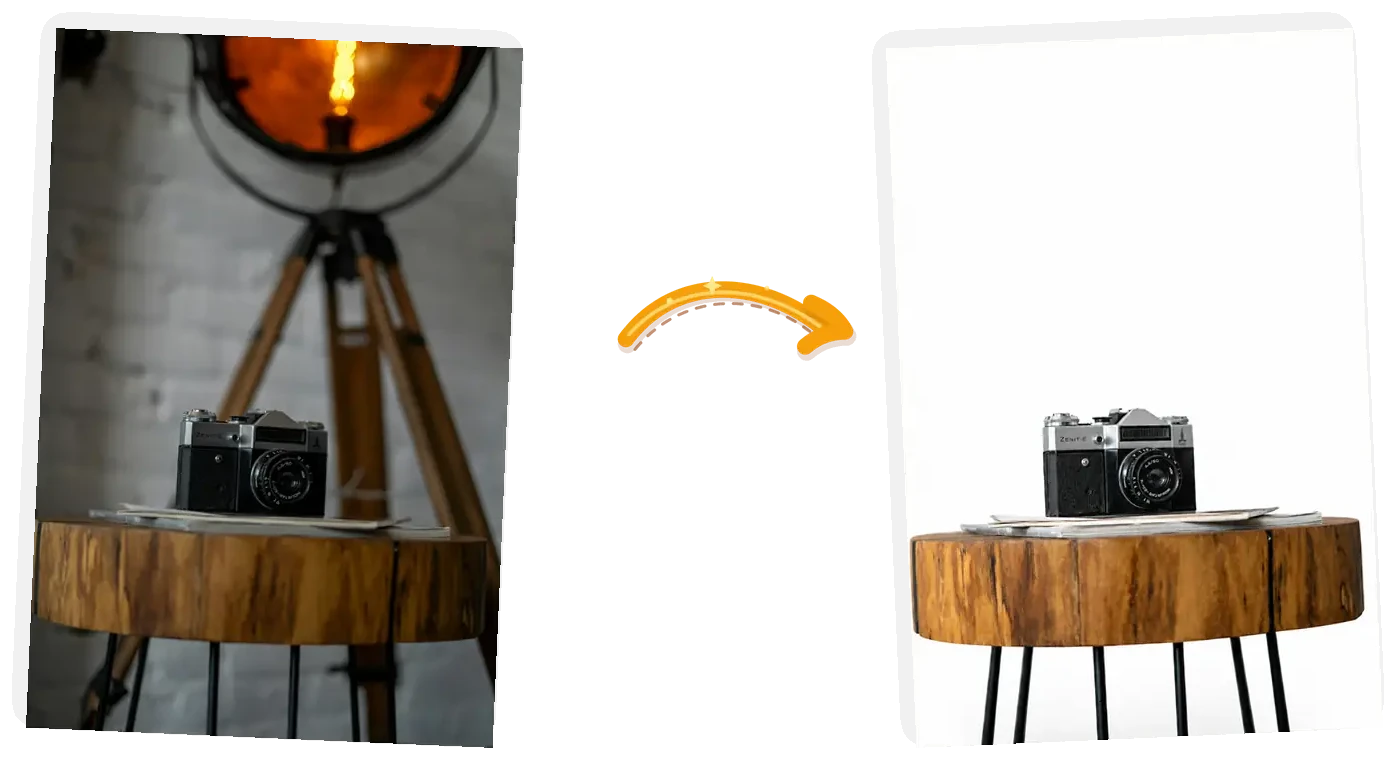
Clean background isolation executed with photometric edge blending.
Minimalist concrete studio backdrop
Isolate the person in this photo and place them against a clean, warm-gray architectural concrete wall with subtle natural shadows. Ensure the edge cutout around stray hair strands is completely natural with no white halos or fringing. Project a soft directional shadow onto the wall behind the subject consistent with light coming from the front-right. Keep unchanged: the person's face, hair, clothing, posture, and facial expression.
What it does: Strips out cluttered living rooms or street clutter in favor of an understated gallery aesthetic.
Tuning dial: If the concrete feels cold, adjust to smooth lime-plaster wall with warm beige tones.
Sunlit botanical garden bokeh
Change only the background of this photo to an outdoor lush green garden with morning sunlight filtering through tree leaves, creating round circular bokeh orbs. Cast subtle, soft natural highlights onto the subject's hair and outer shoulder to seamlessly integrate them into the sunlit environment. Keep unchanged: the subject's complete face, expression, clothing, and bodily proportions. High-end portrait photography style, f/2.0 aperture blur.
What it does: Replaces dull indoor walls with vibrant, organic depth while maintaining subject contrast.
Tuning dial: If green light spills across the subject's skin, append prevent green color bounce onto facial skin.
High-end urban rooftop terrace
Replace the existing background with a twilight skyline view from a luxury high-rise rooftop terrace. The city lights in the distance should be softly blurred with warm amber and cool cyan bokeh points. Add soft ambient fill lighting on the subject's silhouette matching the urban twilight mood. Keep unchanged: the person's exact face, eyes, hair, skin details, and outfit. Cinematic depth of field.
What it does: Creates an upscale evening atmosphere suitable for lifestyle content and speaker profiles.
Tuning dial: To shoot during daytime instead of twilight, change twilight skyline to overcast glass-and-steel architectural terrace.
🎨
Automated background swaps with zero fringe
Need transparent PNGs or custom solid backdrops in seconds? Use our browser tool.
Open AI Background Changer →
3. Lighting enhancements and cinematic color grading
Flat smartphone lighting can flatten facial dimensions and produce dull skin tones. These prompts modify the light source and grade without altering physical features.
Golden hour rim light enhancement
Enhance the lighting in this photo to replicate authentic golden hour sunlight. Introduce warm, low-angle lateral sunlight entering from the left edge of the frame, creating a delicate golden rim light along the hair, jawline, and left shoulder. Enrich warm skin undertones naturally without oversaturating oranges or reds. Keep unchanged: the subject's physical features, facial structure, clothing items, and original background composition. Photorealistic 35mm lens rendering.
What it does: Simulates late-afternoon sunlight on overcast captures without blowing out highlight detail.
Tuning dial: If the skin becomes too orange, add keep skin tones balanced with natural neutral highlights.
35mm vintage analog film aesthetic
Grade this photograph into an authentic 35mm analog film still. Apply warm Kodak Portra 400 color characteristics: soft pastel highlights, rich emerald green foliage tones, gentle contrast falloff, and subtle organic film grain throughout the image. Avoid digital noise or excessive sharpening. Keep unchanged: the subject's face, eye clarity, pose, and core environment. Nostalgic, editorial film scan look.
What it does: Replaces clinical digital sharpness with organic film grain and flattering tonal curves.
Tuning dial: For a cooler, street-style aesthetic, swap Kodak Portra 400 with Fujifilm Superia 400 with crisp cyan shadows.
Moody cinematic chiaroscuro
Transform this portrait into a dramatic cinematic movie frame. Apply high-contrast chiaroscuro lighting: illuminate one side of the face with soft key light while letting the opposite side fall into deep, rich, legible shadow. Introduce a moody teal-and-orange color grade with muted highlights and cinematic atmospheric haze. Keep unchanged: the person's authentic facial geometry, likeness, and natural eye reflection.
What it does: Adds dramatic cinematic depth for actor headshots, album covers, and creative portfolios.
Tuning dial: If shadows lose all texture, add preserve shadow detail in darker quadrants.
4. Wardrobe swaps and outfit styling
Changing clothing in a photo requires precise boundary enforcement around the neck, collarbones, and wrists. The model must replace fabric while respecting bodily pose.
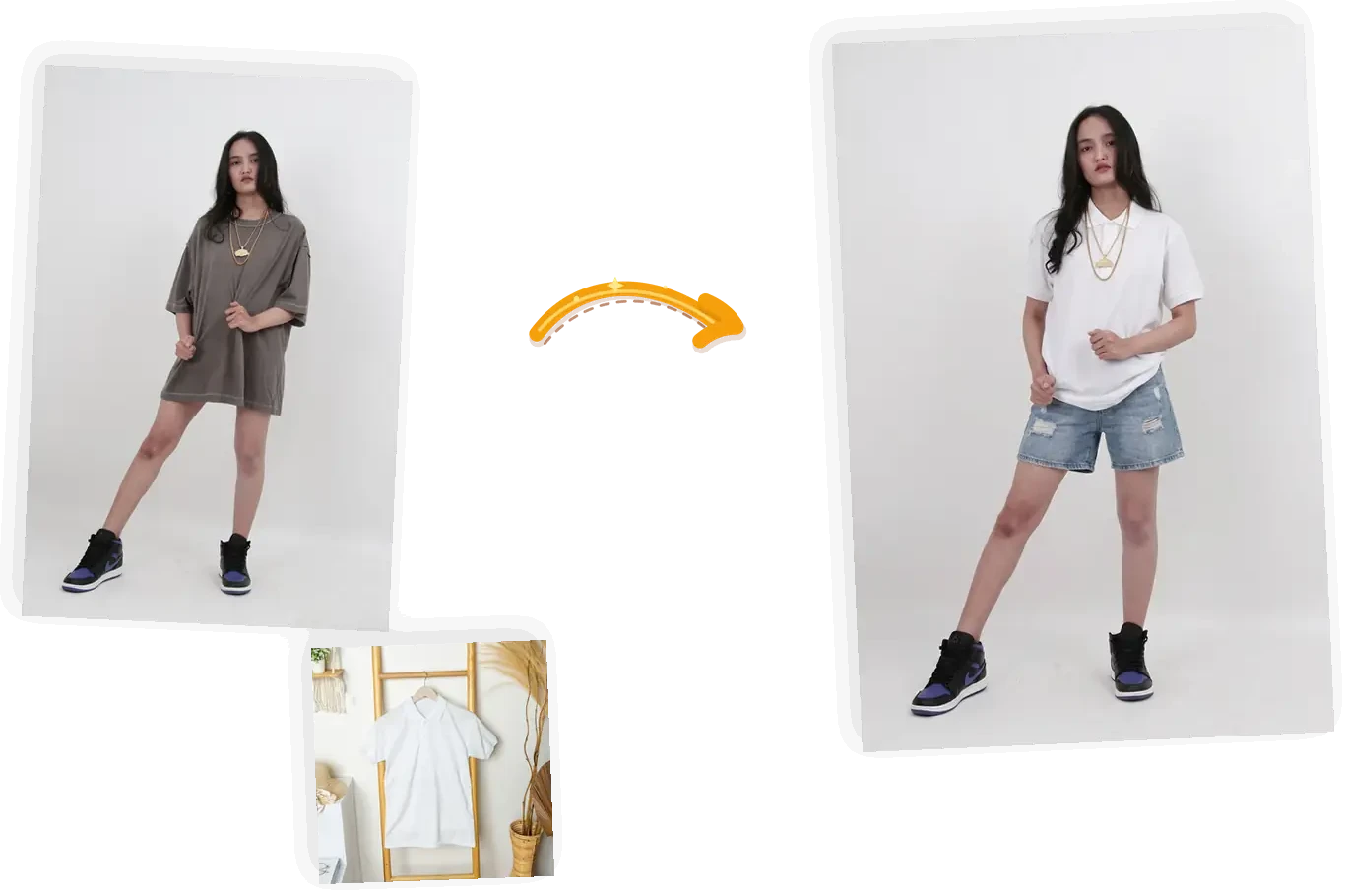
Garment swap preserving natural body contours, posture, and facial identity.
Casual t-shirt to tailored charcoal blazer
Modify only the clothing worn by the person in this picture. Replace the casual t-shirt with a modern, tailored single-breasted charcoal wool blazer worn over an open-collar crisp white dress shirt. The fabric must drape realistically over the shoulders with natural seam folds and physical weight. Ensure seamless collar contact around the neck with zero artifacting. Keep unchanged: the person's face, neck, hairstyle, pose, hands, and the original background.
What it does: Instantly converts casual weekend photos into professional CV images.
Tuning dial: To make it female-tailored or masculine-cut, add tailored women's silhouette blazer or structured men's lapel cut.
Autumn cashmere turtleneck sweater
Change the subject's outfit to a chunky, ribbed knit oatmeal cashmere turtleneck sweater. The knit yarn texture must be distinct and tactile, folding naturally around the neck and shoulders. Keep unchanged: the subject's facial features, makeup, skin, hair, and existing background. Realistic textile physics.
What it does: Adds seasonal warmth and tactile richness to lifestyle imagery.
Tuning dial: If the collar sits too high against the chin, specify relaxed mock-neck collar resting below the jawline.
Black-tie evening wear
Update the outfit to formal black-tie evening wear: a structured matte-black tuxedo jacket with satin peak lapels, paired with a pleated formal dress shirt and crisp black bow tie. The fabric should exhibit subtle sheen variation between wool and satin. Keep unchanged: the subject's facial identity, skin texture, expression, pose, and background elements.
What it does: Replaces everyday clothing with sharp formal attire for gala programs and ceremony invites.
Tuning dial: For women's evening wear, swap the tuxedo line for an elegant floor-length emerald green silk evening gown with subtle draped neckline.
👔
Swap clothes without redrawing the body
Try on suits, coats, and seasonal garments with accurate fabric drape on your own photos.
Launch AI Clothes Changer →
5. Object removal and clutter cleanup
Removing tourists, photobombers, or stray trash cans through text prompts requires directing the model to reconstruct occluded textures rather than inventing new filler props.
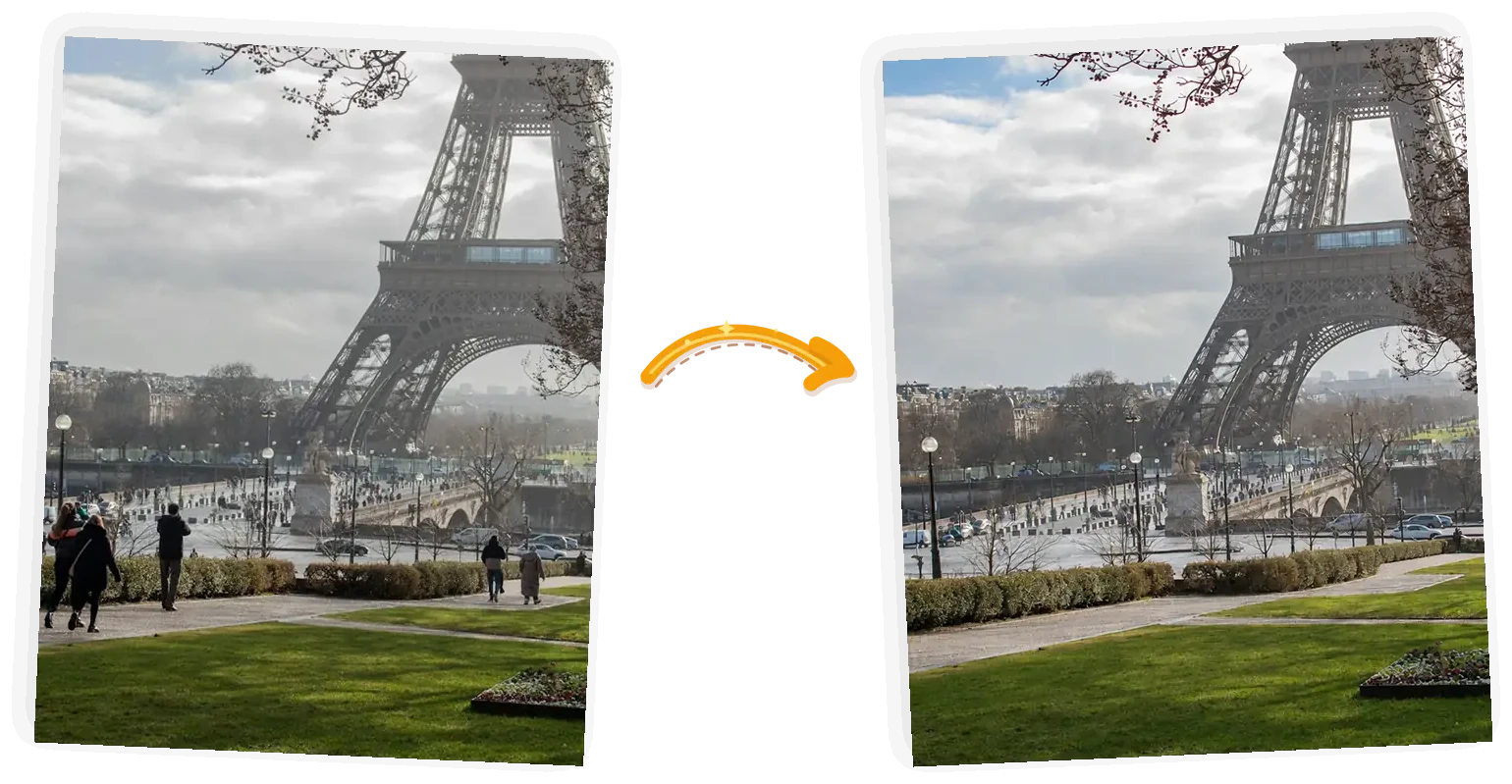
Inpainting background clutter while preserving surrounding architectural textures.
Tourist and photobomber eradication
Remove all background people, pedestrians, and tourists visible behind the primary subject. Inpaint the empty spaces seamlessly by continuing the existing background textures (cobblestone pavement, brick facade, and distant storefront lines) naturally. Do not introduce new objects, benches, or artificial blur. Keep unchanged: the primary subject, their clothing, hair, facial expression, and foreground objects.
What it does: Rescues travel photos taken in crowded landmark locations.
Tuning dial: If the model replaces people with trees, emphasize continue only the existing wall and stone ground patterns; do not add foliage.
Environmental distraction and wire cleanup
Clean up this urban photo by removing distracting overhead electrical wires, background trash bins, and street litter on the pavement. Seamlessly reconstruct the open sky and pavement concrete where these objects were removed. Keep unchanged: the central subjects, primary building architecture, and ambient lighting conditions.
What it does: Eliminates visual noise from street scenes and architectural documentation.
Tuning dial: If telephone poles remain, specify remove both the wires and the wooden support poles along the right frame edge.
🧹
Need pinpoint brush-level erasing?
Highlight exact objects with an inpainting brush instead of typing spatial coordinates.
Open AI Object Remover →
6. Vintage photo restoration and detail sharpening
Restoring degraded family archives requires a delicate balance: repairing physical tears without smoothing antique faces into cartoon characters.
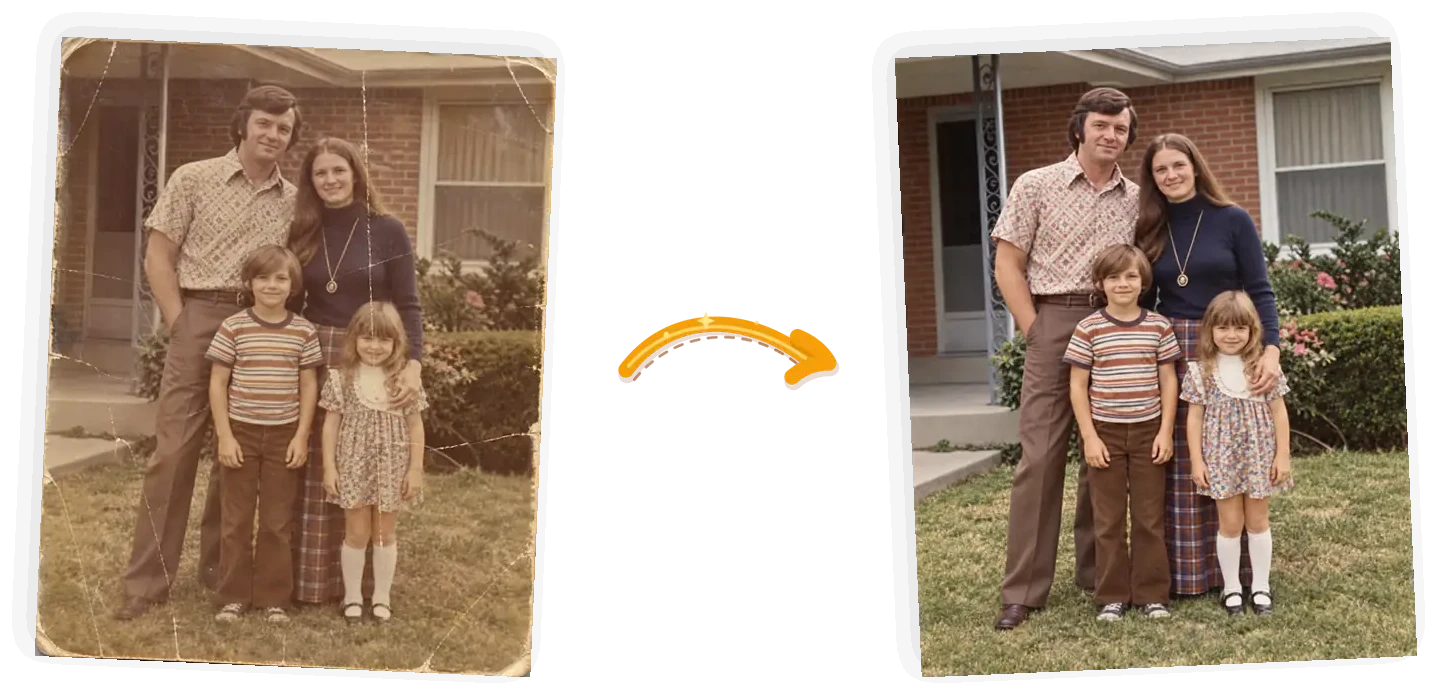
Scratches and creases removed while retaining historic film grain and genuine facial likeness.
Archival black-and-white scratch repair
Restore this vintage black-and-white photograph. Remove physical surface scratches, fold creases, dust spots, and paper tears. Restore tonal contrast in faded dark areas while preserving natural photographic film grain and historic silver gelatin paper texture. Crucially, do not alter, redraw, or modernize the faces of the people; keep their exact historic likeness authentic. Do not apply artificial skin smoothing.
What it does: Cleans physical damage from century-old prints without destroying archival authenticity.
Tuning dial: If the image turns sepia, add output in pure balanced monochrome black and white.
Gentle vintage color restoration
Restore the faded colors in this vintage photograph. Revitalize yellowed, washed-out tones into natural, authentic mid-century color film palettes. Rebalance skin tones to natural human warmth without neon oversaturation. Sharpen gentle eye and facial details while keeping all original facial geometry, expressions, clothing fabrics, and period-specific background decor intact.
What it does: Brings vibrant life back to 1970s and 1980s color prints damaged by light exposure.
Tuning dial: If colors look like modern digital photos, add maintain period-accurate Kodachrome color science.
✨
Automatic old photo scratch repair & colorization
Repair creases and enhance historical portraits with dedicated restoration networks.
Launch Old Photo Restorer →
Sequential multi-turn editing: why one giant prompt fails
A frequent mistake among AI users is packing four complex demands into a single prompt:
"Change my clothes to a suit, replace the background with an office, remove the car on the left, and fix my lighting."
Diffusion models process spatial attention across competing tasks simultaneously. When confronted with four major regional modifications at once, the probability of cross-contamination spikes: the car removal bleeds into your sleeve, the office background bleeds into your hair, and the model solves the overload by hallucinating an entirely new face.
Step 1: Isolate & Background -> Verify crop & lighting
Step 2: Garment Swap        -> Verify collar & seams
Step 3: Color Grade         -> Apply final tonal polish
By structuring your edits across sequential conversational turns, you evaluate each transformation independently. If a background swap succeeds, you continue in that thread. If a wardrobe prompt misses, you regenerate only that step without losing the clean background you already established.
To store your refined four-part recipes for repeated use across sessions, bookmark them in My Prompts to deploy them across models in one click.
ChatGPT prompts vs. dedicated AI photo tools: an honest comparison
Conversational prompting is exceptional for open-ended ideation and rapid concept drafts. However, when your task requires pixel-level precision, zero likeness drift, and production exports, conversational chat interfaces present structural hurdles.
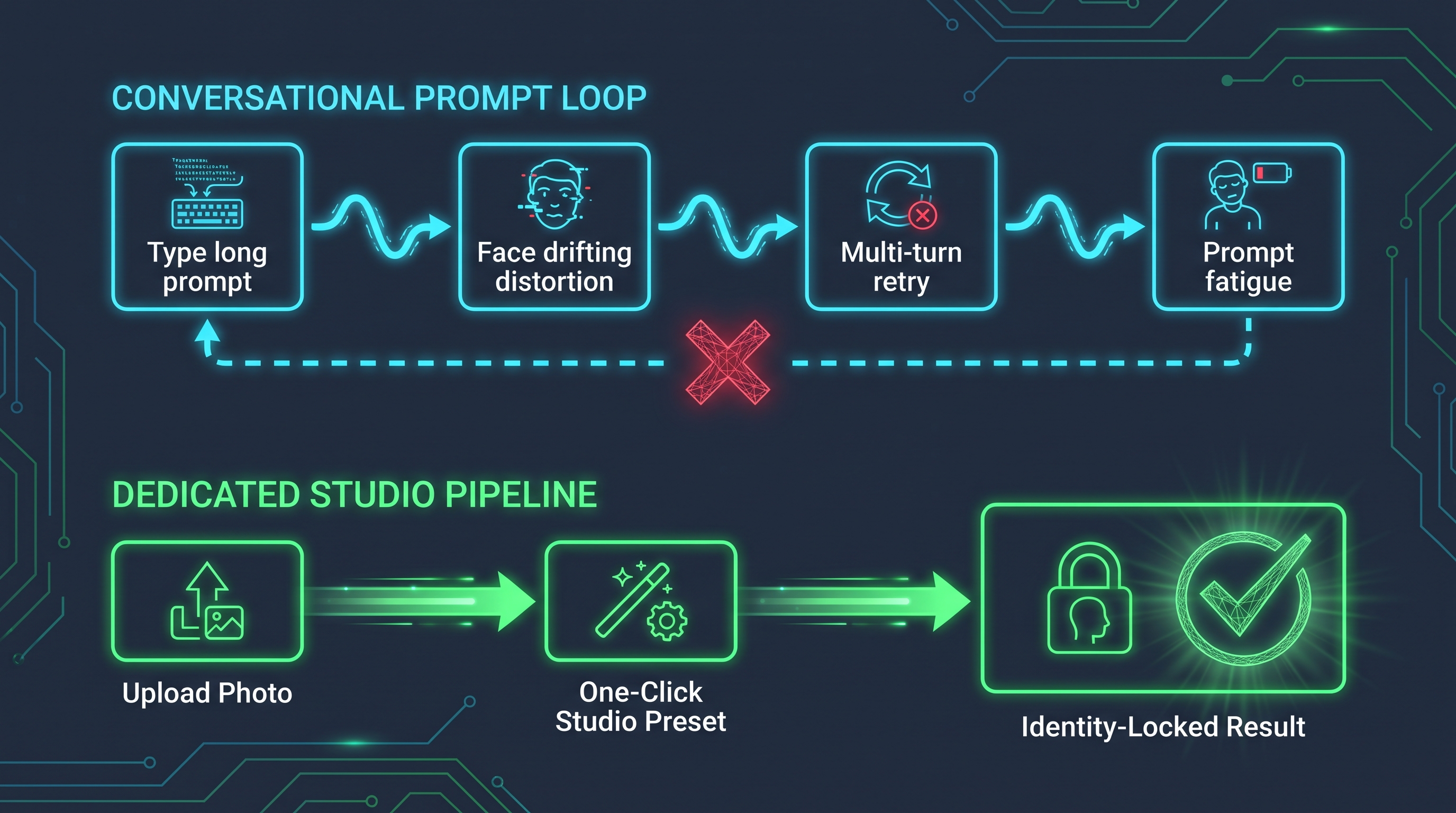
| Evaluation Axis | ChatGPT (Conversational Image-to-Image) | ImagEditorAI Dedicated Tools | | :---------------------------- | :------------------------------------------------------------------- | :----------------------------------------------------------------------------------- | | Best suited for | Open-ended exploration, speculative outfits, conceptual mood boards. | Repeatable commercial tasks (business headshots, product cutouts, catalog staging). | | Facial Likeness Retention | Variable (15–30% chance of drift even with keep-lists). | Guaranteed Lock (integrated facial keypoint anchor networks). | | Operating Friction | High: requires drafting 50–90 word technical prompts. | Low: one-click pre-engineered studio presets. | | Masking Precision | Whole-image text prompt guidance; coarse regional control. | Interactive Brush Masking: pinpoint inpainting without touching adjacent pixels. | | Resolution & Aspect Ratio | Unpredictable compression; often re-crops source dimensions. | Original Resolution Preservation with lossless HD upscaling. | | Watermarks & Ownership | Usage rights depend on subscription tier. | Commercial-ready exports with no watermarks. |
Frequently asked questions
Can ChatGPT edit photos without altering my facial features?
Yes, but only if you provide an explicit keep-list constraint. Conversational models regenerate unconstrained image regions by default. Appending "Keep unchanged: original facial bone structure, eye shape, nose, lips, natural skin pores, and hair structure from the original photo" forces the cross-attention layers to prioritize the reference likeness.
Why does ChatGPT make skin look like plastic or wax?
Diffusion models apply aggressive denoising filters when asked to "beautify" or "enhance" portraits. Avoid subjective terms like flawless, glamorous, or perfect. Instead, use photographic technical specifications: "Preserve natural epidermal pores, subtle skin micro-texture, and natural imperfections; avoid digital airbrushing or plastic smoothing."
Is it better to make multiple edits in one prompt or step by step?
Always edit sequentially in multiple turns. Instructing the model to swap an outfit, change a background, and adjust lighting simultaneously overloads cross-attention maps, leading to face distortion and border halos. Split your workflow: change the background first, verify the result, and apply clothing adjustments in a subsequent prompt.
How do I ensure a new background matches the lighting on my subject?
Specify directional photometric alignment in your prompt. Identify where the primary light hits the subject in your original photo (e.g., window light from the left) and instruct the model: "Ensure the new background features directional light from the left at a 45-degree angle, casting soft contact shadows on the right shoulder, shot with an 85mm portrait lens at f/1.8."
When should I switch from ChatGPT prompts to dedicated photo editors?
Use ChatGPT for creative brainstorming, unexpected aesthetic combinations, and quick social drafts. Switch to specialized tools like AI Headshot Generator, AI Background Changer, and AI Object Remover when you need guaranteed likeness preservation, interactive brush masking, and high-resolution commercial downloads without typing out long prompt formulas.
ImagEditorAI Team
Written by the ImagEditorAI Editorial Team. We research and test image editing workflows, outfit coordination, and generative AI models.
Skip prompt drafting: transform portraits in one click
Want instant professional lighting, background swaps, or outfit styling without likeness drift? ImagEditorAI locks facial anatomy automatically.
Related Guides & Articles
Christmas AI Photo Prompts: Twelve Tested With Real Results
Twelve christmas AI photo prompts to copy, each shown beside the original photo it transformed, plus what every line of the prompt does and where to run it.
Jewelry Product Photography: The Home Setup Guide
Jewelry product photography at home: the setup, per-piece shots for rings and necklaces, the failure modes to expect, and the edit pass that finishes them.
Product Photography Ideas: 12 Shots That Sell
Twelve product photography ideas ranked by effort: the setup, the phone version, and the edit pass that turns each shot into a finished listing image.