





1
Upload one clear photo
JPEG, PNG, or WebP up to 20MB. Faces that are large and evenly lit give the model the most to work with.

Upload a family shot, a picture of the kids, or your pet, and get a finished Christmas card back: bordered, laid out, and carrying a printed greeting. The AI christmas card generator keeps your people as they are. Free daily credits, no watermark, nothing to install.
0 / 5 reference images
Example 1 of 3
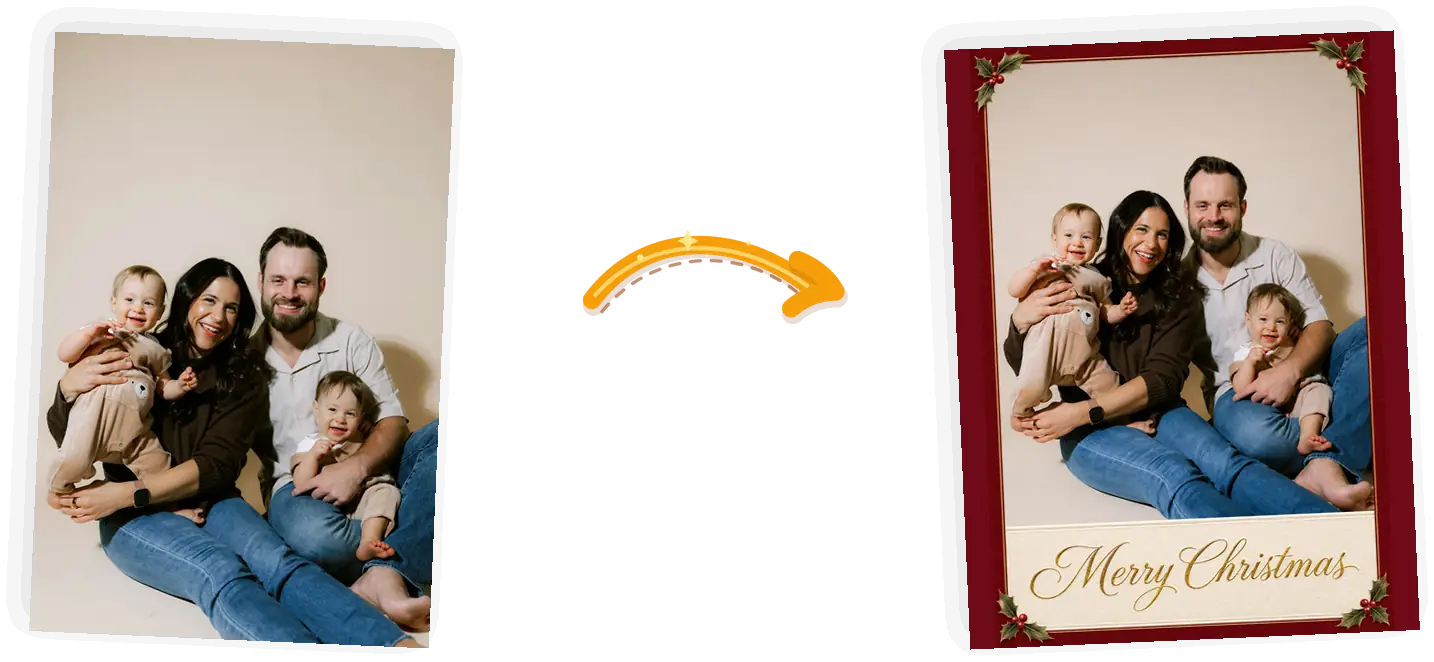
Turn this photo into a finished Christmas card: deep-red border with holly in the corners, cream band below the photo with "Merry Christmas" in gold script. Keep the people exactly as they are.
An AI Christmas card generator takes a photo you already have and returns a finished card: your picture set inside a printed border with a greeting line beneath it. The people and pets in the photo stay themselves; the frame around them is what changes. It sits between two other tools on this site. If you want a festive scene photo without the card layout, the AI Christmas photo tool handles that. If you want Santa himself worked into a room shot, that is the add-Santa-to-photo tool. This page is for the card: the version you send in a group chat, staple to a work email, or print at the drugstore.
Make a free Christmas cardOne upload, one card style, a single generation pass.
JPEG, PNG, or WebP up to 20MB. Faces that are large and evenly lit give the model the most to work with.
The four presets fill in a full card prompt: border, layout, and a short greeting. Edit any line of it. Keep greetings short: two or three words render cleanly, longer lines can garble.
The generator redraws the frame around your photo in one pass, and the credit cost shows before you spend anything. Read the greeting before you download; rerun if a letter came out wrong.
Save the file and send it as-is, or take the landscape 4:3 file to a print shop for a 7x5 card. Want a longer personal message inside? The image text editor adds wording to a finished card.
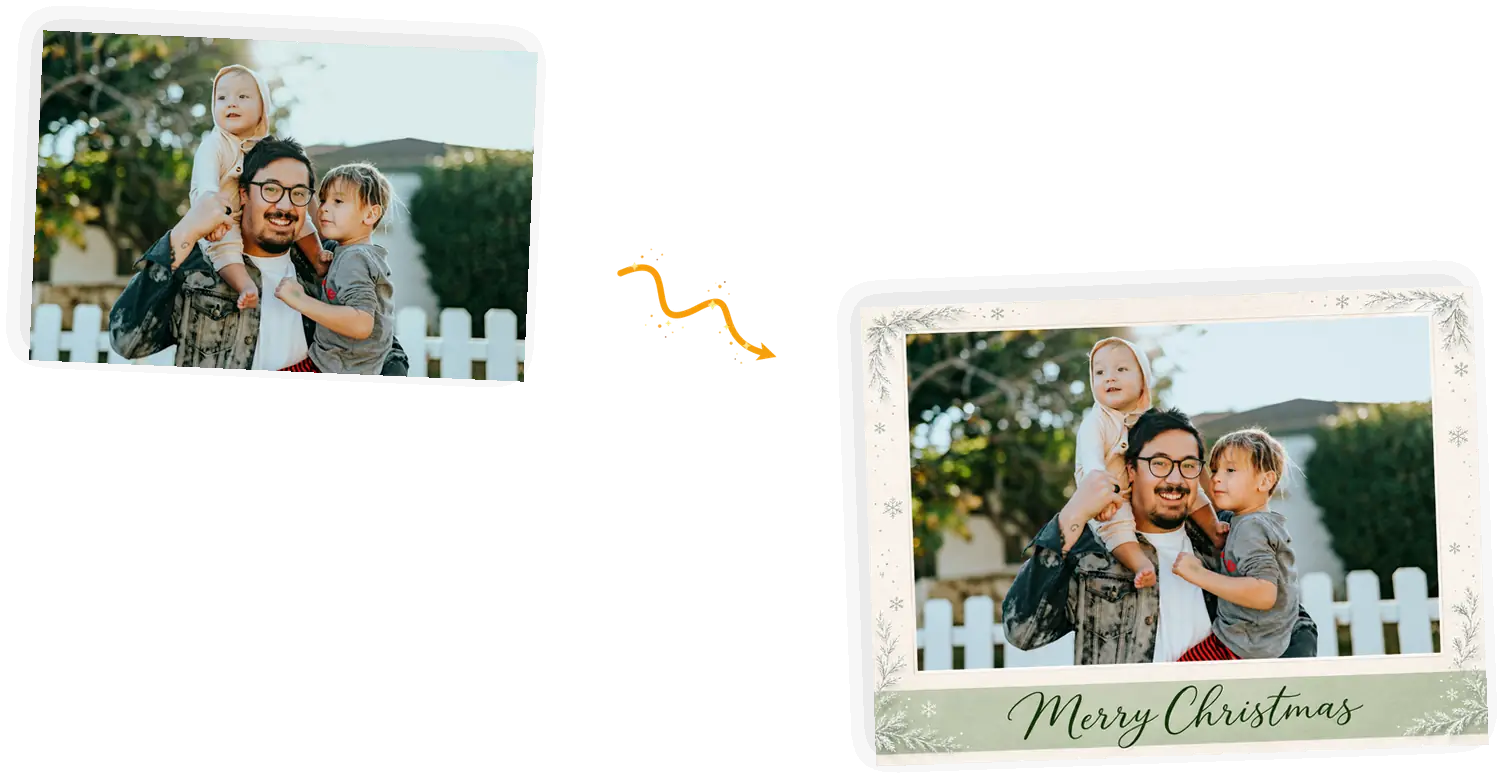
A plain photo becomes the card you would have ordered: deep-red frame, holly in the corners, and a gold greeting under the picture. The difference from a print shop is the wait, and there isn't one.
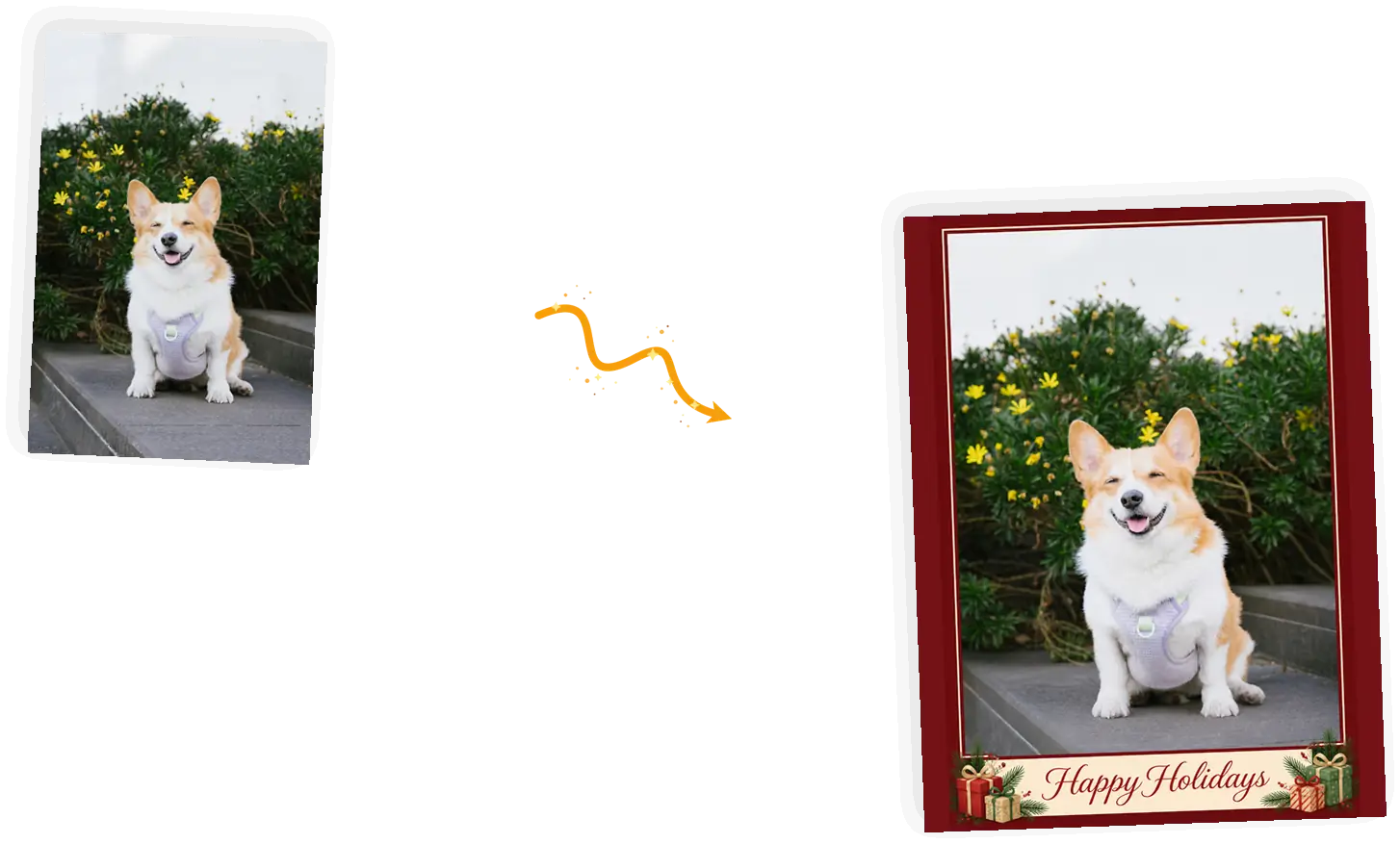
Pet households send more cards than anyone, and most card makers treat the dog as an afterthought. Here the pet stays the subject and the card builds around it: ribbon band, pine sprigs, greeting.
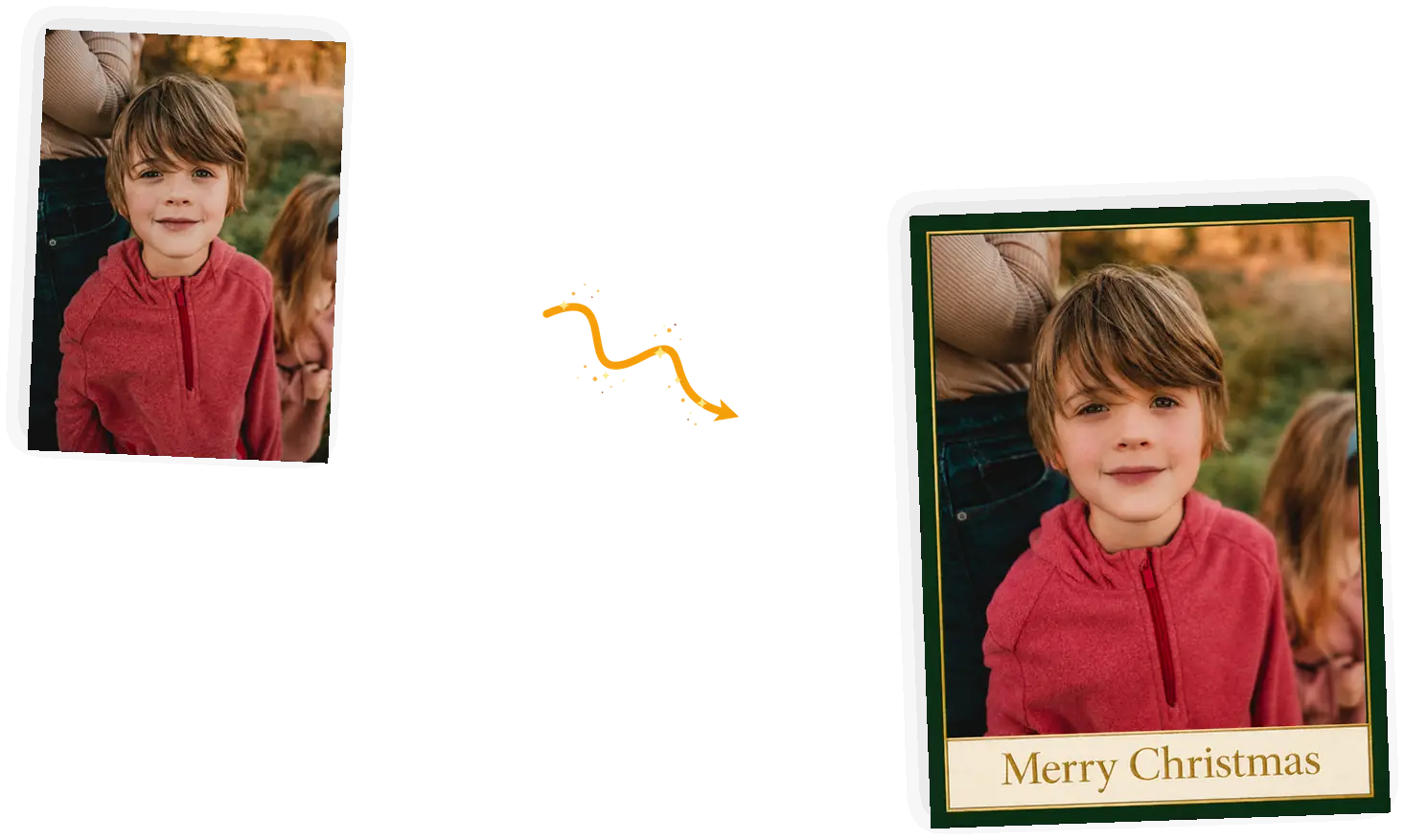
Flip the ratio to 3:4 and the card comes out the shape print shops expect for a 5x7: vertical, with the border and greeting scaled to match.
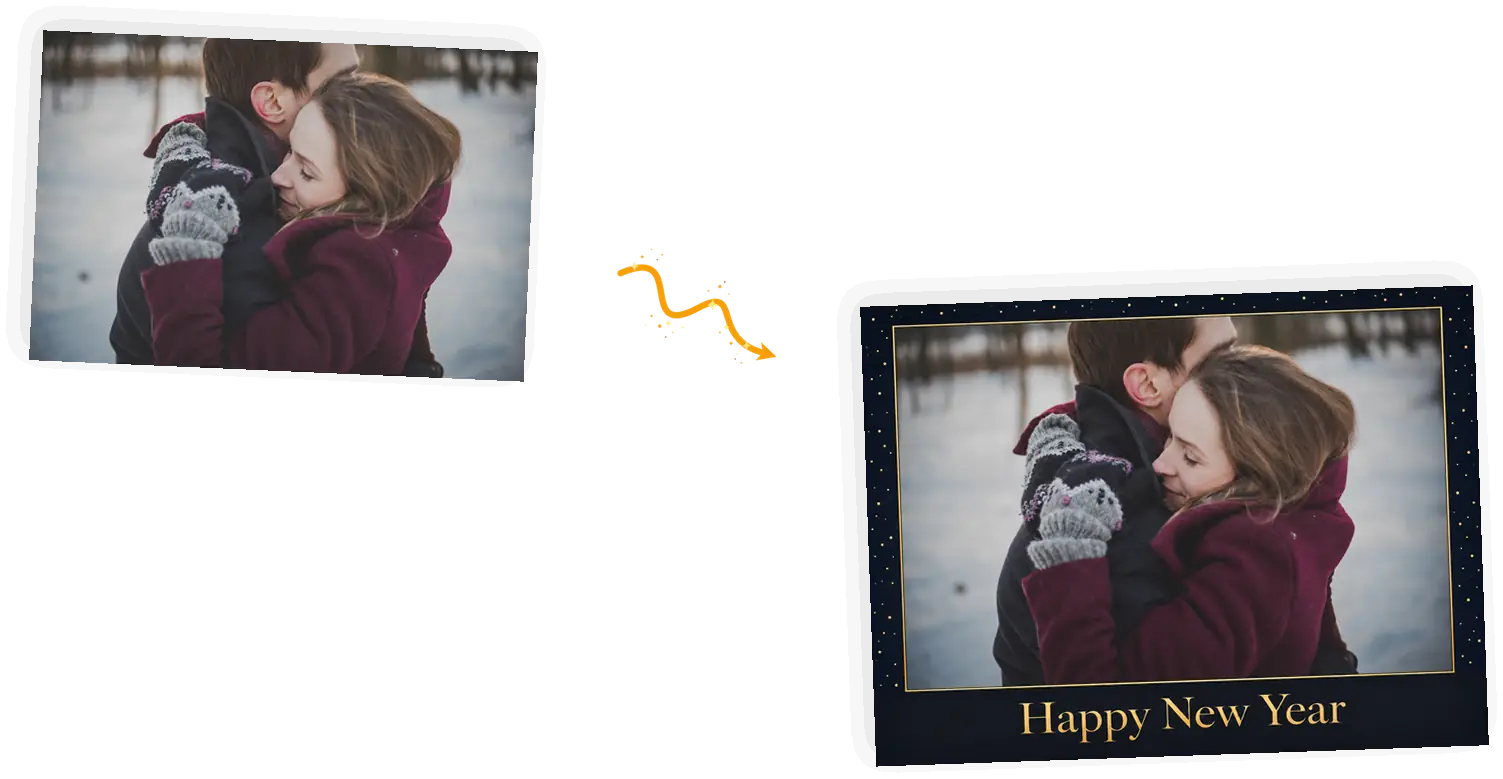
The card you send between Christmas and January: night-dark border, gold confetti, a serif greeting. Same photo, different holiday, no second tool.
Short greetings come out clean almost every time: "Merry Christmas", "Happy Holidays", "Happy New Year", "Warmest wishes", "Peace and joy", "Joy to your house". Two or three words in quotes is the reliable zone. Longer lines are where spelling glitches live, because the model draws letters rather than types them and every extra word is another chance to draw one wrong. Run a long message through the image text editor instead: it adds real wording to a finished card, and you can proof it before you send anything.
Add a personal message with the image text editorThe card that used to take a design account and an hour of template shopping becomes an upload and a rerun. Send it in the family chat before anyone asks whether you ordered cards this year.
It is late December, the mail deadline passed weeks ago, and the list still exists. A finished card tonight beats a printed one in February; the digital version lands now and nobody checks the postmark.
Cards where the dog is the point. The pet stays the subject, the greeting fits on a ribbon, and the relatives who ask for a photo of the dog every year get one they can frame.
The presets carry most of the prompt. When you edit, edit the parts that matter.
[photo] + [border and band] + ["greeting"] + [keep-list]
Too vague
“Write a nice long Christmas message on my card”
More useful prompt
“Cream band with "Merry Christmas" in gold script”
Too vague
“Make it look like a real card”
More useful prompt
“Night-blue border with gold confetti dots and a thin gold inner frame”
Too vague
“Put my family on a Christmas card”
More useful prompt
“Keep all four faces, the gray sweater, and the toddler's smile exactly as they are”
Practical guides and product updates from the team.
What people check before turning a family photo into a card.
Upload a photo, tap a card style, and see the finished card before you decide to keep it.