




Add Santa to Photo: Proof He Was in Your House

Upload a living room, porch, or pet photo and put Santa in it: laying presents under the tree, caught mid-stride on a night-vision camera, or flying over the roofline. The room comes from your picture: you add Santa to photos of your own house, so the proof of his visit happens there.

  • No sign-up
  • Free daily credits
  • No watermark
0 / 1000

Example 1 of 4

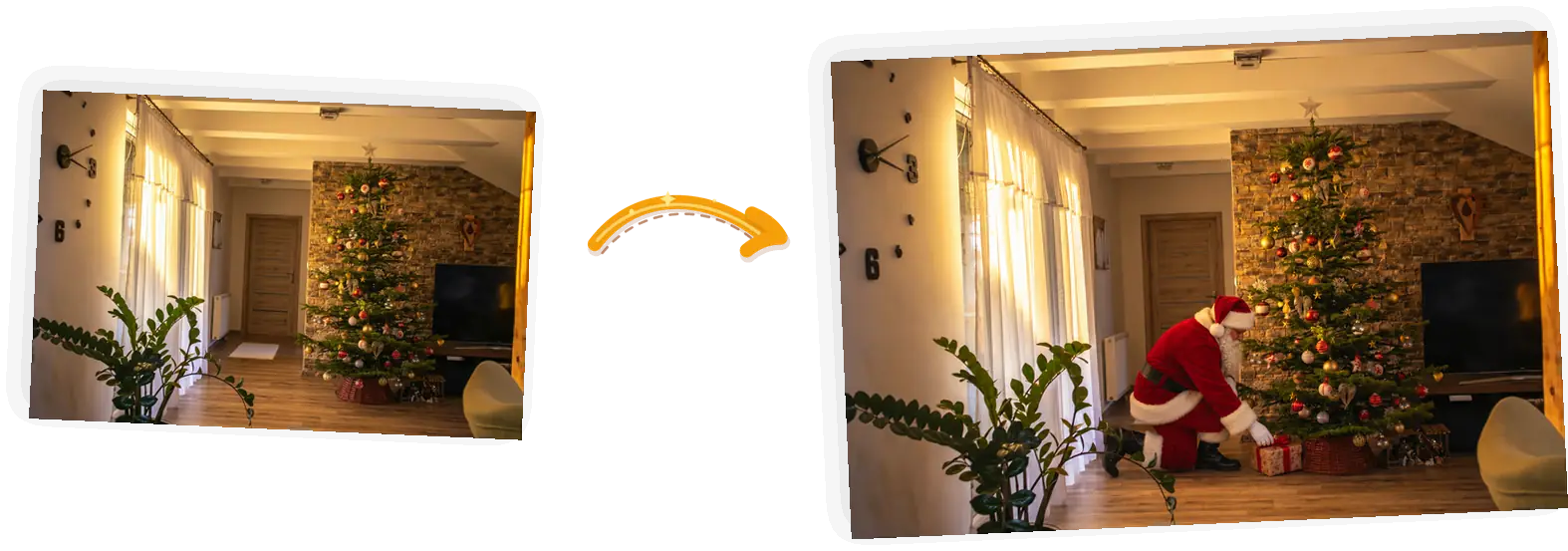
Presents under the tree

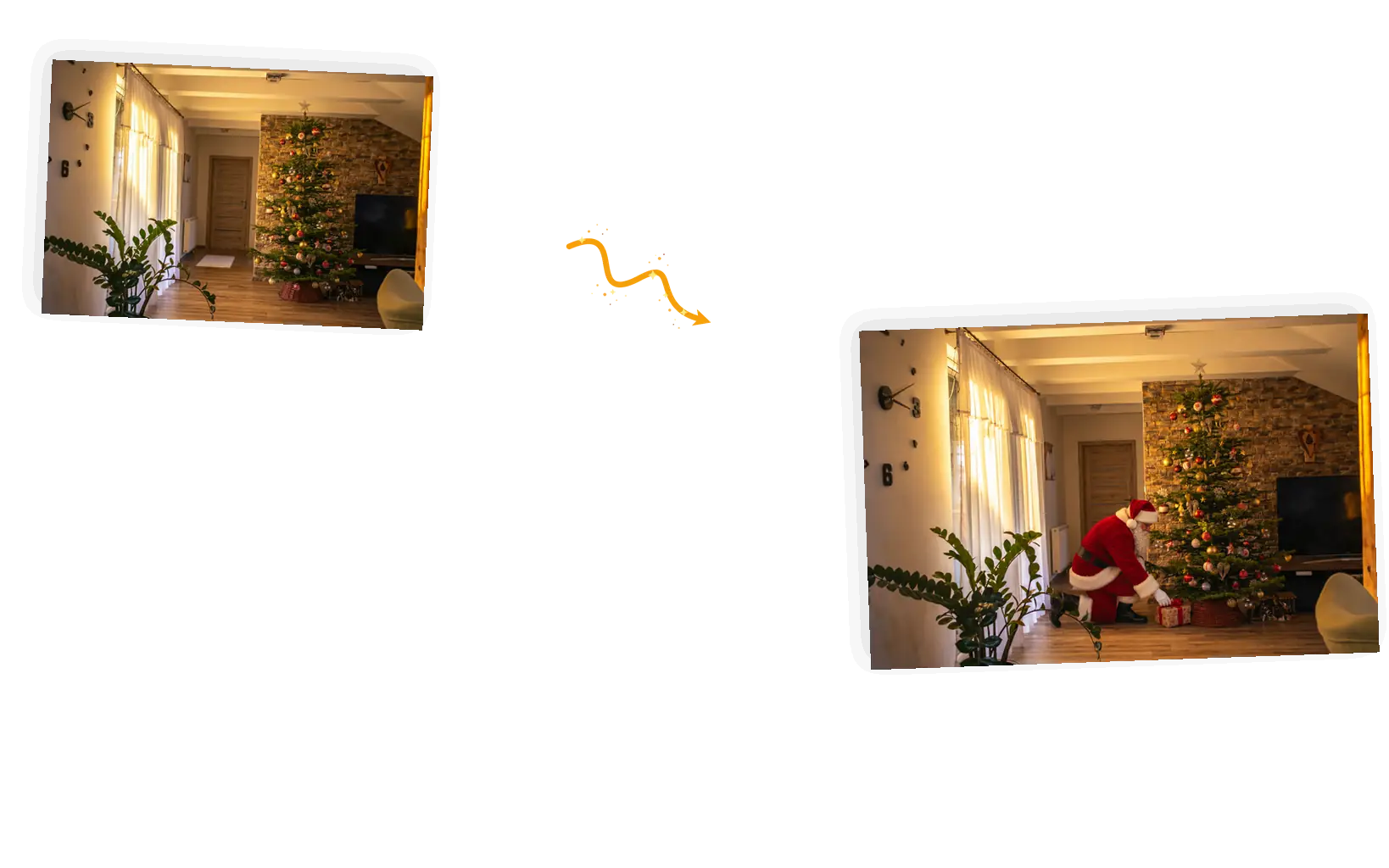
The scene: a warm living room at night, and Santa kneels by the tree placing a present.
Prompt

Add Santa Claus kneeling in front of the Christmas tree, placing a wrapped present under it. Keep the room exactly unchanged: the tree, ornaments, walls, furniture, door, plants, curtains, and flooring stay as in the original. Santa is lit by the room's own warm light, casts a soft shadow, and is sized to the space. Photorealistic.

What Makes This Santa Picture Editor Different

Santa rendered into a living room with the room’s own light and a shadow on the floor.

Lit by the room, not pasted on

A sticker sits on top of a photo, and its lighting never quite agrees with the scene. The editor renders Santa into the frame with the light the room already has, a shadow under his boots, and a size that fits where he stands. Results vary by photo, and a rerun with a clearer prompt usually lands closer.
The same living room before and after Santa enters, with the room itself unchanged.

Your house stays your house

Every scene ships with a keep-list: the tree, the furniture, the walls, the pet’s face. Only Santa and his props enter the frame. If a run redraws more than you asked, put the keep-list back and generate again.

Four scene pills above one uploaded photo in the editor.

Four scenes, one editor

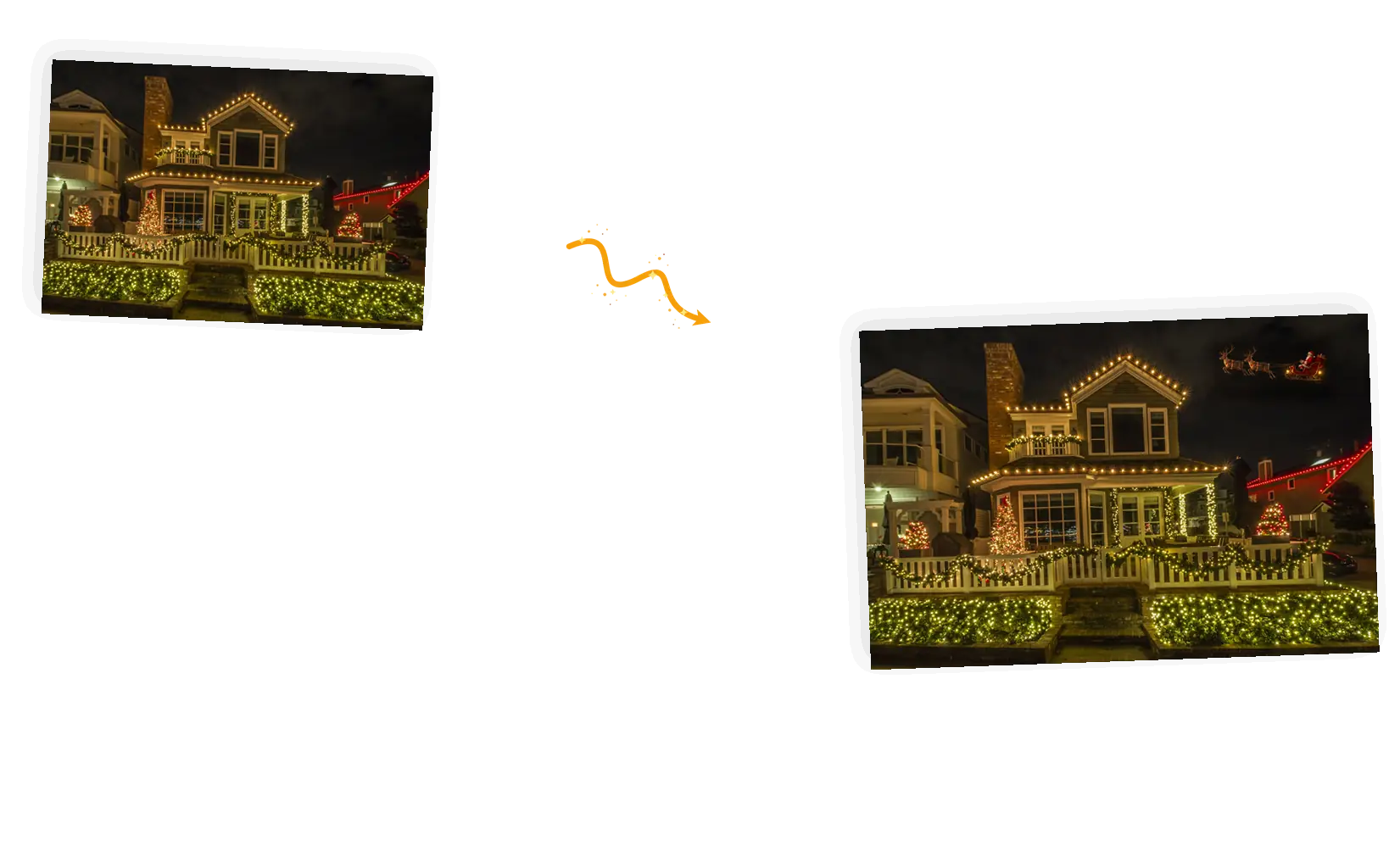
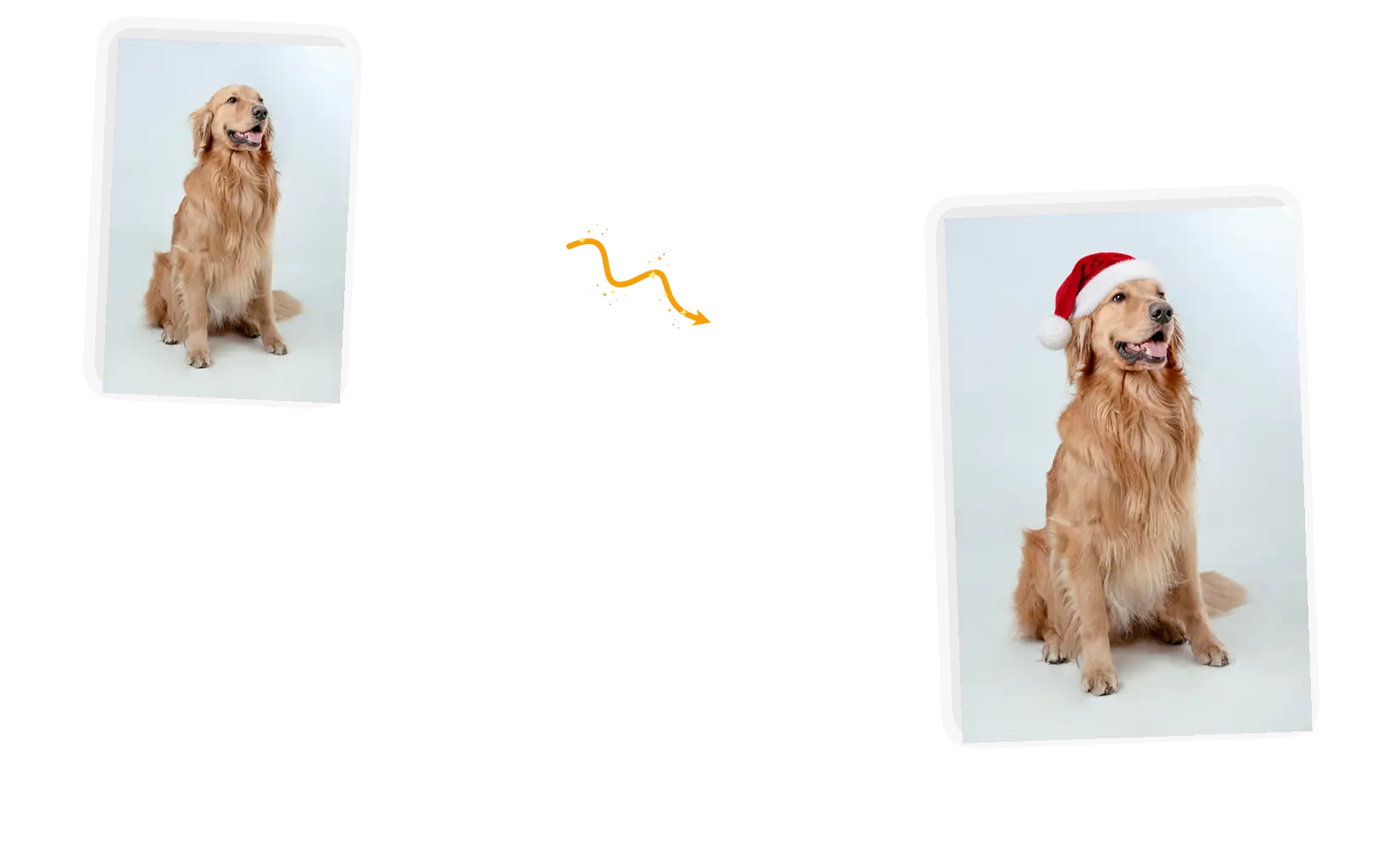
There are four ways to add Santa to photos in this editor: presents under the tree, a night-vision camera catch, a hat for the pet, a sleigh flyby. Pick one and its prompt loads for you to edit; change one line and the same upload stages a different visit.

Two versions of the same room photo generated from two edited prompts.

Reruns cost a prompt edit

The same photo can stage the whole night: first the tree, then the porch, then the hat on the dog. A standard 1K run costs 3 credits and failed tasks refund automatically, so a wrong turn costs a retry, not a redo.

What Does It Mean to Add Santa to a Photo?

What does it mean to add Santa to photo files you already have? You upload the scene and the editor builds him into it: your tree, your hallway, your pet, not a stock living room. That is how a "catch Santa in my house" shot gets made: the room behind Santa is yours. Each run returns one still image, results can vary, and a clearer prompt gets a closer visit.

Add Santa to your photo

How to Add Santa to a Photo in Five Steps

The flow runs in the editor at the top of this page: upload, pick a scene, add Santa to the photo, download.

1

Upload the photo

JPEG, PNG, or WebP up to 20MB. A room shot with some open floor, or a front-facing pet portrait, gives Santa space to land.

2

Pick the scene

Presents, camera catch, pet hat, or sleigh flyby. Each one loads a prompt you can edit before generating.

3

Check the keep-list

The room, the pet’s face, the lights on the house: the prompt names what stays. Edit the list if something matters that it missed.

4

Generate

A standard 1K run costs 3 credits. Guests get 3 free credits each UTC day, signed-in accounts get 9, and failed tasks refund automatically.

5

Download or restage

Results come down with no watermark from us. Not the pose you pictured? Change one line and run the same photo again.

Tips for Better Santa Prompts

The model needs the action, the spot, and the keep-list.

  • Name the action and the spot: kneeling at the tree, mid-stride by the couch, flying over the roof.
  • Keep-list the room: tree, furniture, walls, the pet’s face. Only Santa and his props should move.
  • Describe the light: warm lamp glow, night-vision grain, porch lights. The blend follows the light, not the adjectives.

Add Santa [action] in [spot]. Keep [room and subject list] exactly unchanged.

The tree visit

Too vague

“Put Santa in my living room”

More useful prompt

“Add Santa kneeling by the Christmas tree, placing a wrapped present under it. Keep the tree, furniture, and warm lamp light exactly as they are.”

The camera catch

Too vague

“Make a fake security video of Santa”

More useful prompt

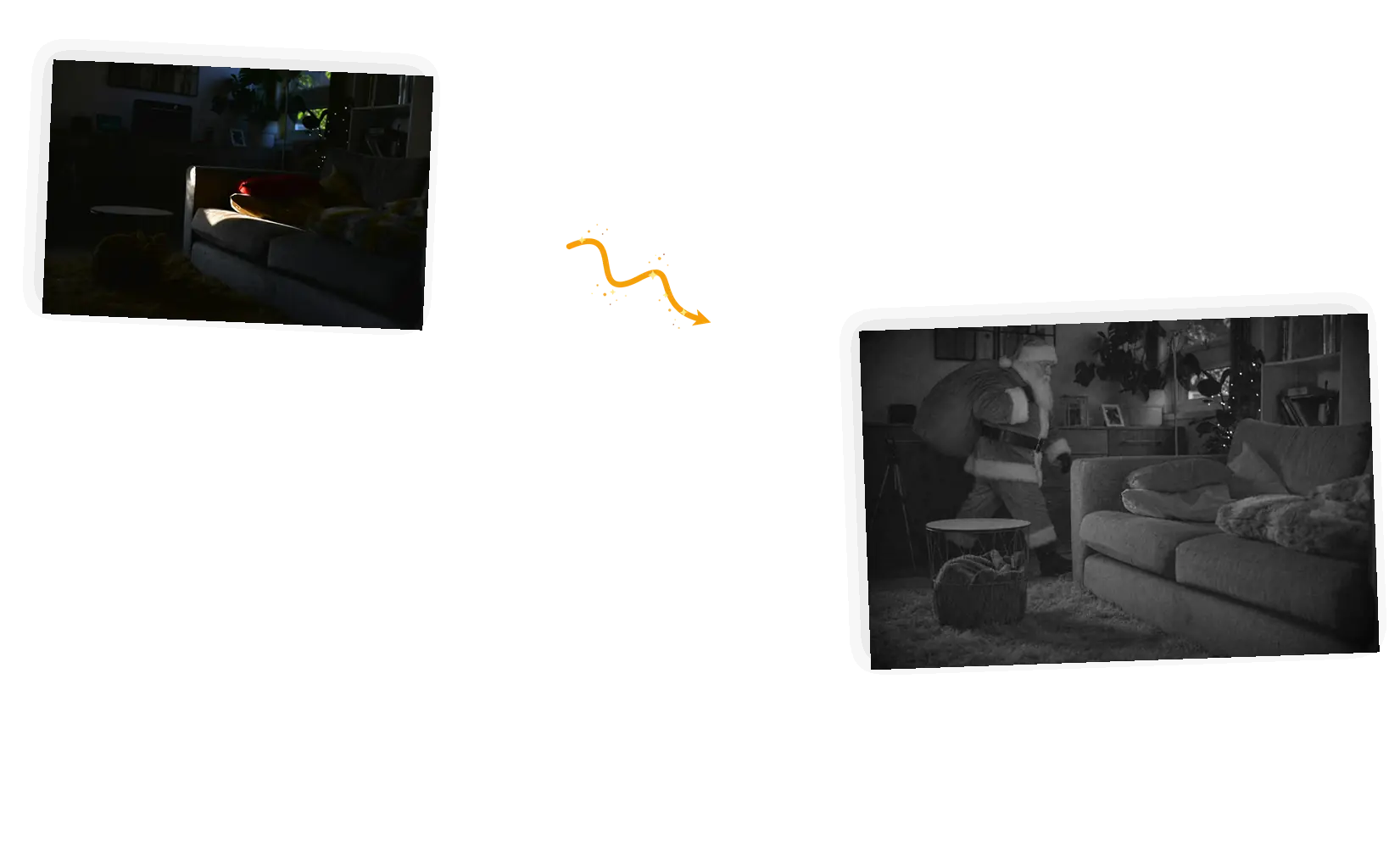
“Turn the room into grainy night-vision camera footage and add Santa walking through with a red sack. Furniture and layout stay as in the photo. The result is one still frame.”

The flyby

Too vague

“Add Santa and reindeer to my house photo”

More useful prompt

“Add Santa in his sleigh pulled by two reindeer crossing the sky above the roofline, small in the frame. Keep the house and its lights exactly unchanged.”

Stage the Whole Night in Three Runs

The night before

Run the presents scene on your tree photo and check the shadow against the lamp glow before the house wakes up. If his boots float, ask for ground contact in the prompt and run it again.

Christmas morning

The camera catch is the reveal shot: a grainy night-vision frame of your own hallway, Santa mid-stride. One still image is enough for the morning, and the room layout stays recognizable.

The group chat

Close with the flyby over your roofline for the adults who know exactly what happened. The joke works because the house under the sleigh is the house they have been to.

Can Santa Be Caught on Camera?

The camera scene restyles your room as grainy infrared footage and walks Santa through it mid-stride, sack on his shoulder. Three things sell the frame: the sensor noise, the desaturated night look, and a figure placed where a person would actually walk, between the furniture rather than inside it. It stays one still image styled to look like footage, not a video and not real recordings, so share it as the fun kind of evidence. Results can vary, and a second run with tighter placement usually looks more convincing.

Stage the camera catch

Who Ends Up Here

Parents staging the morning

The picture lands on Christmas morning: Santa at the tree, caught in the hallway, mid-step by the cookies. One upload of your own room is all the setup the story needs.

Pet portraits with a hat

A front-facing pet photo takes a Santa hat in one run, and the face stays exactly the face it was. Cards, group chats, and the family thread get their picture.

The adults in on the joke

A night-vision frame of Santa by the couch lands differently when the group chat knows it is staged. The camera look is part of the prompt, and the room is still yours.

Add Santa to Photo: How Three Ways Compare

The same job three ways: a sticker app, a chat prompt, and the editor on this page.

DimensionSticker appGeneral chatbotThis editor
Starting pointA photo plus a sticker packA text description of the roomYour own photo, uploaded
Pose controlDrag, scale, rotate by handWhatever the model guessesNamed action: kneeling, mid-stride, flying
Room keepUntouched, sticker sits on topOften redrawn from scratchKeep-list pins the room
Lighting matchSticker keeps its own lightDepends on prompt luckRendered into the room’s light
EffortPlacement and blending by handDescribe, hope, repeatOne prompt, about a minute
RerunsRe-place the same stickerStart the description overEdit one line, same upload

Add Santa to Photo: Questions and Answers

Short answers on realism, cost, and what the editor does with your upload.

Light and size sell the visit: ask for the room’s own lamp glow, a shadow under his boots, and a build that fits the doorway he stands in. Grain sells the camera version. Treat the result as a fun picture rather than evidence; zoomed in, a generated figure can show its edges.

Pick the hat scene in the editor and upload a front-facing photo of a person or pet. The prompt places a red hat with white trim and keeps the face, fur, and pose as they were. Add a white beard to the prompt when you want the full dress-up look.

Yes: the camera scene turns your room into grainy night-vision footage with Santa mid-stride carrying his sack. It renders one still frame, not a video, and the room layout stays yours.

A standard 1K generation costs 3 credits. Guests get 3 free credits each UTC day and signed-in accounts get 9; the daily refresh does not stack. Failed tasks refund automatically, and results download with no watermark.

Possibly, and it is worth knowing before you print it. Generated figures can show artifacts up close, results can vary between runs, and the camera look is styled rather than lifted from real footage. Use photos of your own home, your own pets, and people who are in on it.

It runs in the phone browser: upload from the camera roll, generate, and download, with nothing to install. There is no app-store version; this page is the tool.

Try the Add Santa to Photo Editor

Upload a room, a porch, or a pet, pick the scene, and see who shows up.

Start editing