AI Image Fixer: Name the Problem, Fix the Photo

A room shot too dark, a cafe glowing yellow, a skyline lost in haze, an album print gone flat: say what looks wrong and the fixer corrects the tones in one pass, while a keep-list holds skin tones, whites, and colors where they belong.

  • No sign-up
  • Free daily credits
  • No watermark
0 / 1000
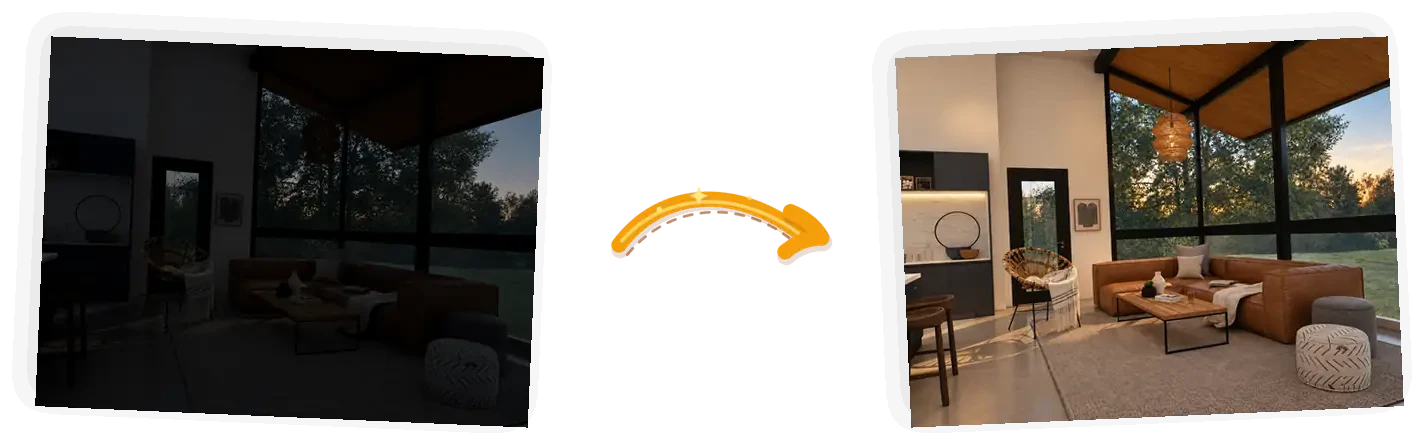
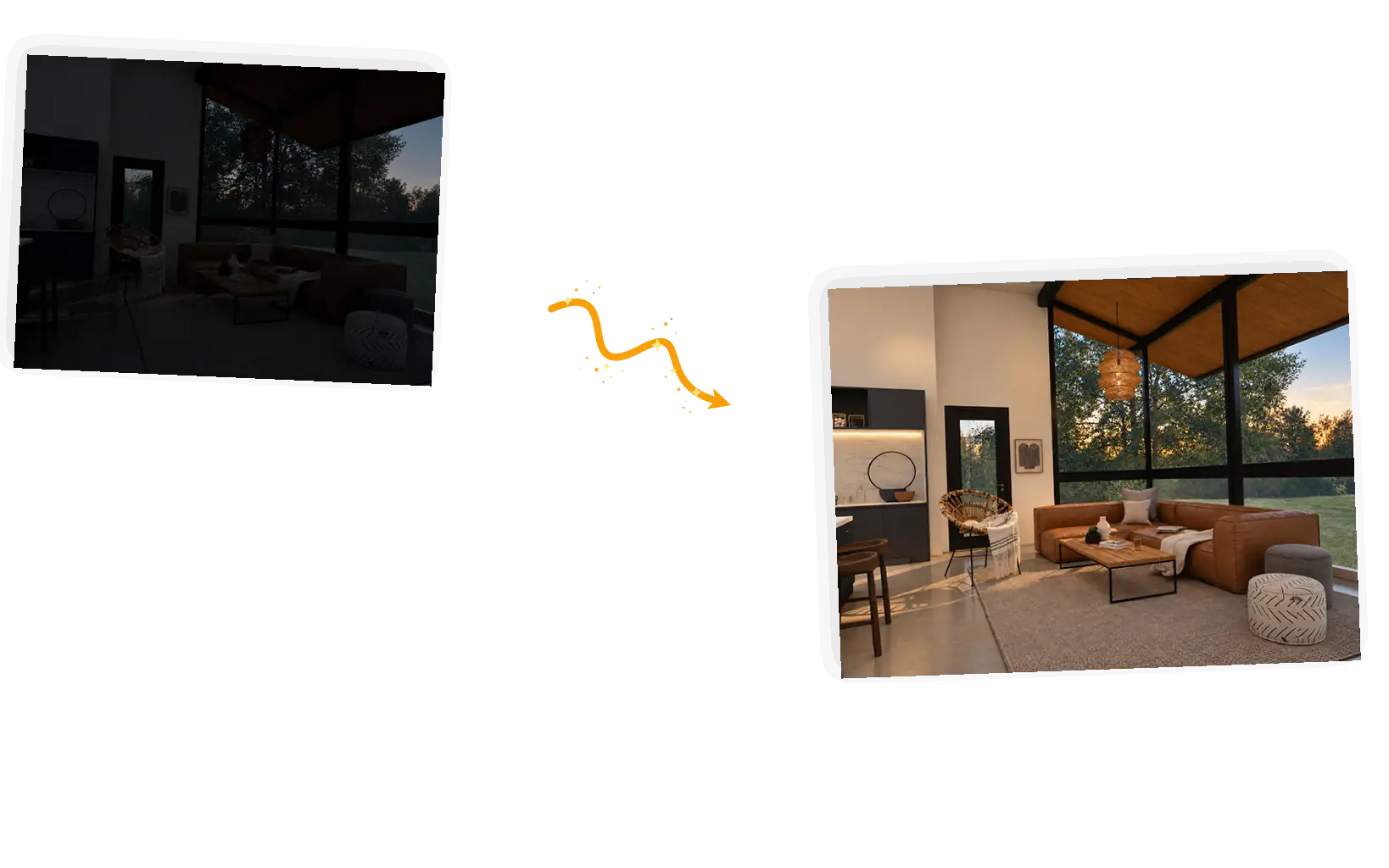
The fix: the same living room lifted out of underexposure, furniture and colors reading naturally in even light.

What Makes This Image Fixer Different

Before and after: the dark living room brought up to natural brightness with every piece of furniture unchanged.

Name the defect, not the slider

Auto tools guess what to change and you accept whatever comes back. Here the sentence is the instruction: too dark, too yellow, too hazy, too flat. Saying it out loud points the fix at the actual problem, and sharpening the wording steers the retry.
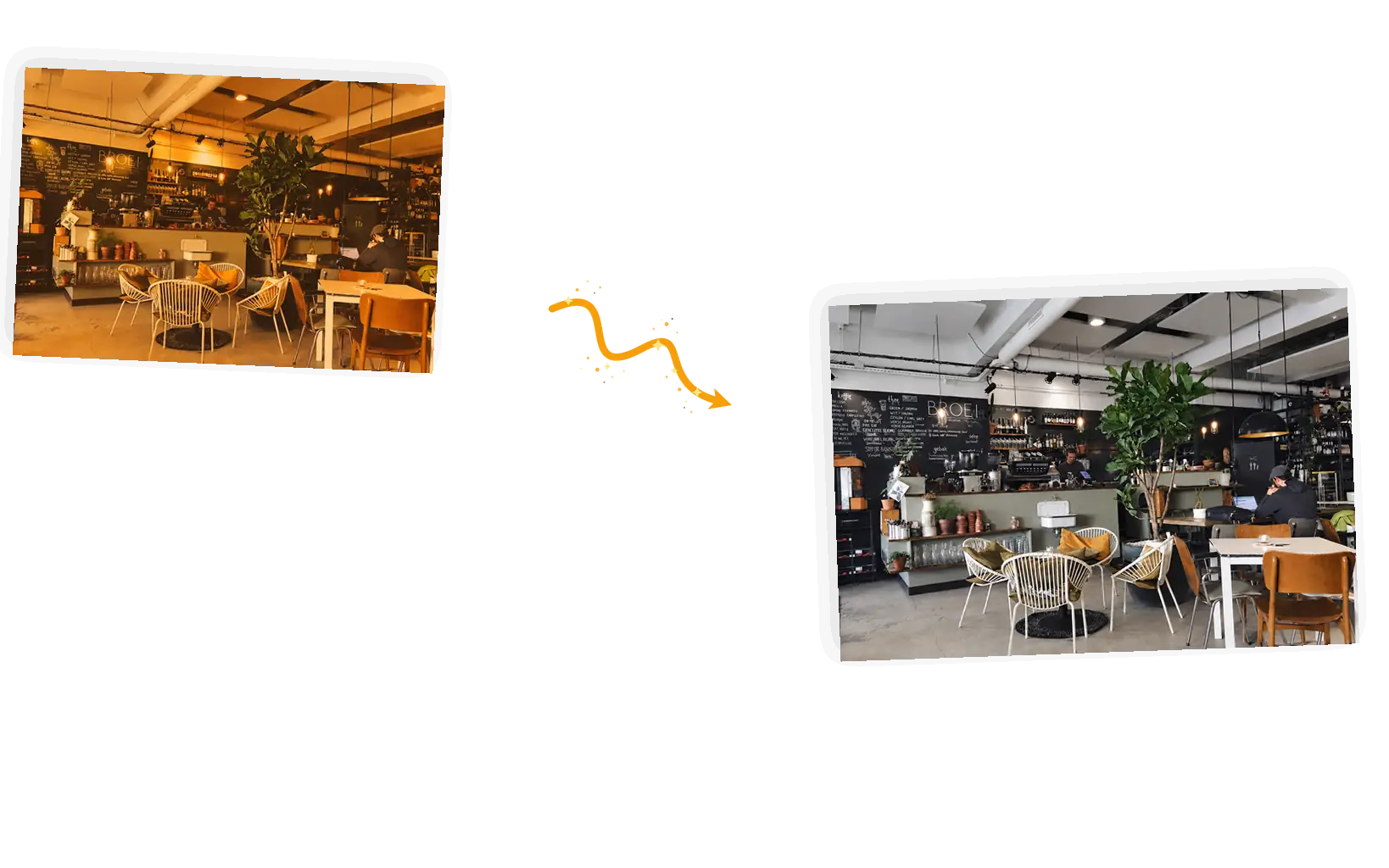
Before and after: the yellow cast lifted from the cafe while skin tones, wood, and whites all read naturally.

The keep-list holds the colors that matter

Corrections can overshoot: skin turns gray, wood loses its warmth, a white shirt glows blue. The keep-list names what must stay natural, and the fix adjusts the tones around them instead of through them.

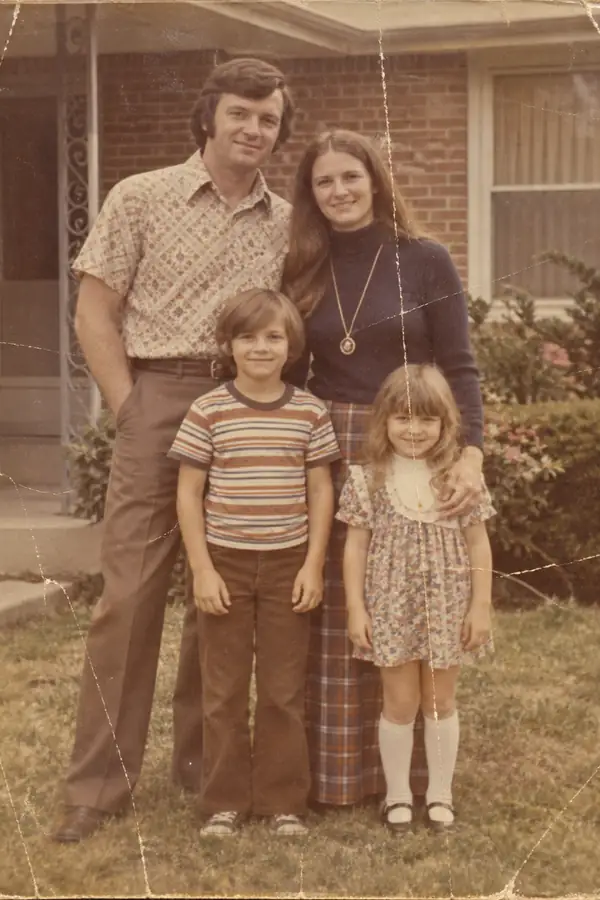
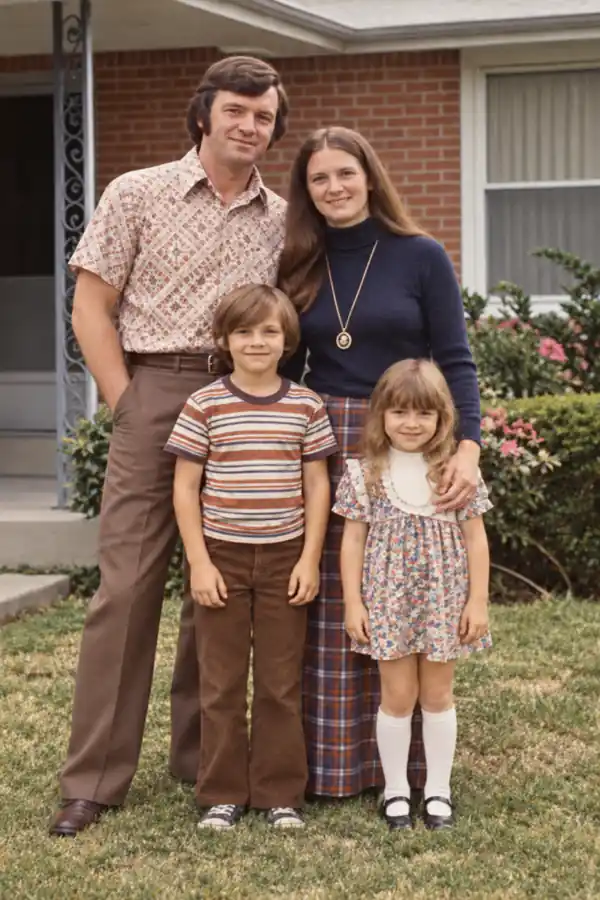
Before and after: the faded flower market print restored to contrast, with colors reading true again.

A fix redistributes light, it does not invent it

Correction works on what the camera captured. A blown-out window stays white because no detail was recorded there, and deep blur stays soft because the edges were never seen. What a fix can do is large: it re-balances every pixel that did capture the scene.

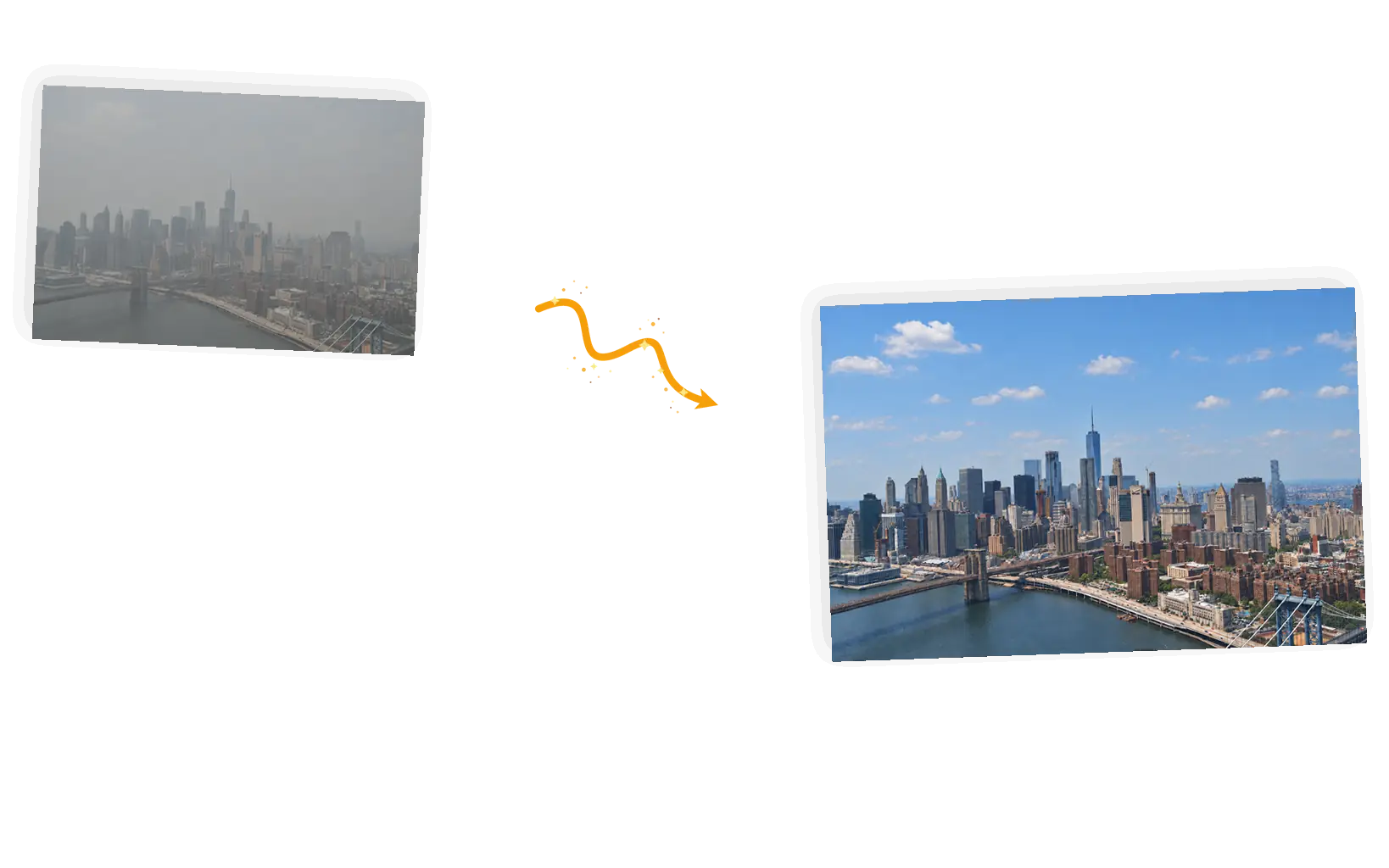
Before and after: the hazy skyline cleared, building edges and color depth restored without redrawing the scene.

Rerun with a sharper description

Generative results can vary, and a first pass sometimes lifts too little or cools too far. Say more: which corner is dark, how strong the cast reads, what must not shift. Failed tasks refund credits, so dialing in a fix costs patience, not money.

What Is an AI Image Fixer?

An AI image fixer repairs photos that are tonally wrong: shot too dark, warmed into orange by indoor bulbs, hazed over by distance, or faded by years in a drawer. Auto tools guess at the correction and sliders demand the vocabulary; this fixer takes the diagnosis as a sentence instead. You name the defect and how strong it reads, list the colors that must stay natural, and generate. It handles the four common tonal defects in one place, and it pairs naturally with the named-target tools next door: an unwanted object goes to the object remover, a shadow across a face goes to the shadow remover, and whatever the scene needs after that can happen to fix photos online for free in the same editor.

Fix your photo online for free

How to Fix a Photo with One Sentence

Five steps from a defective photo to a clean download. The whole loop runs in the editor on this page, in the browser, with nothing to install.

1

Upload the photo

Drop in a JPEG, PNG, or WebP up to 20MB. Photos with a clear defect and some untouched highlight and shadow room give the fix the most to work with.

2

Name the defect and its strength

Say what reads wrong and how much: "shot too dark, faces barely visible" beats "make it better". Then the keep-list: skin tones natural, whites neutral, colors true to the room.

3

Choose the output

Keep the original ratio for most fixes. 1K at 3 credits fits inside the daily free allowance, and bigger sizes cost more credits when you need them.

4

Generate and compare

Set the result beside the original. Whites should read white, shadows should hold detail, and nothing should have moved: a fix that rearranged the scene is a wrong fix.

5

Use the result

Download full resolution with no watermark, or keep going in the same workspace: sharpen next, remove a leftover object, or resize for where the photo is headed.

Why Use a Prompt-Based Image Fixer

Corrects the defect, not the whole look

Auto-enhance pushes every photo toward the same glossy default, whether it needed it or not. Naming the defect keeps the fix on the problem, so the photo still looks like your photo afterward.

No sliders, no vocabulary required

Exposure, temperature, tint, dehaze: the sliders exist whether or not you know their names. Here you say "too yellow" and the equivalent correction happens without touching a curve.

The result keeps working

Downloads are full resolution and watermark-free, and every fix stays in your workspace. Send the corrected frame to the enhancer for sharpening, or the old-photo restorer when the damage is physical.

How This Image Fixer Compares

Three ways to get the same job done. The honest differences, not a product takedown.

DimensionManual editorAuto-fix toolsThis image fixer
Pointing at the problemPick the right slider and judge the amountOne button; the model decides what to changeName the defect and its strength in the prompt
Protecting the restMasking and careful slider workWhatever the preset preservesKeep-list in the prompt: skin tones, whites, true colors
Defects per editOne slider per defect, one photo at a timeOne combined pass, no per-defect controlSeveral named defects can go in one sentence; one photo at a time
OutputWhatever your software exportsOften re-generated at fixed sizes, sometimes watermarkedOriginal ratio, full-resolution download, no watermark
Learning curveLearn exposure, temperature, tint, and curvesLow, but you accept what you getA sentence: defect, strength, keep-list
RerunningUndo and re-adjust the slidersPress the button again and hopeRerun with a sharper description; failed tasks refund credits

Tips for Better Fix Prompts

The prompt is the whole control surface. These three rules cover most of what goes wrong.

  • Name the defect and where it reads strongest: 'the right side of the room is too dark' beats 'fix the lighting'. Location words steer the correction.
  • Write the keep-list explicitly: skin tones natural, whites neutral, colors true to the room. Named anchors stop a cast fix from going gray or a brightness fix from going flat.
  • Compare the result to the original before you download. Whites white, shadows holding detail, nothing moved: if the fix rearranged objects or repainted textures, rerun with the keep-list repeated.

Fix the [defect] in this photo; keep [skin tones, whites, colors] natural.

A dark interior

Too vague

“Make this photo look better.”

More useful prompt

“Fix the underexposure in this living room photo and lift the shadows to natural brightness; keep the wall color and wood tones true.”

An orange indoor cast

Too vague

“Remove the yellow from my photo.”

More useful prompt

“Fix the orange tungsten cast and bring the whites back to neutral; keep skin tones healthy and the wooden table warm.”

A hazy skyline

Too vague

“Make the city clearer.”

More useful prompt

“Fix the gray haze over the skyline and restore contrast and color depth; keep every building edge in place and do not redraw the scene.”

Who Uses This Image Fixer

Phone-first shooters

Most everyday photos now come from a phone, and the misses are tonal: a dim restaurant, a yellow living room, a washed-out sky. An ai image fixer turns those near-misses into keepers in one sentence, without an editing app.

Marketplace and shop sellers

Product shots that drift warm or read dim erode trust at the listing. Sellers run the ai image fixer over a batch before it goes live, keeping colors true so the item that arrives matches the photo.

Family memory keepers

Scans and inherited prints fade toward yellow and gray. Keepers re-balance them a sentence at a time, then hand physically damaged originals to the old-photo restorer for tears and scratches the fixer cannot judge.

AI Image Fixer: FAQ

How the fixer works, what photo color correction it covers, and where its recovery limits sit.

You describe what reads wrong: too dark, too yellow, hazed over, faded flat. The editor runs a generative tonal correction that rebalances the frame while a keep-list holds your named colors natural. You compare the result to the original, then rerun with sharper wording until it sits right.

The common tonal family: exposure (too dark or too bright), white balance (orange indoor casts, blue shade casts), contrast (flat or hazy frames), and faded color on prints and scans. Multiple defects can go in one sentence, for example a dark photo that is also too warm.

Yes, that is the most common fix: lift the shadows toward natural brightness while the keep-list holds contrast and color in place. Where a photo was badly underexposed, the lift can add noise or soften detail, since the darker areas recorded little information. Zoom in, judge, and rerun with the strength named.

Mild motion or focus softness responds to a sharpening-style fix; the edges were captured and can be firmed. Deep blur is different: the detail was never recorded, so nothing can truly rebuild it, and any attempt invents it. Name the blur as mild or heavy and judge the result at full size.

JPEG, PNG, or WebP files up to 20MB, one photo per edit, with up to five reference photos if the job needs them. Frames that kept some highlight and shadow detail fix best; photos already clipped to pure black or pure white have nothing left in those areas to rebalance.

Guests get 9 free credits and signed-in accounts get 15, refreshed every UTC day and not accumulated. A standard 1K fix costs 3 credits, so the daily allowance covers several attempts, failed tasks refund their credits, and downloads carry no watermark.

Fix Your Photo with the AI Image Fixer

Upload one defective photo, name what reads wrong, and compare the correction to the original before you download.

Start editing