




AI Background Changer

Upload a photo and let the AI background changer replace the backdrop with studio light, clean white, or a generated scene while keeping the subject intact.

  • No sign-up
  • Free daily credits
  • No watermark

0 / 5 reference images

0 / 1000

Example 1 of 3

Pure white for a listing

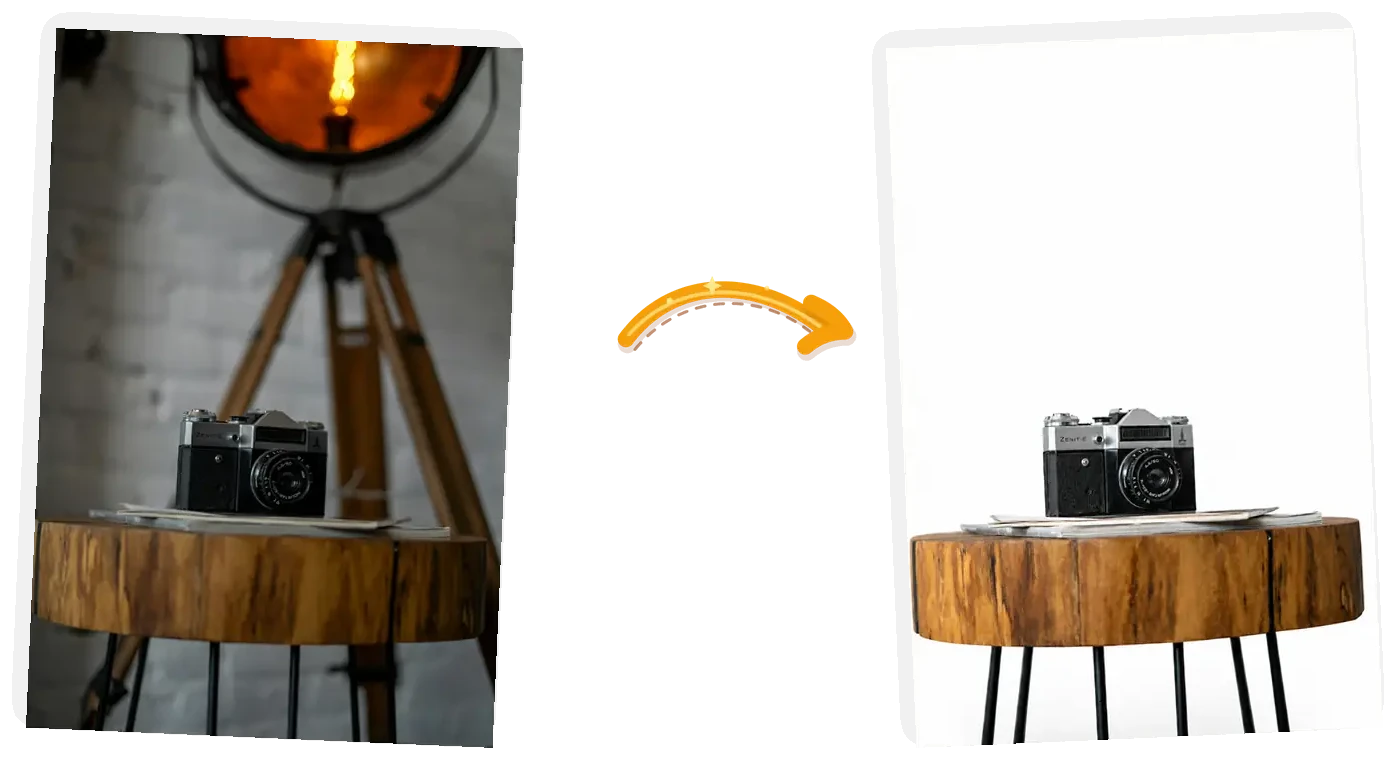
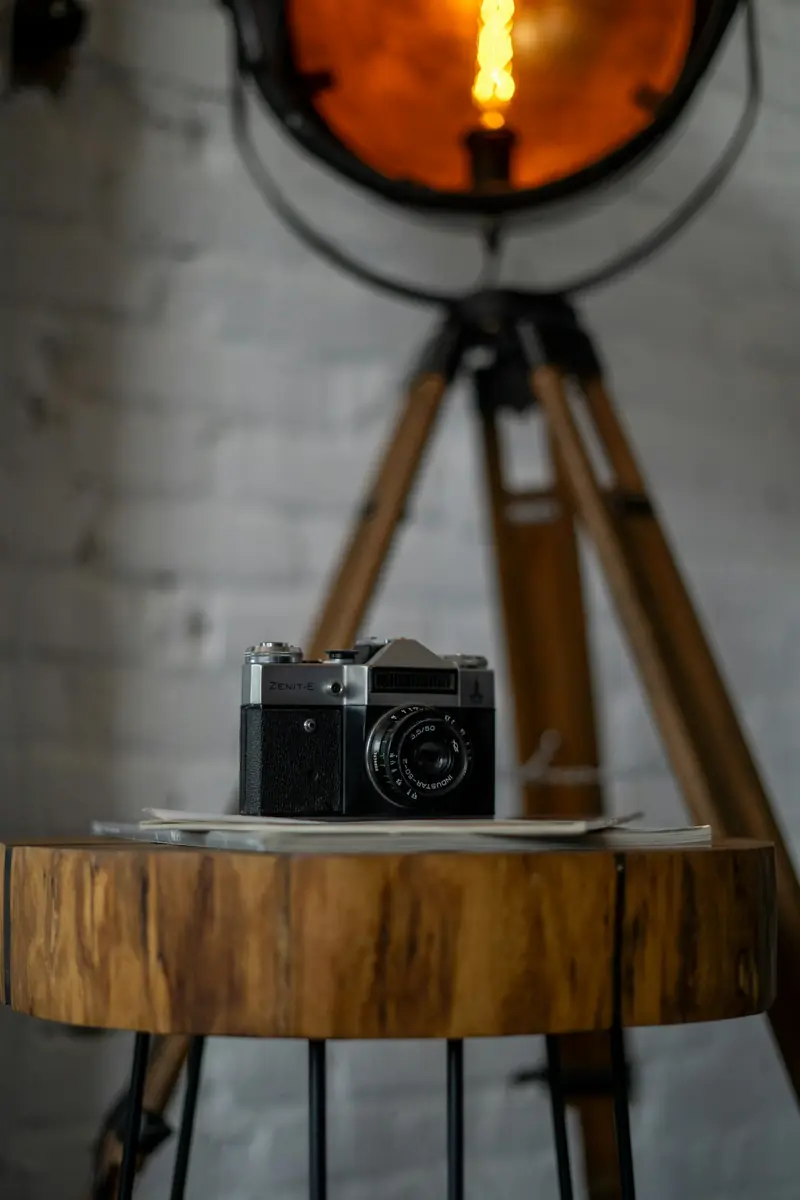
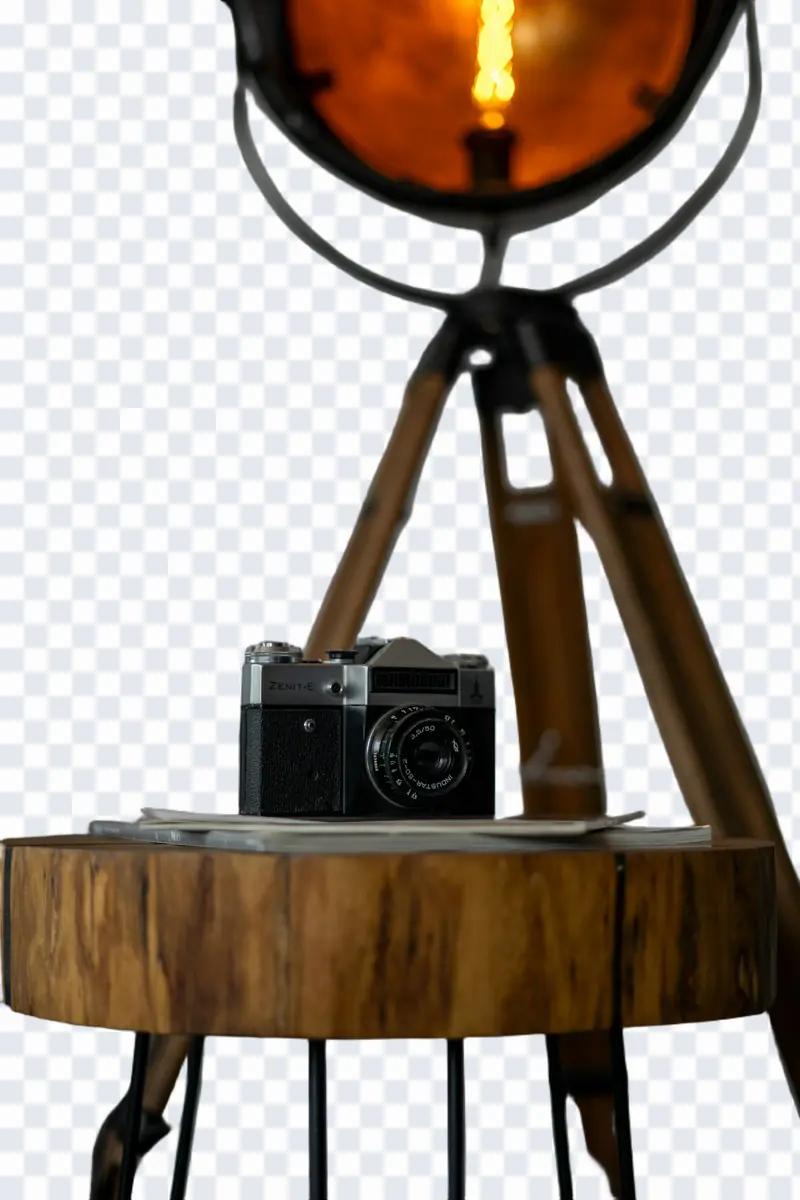
The camera edit: the cluttered room behind the stool becomes pure white while the camera and its shadow stay
Prompt

Remove the background and put the product on pure white; keep the product, its edges, and the soft contact shadow unchanged

What Makes This AI Background Changer Different

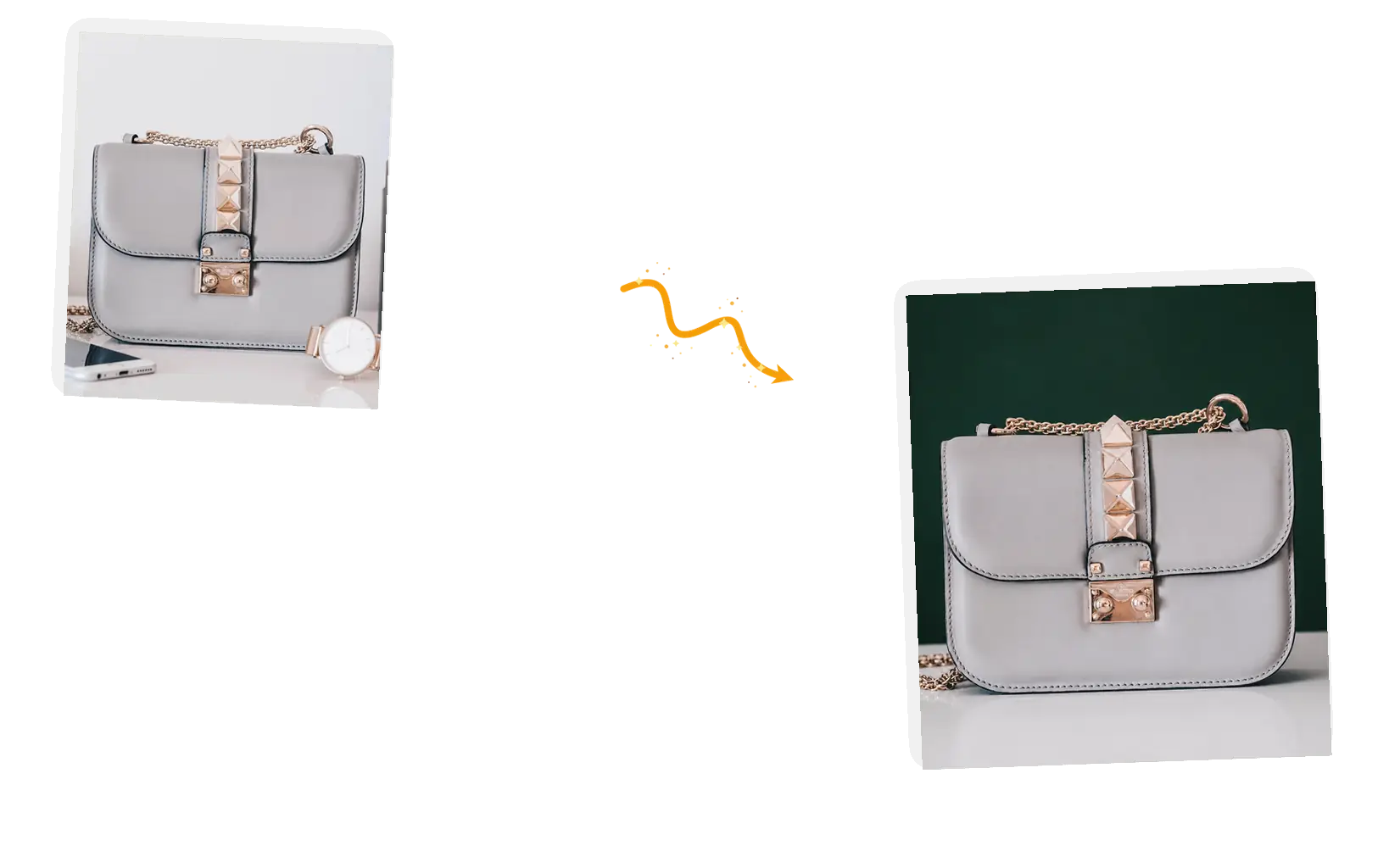
A grey handbag leaves the cluttered table behind for a deep green studio backdrop

Name what replaces the background

A cutout on its own still needs somewhere to go. Say it in the same sentence: pure white for a listing, a brand color for a campaign, or a whole new scene. The removal and the replacement arrive together, so the result is a finished picture.
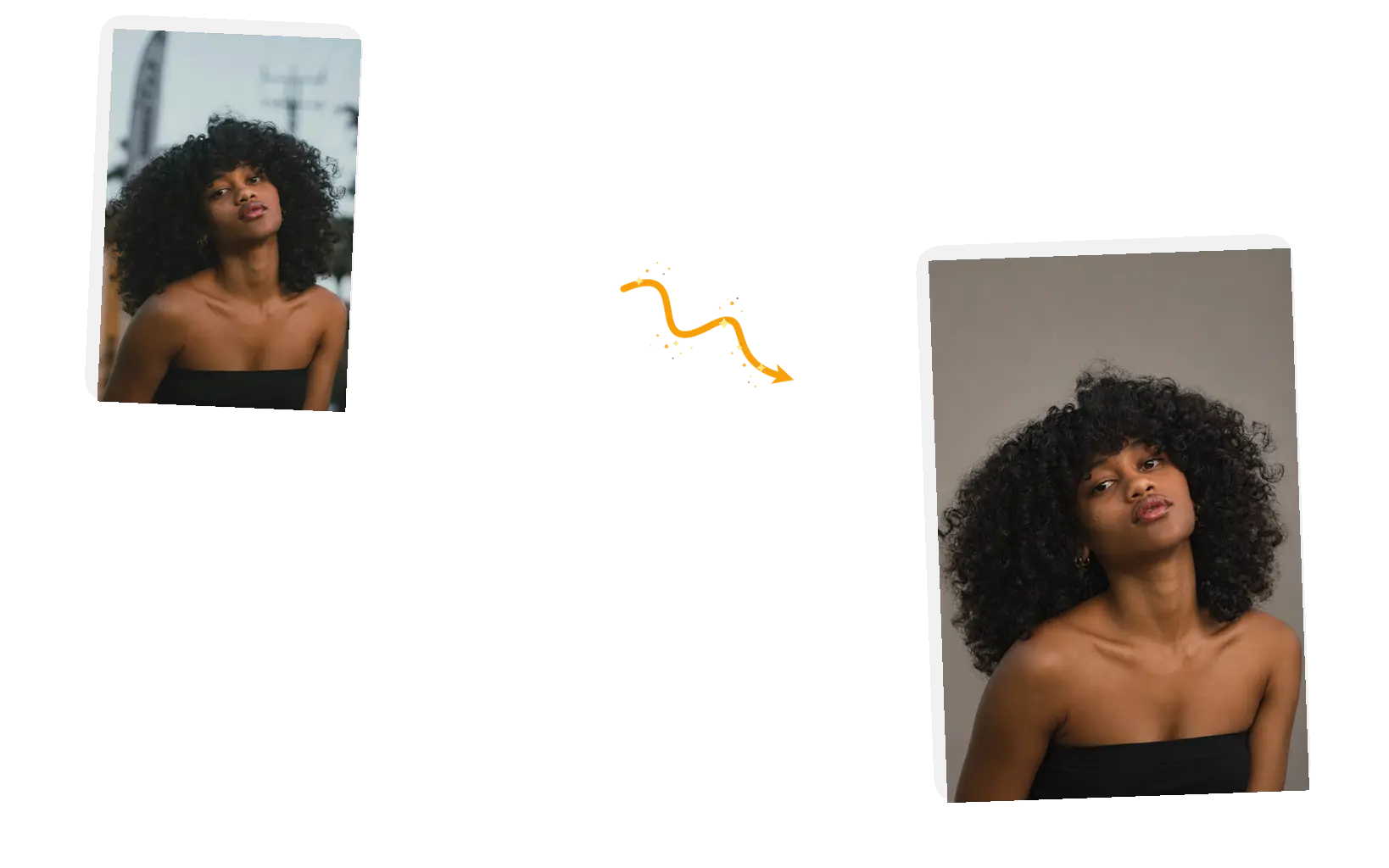
A woman with curly hair keeps every hair edge while the street behind her becomes a warm gray studio backdrop

Edges and shadows stay in your hands

Name what stays in the prompt: the flyaway hairs, the thin straps, the contact shadow under the subject. The model reads the keep-list while it repaints the backdrop, so lighting aligns naturally.

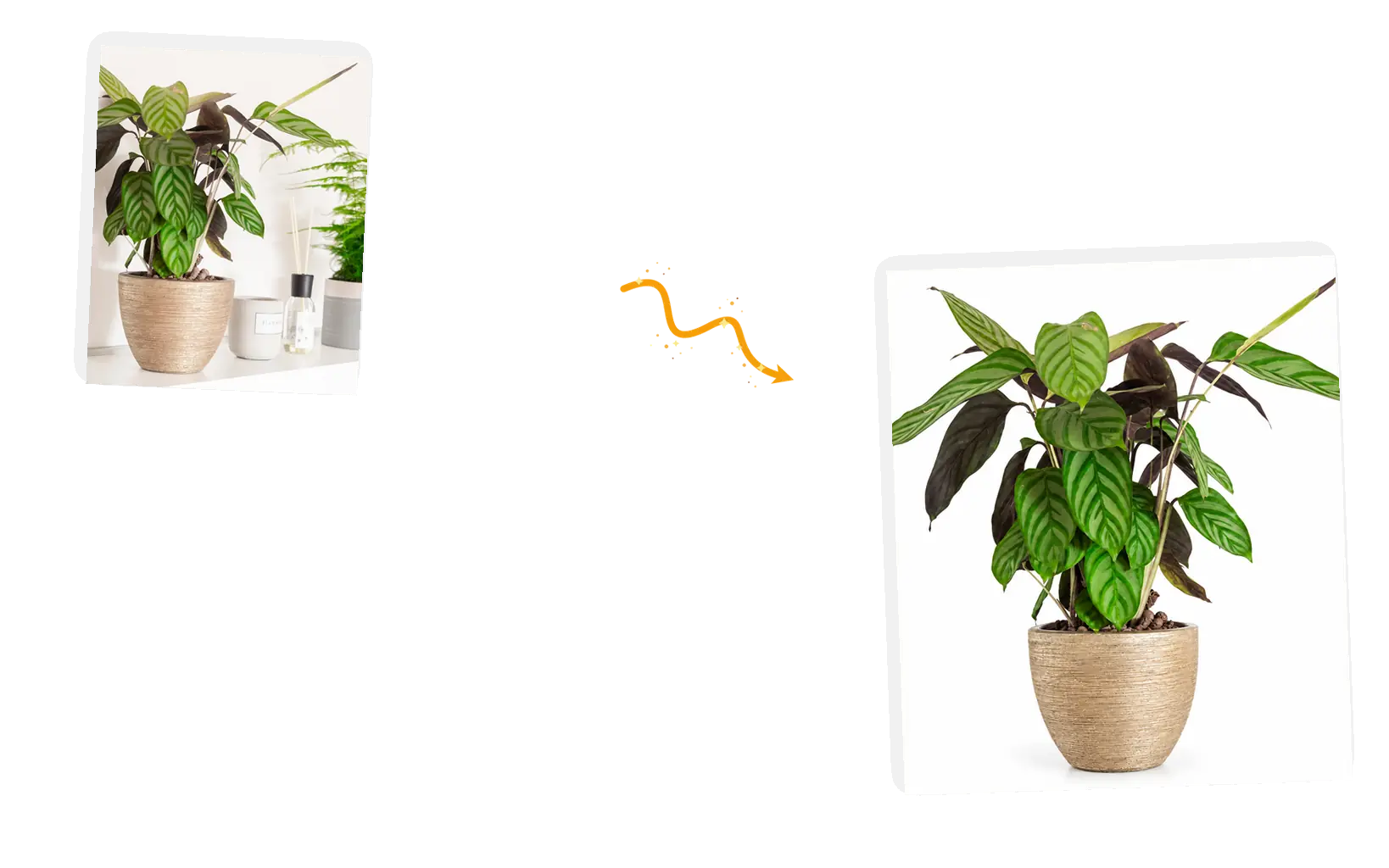
A potted plant leaves the crowded shelf behind for a clean white listing shot

Made for the jobs people actually bring

Marketplace main images, resell photos, pet portraits, profile shots: the same sentence covers them. Bring JPEG, PNG, or WebP files up to 20MB each, one photo per edit.

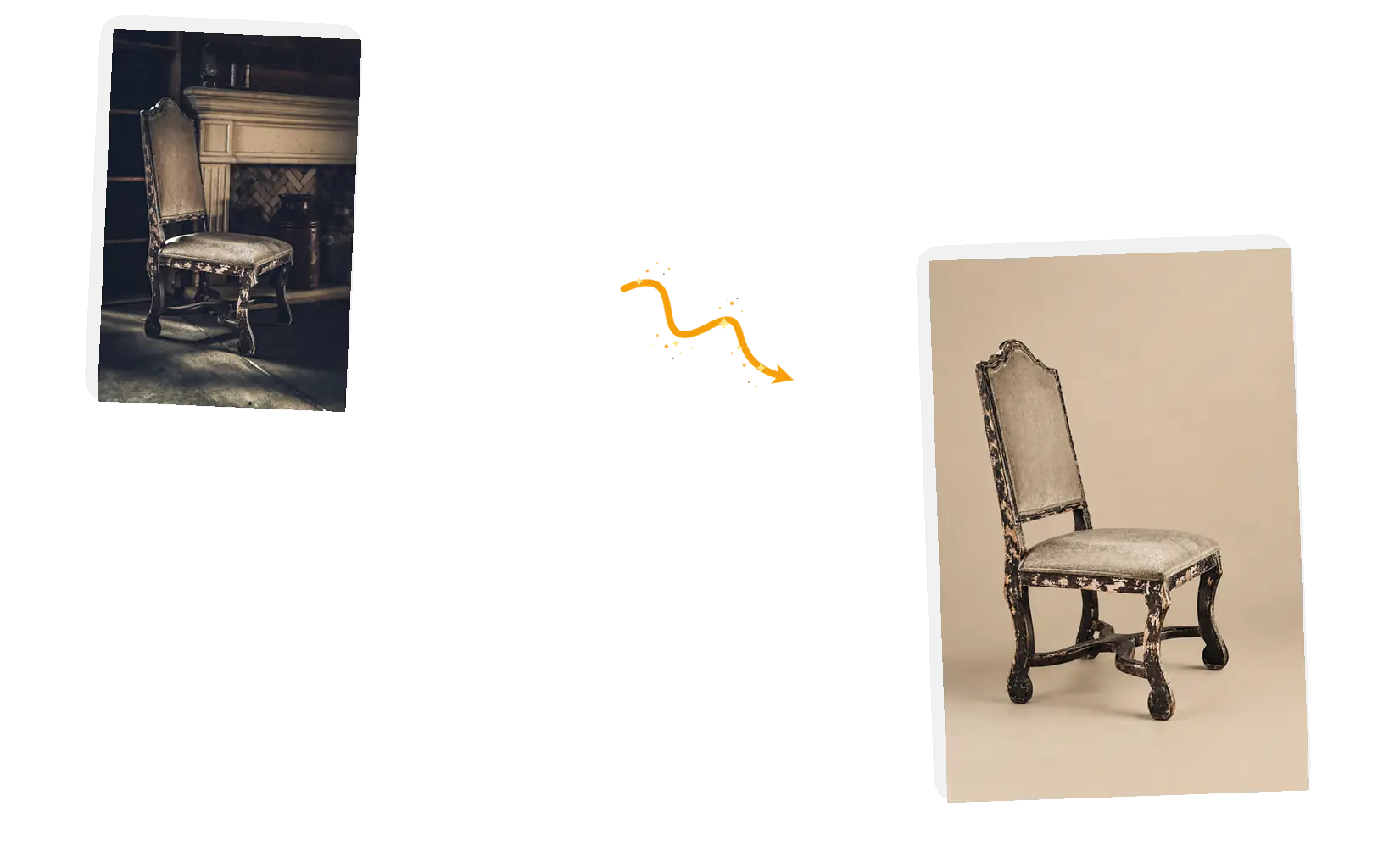
An antique chair from a dark rustic room lands on a light beige studio backdrop

The edit is not a dead end

Download the finished picture at full resolution, or keep working in the same workspace: turn the backdrop a different color, put the subject somewhere else, or send the result to the image text editor.

Tips for Better Background Changing Prompts

The prompt is the whole instruction: say what replaces the background, name what stays.

  • Name the replacement in the same sentence as the removal: pure white, a solid color, or a described scene.
  • Say what stays: the subject, its contact shadow, hair edges, and accessories.
  • Check hair, glass, and thin edges after each run and rerun with tighter wording if needed.

Replace the background with [pure white / studio color / scene]; keep the [subject] and its [shadow, edges] unchanged.

A marketplace listing

Too vague

“remove the background”

More useful prompt

“Remove the background and put the camera on pure white; keep the camera, the stool, and the soft contact shadow unchanged”

A brand-color backdrop

Too vague

“make the background green”

More useful prompt

“Replace the background with a deep forest-green backdrop; keep the handbag, its gold chain, and its contact shadow exactly unchanged”

A new scene behind the subject

Too vague

“change where I am”

More useful prompt

“Replace the street with a bright modern office interior; keep the person, the red jacket, and the backpack exactly unchanged”

What Is the AI Background Changer?

The AI background changer is an image editor that replaces whatever stands behind your subject: a cluttered room, parked cars, or a distracting wall. You pick a preset or write a sentence naming what takes its place, and the model repaints the background while the subject, its edges, and its shadow stay intact. The result is a complete picture on the backdrop you named rather than a transparent cutout. If you need a transparent alpha cutout with no background at all, use our dedicated AI Background Remover at /ai-background-remover.

How to Use the AI Background Changer

Five steps from original photo to finished picture.

1

Upload your photo

Bring the picture as a JPEG, PNG, or WebP file up to 20MB. A clear subject with defined edges separates more cleanly than a blurry or dim original.

2

Say what replaces the background

Name the replacement and what stays: pure white for a listing, a studio gray for a portrait, a described scene for something else. The keep-list is part of the same sentence.

3

Choose the output

Keep the original aspect ratio, or pick a preset when the listing asks for one. The editor shows the credit cost before you generate.

4

Generate and check the edges

The background changer repaints the picture in place. Zoom in on hair, glass, and thin objects against the new backdrop before you call it done.

5

Use the result

Download at full resolution, or keep editing in the same workspace for a backdrop color change or the next instruction.

How the AI Background Changer Compares

Three common ways to change backdrops, compared on control, speed, and output quality.

DimensionManual CompositingGeneric Cutout AppsAI Background Changer
InputThe photo, plus a separate background plate, masks, and lighting layersThe photo; the tool cuts the subject automatically with basic flat color fillsThe photo, plus one sentence naming the replacement backdrop and what stays
Control over the resultFull manual control, at the cost of hours spent color matching and featheringLimited to preset solid colors or stock photo grids without prompt guidancePrompt-level control: describe any scene, studio setup, or lighting tone
OutputCustom PSD or PNG after manual layer alignmentA floating subject on a flat backdrop with mismatched shadowsA finished picture with subject, shadow, and backdrop harmonized
Shadow and light blendingMust be hand-painted and shaded to look believableDrops shadows or uses generic black drop shadows that look unnaturalThe keep-list preserves genuine contact shadows while matching backdrop light
Learning costHours of practice with selections, layers, and masksMinutes; simple buttons with fixed outcomesOne sentence; ready-made suggestions show the pattern
Result managementProject files you manage yourself on desktop storageSingle download without follow-up editing optionsDownload it at full resolution, or keep editing in the same workspace

Who Uses the AI Background Changer

Ecommerce sellers & catalog managers

Marketplace main images call for clean backdrops, and reshooting a catalog takes days. The AI background changer turns existing photos into catalog shots.

Resellers and secondhand sellers

Stock photographed on kitchen tables and floors can still sell the item. Clear the clutter around the product so the listing looks professional.

Pet owners and portrait photographers

The best shots happen outdoors or on the move. Lift the subject out of crowded parks and land them on a clean studio backdrop in seconds.

AI Background Changer FAQ

How the AI background changer works, what it outputs, and what it costs.

Upload one photo and write a sentence: what to replace the background with and what stays. The AI model repaints the background area while keeping your subject intact. The result lands in the workspace where you can download it or continue editing.

No. The AI background changer produces a finished image with the new background rendered directly into the frame. For a transparent PNG with an alpha channel, use our AI Background Remover at /ai-background-remover.

JPEG, PNG, or WebP images up to 20MB with a clear, well-lit subject. Specifying the new lighting in your prompt helps the subject match the perspective and tone of the replacement background.

The white background tool is dedicated solely to pure white ecommerce packshots. The AI background changer gives you full creative control to place subjects in studio settings, offices, nature scenes, or branded colorways.

Add lighting and atmosphere cues to your prompt, like soft daylight or warm indoor lamps. Mention contact shadows in your keep-list so the subject sits naturally on the ground. You can rerun the task with revised wording.

Guests get 3 free credits and signed-in members get 9 free credits each day. Standard edits cost 3 credits, allowing guests one free edit and members three free edits every UTC day.

Change Photo Backdrops with AI

Upload your photo, name your new background, and keep the subject. The finished picture is one prompt away.

Change background