
Christmas AI Photo Prompts: Twelve Tested With Real Results
Twelve christmas AI photo prompts to copy, each shown beside the original photo it transformed, plus what every line of the prompt does and where to run it.
Every December the same thing happens. Someone in your feed posts a portrait of themselves standing in a field of giant candy canes, and by lunchtime half of the group chat wants to know how it was made. The answer is a short text prompt and one photo. This page is the shortcut: twelve christmas ai photo prompts, each tested on a real photo and shown as a before-and-after pair, so you can see exactly what a prompt does to an ordinary picture before you paste it anywhere.
The pairs below cover a dozen situations people actually want: the candy-cane trend look, a fireside portrait, a family scene, a card-ready frame, a christmas market, a snowfall portrait, a festive evening walk, a christmas morning in pajamas, a santa hat touch-up, a dressed dinner table, a ridiculous sweater, and the dog. Every prompt follows the same four-part shape, and once you can see the shape you can stop collecting screenshots and write your own.
Twelve christmas ai photo prompts, each with its tested result
Each pair shows the original photo on the left and a single real generation on the right, printed exactly as the prompt was submitted. Nothing was rerun a dozen times and cherry-picked; generations vary between runs, so your result will be a cousin of the one shown, not a photocopy. The tuning note names the one line to change when an output misses. Beyond these twelve, the broader family of christmas AI prompts follows the same four slots, so treat the library as starting points you edit, not a fixed menu.
Candy-cane trend portrait
Turn this photo into the candy-cane Christmas trend look: the subject
wearing a red sequin holiday outfit, surrounded by oversized peppermint
lollipops and candy canes, standing on softly snow-dusted ground. Keep the
face, hairstyle, and pose exactly as in the original photo. Bright,
glossy, festive lighting. Photorealistic.
The screenshot prompt everyone is passing around this season, rebuilt with the keep-list sentence added.
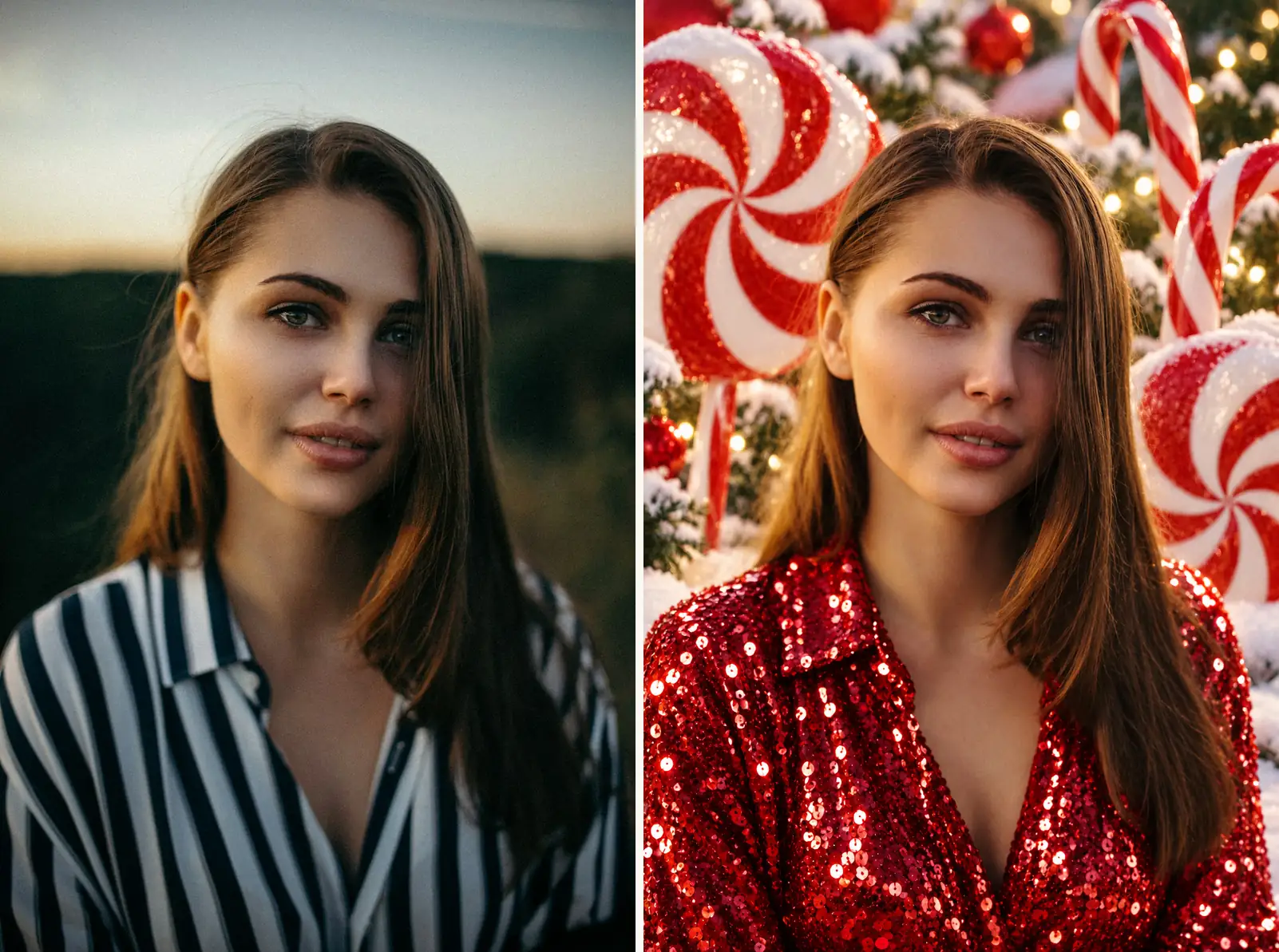
Tuning: for a mint-and-white palette instead of red, change only the outfit color; the prop set carries the look.
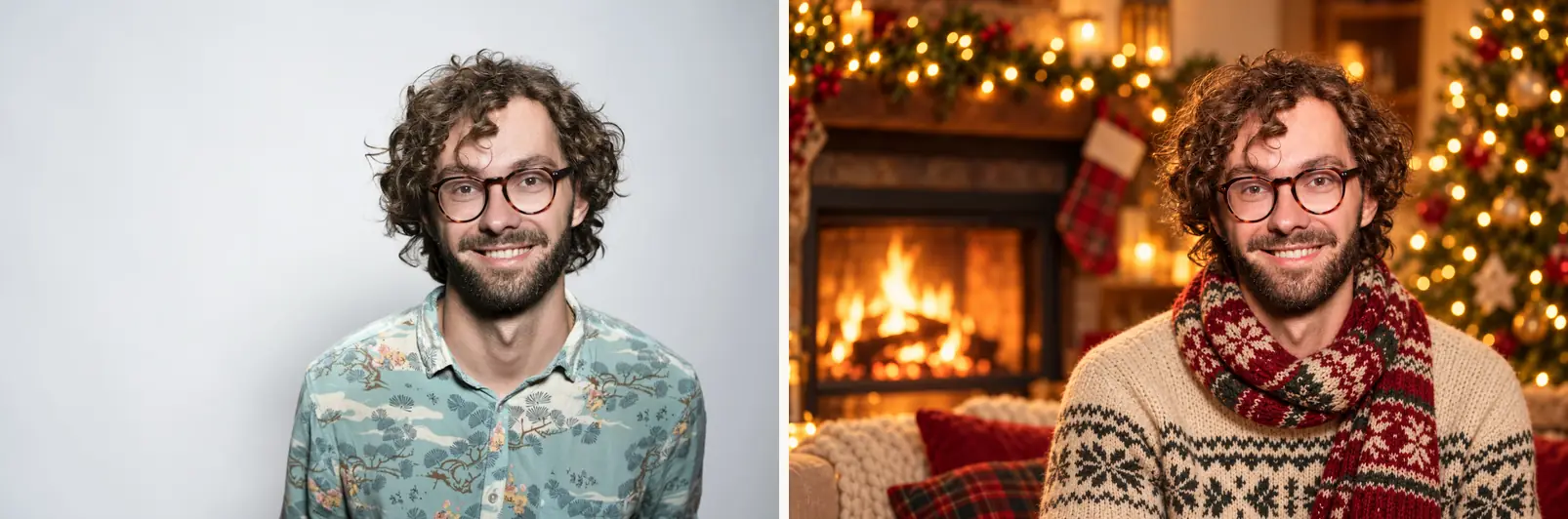
Fireside portrait at 85mm
Turn this photo into a cozy Christmas portrait: the subject beside a
crackling fireplace with warm fairy lights and soft bokeh, wearing a
knitted scarf, framed like an 85mm lens shot. Keep the face, hairstyle,
and expression exactly as in the original. Warm, soft, golden light.
Photorealistic.
Tuning: swap the fireplace for "a cabin window at dusk" when the fire renders too orange, and keep the 85mm line untouched.
Family scene by the tree
Place this family in a decorated living room for a Christmas photo: a lit
tree with ornaments, garlands, and wrapped presents behind them, everyone
in festive winter knits. Keep every face, pose, and person's position
exactly as in the original photo. Warm living-room light. Photorealistic.
The keep-list carries extra weight with groups: it names every face, every pose, and every position, which is how five people keep their arrangement through a full scene swap.
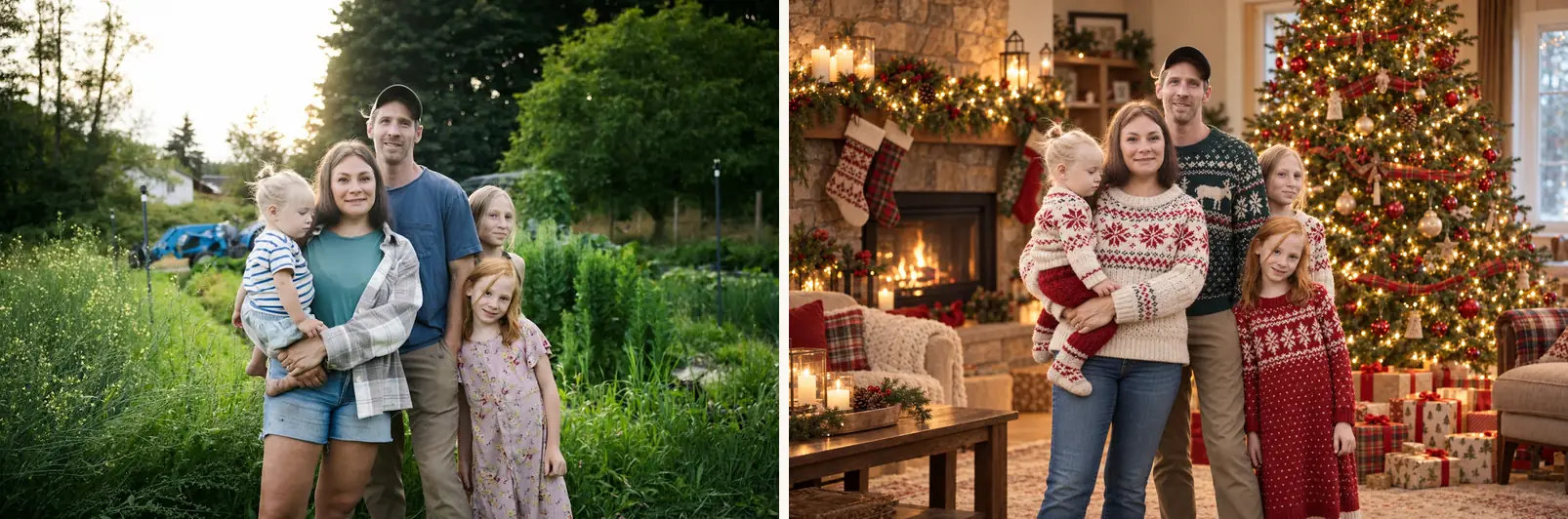
Tuning: if the tree reads small, add "a tall tree" to the scene line.
Christmas card portrait
Turn this photo into a Christmas card portrait: a festive scene with
subtle ornaments and soft lights in the background, leaving calm space at
the top for a greeting. Keep the face and pose exactly as in the
original. Even, print-friendly lighting. Photorealistic.
The quiet trick is the reserved space: naming where the greeting will sit keeps the model from filling the frame edge to edge, so the composition survives a printed card.
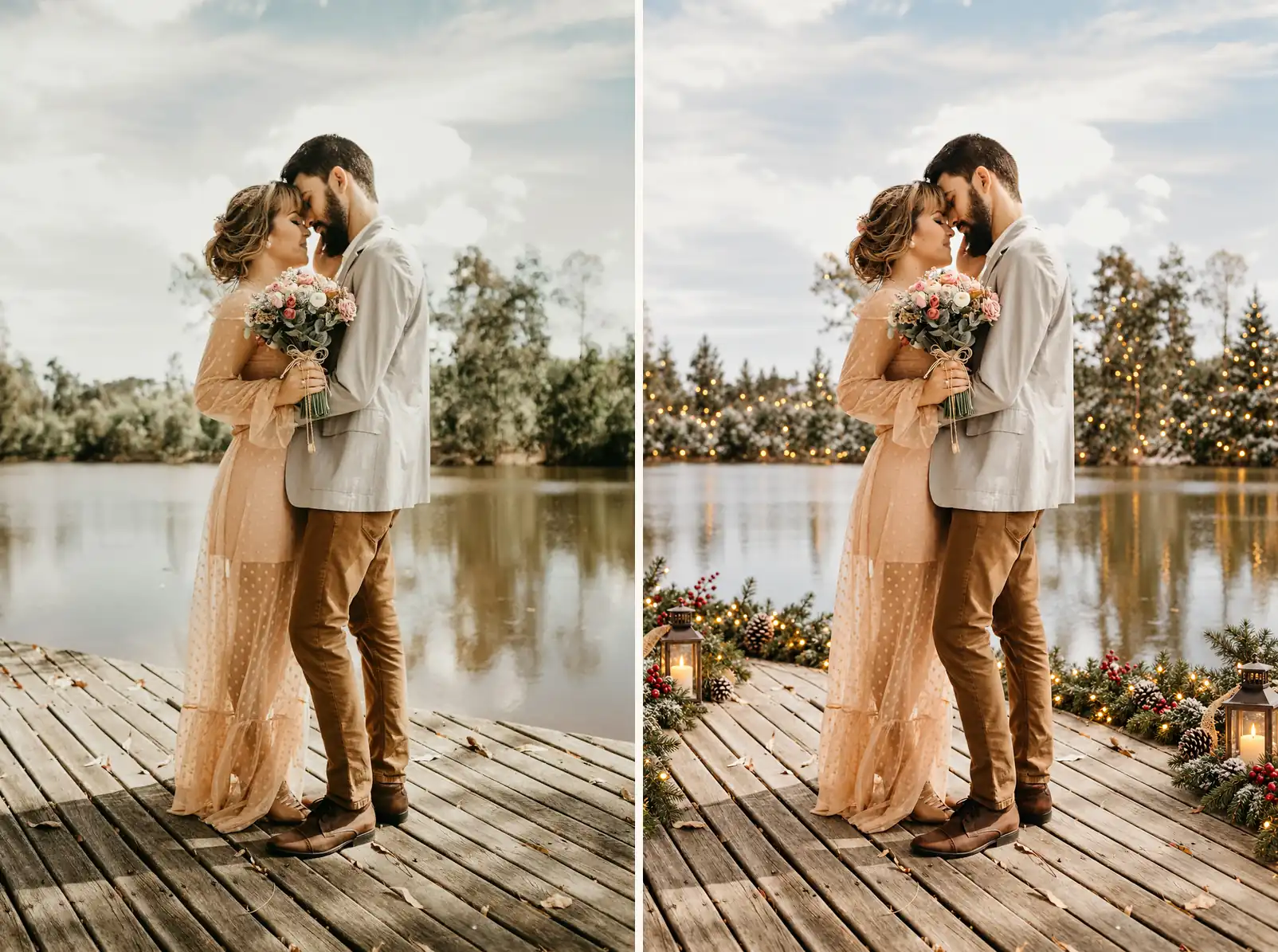
Tuning: want the greeting at the bottom? Ask for calm space at the bottom. The model follows the named region.
Christmas market at dusk
Place this woman at a festive Christmas market at dusk: wooden stalls
with warm string lights and wreaths behind her, a paper cup of hot mulled
cider in her hand, soft snowflakes in the air. Keep the face, hairstyle,
and pose exactly as in the original photo. Warm, glowing evening light.
Photorealistic.
Market prompts work because every prop is a season word the model already knows: stalls, wreaths, mulled cider, snowflakes.
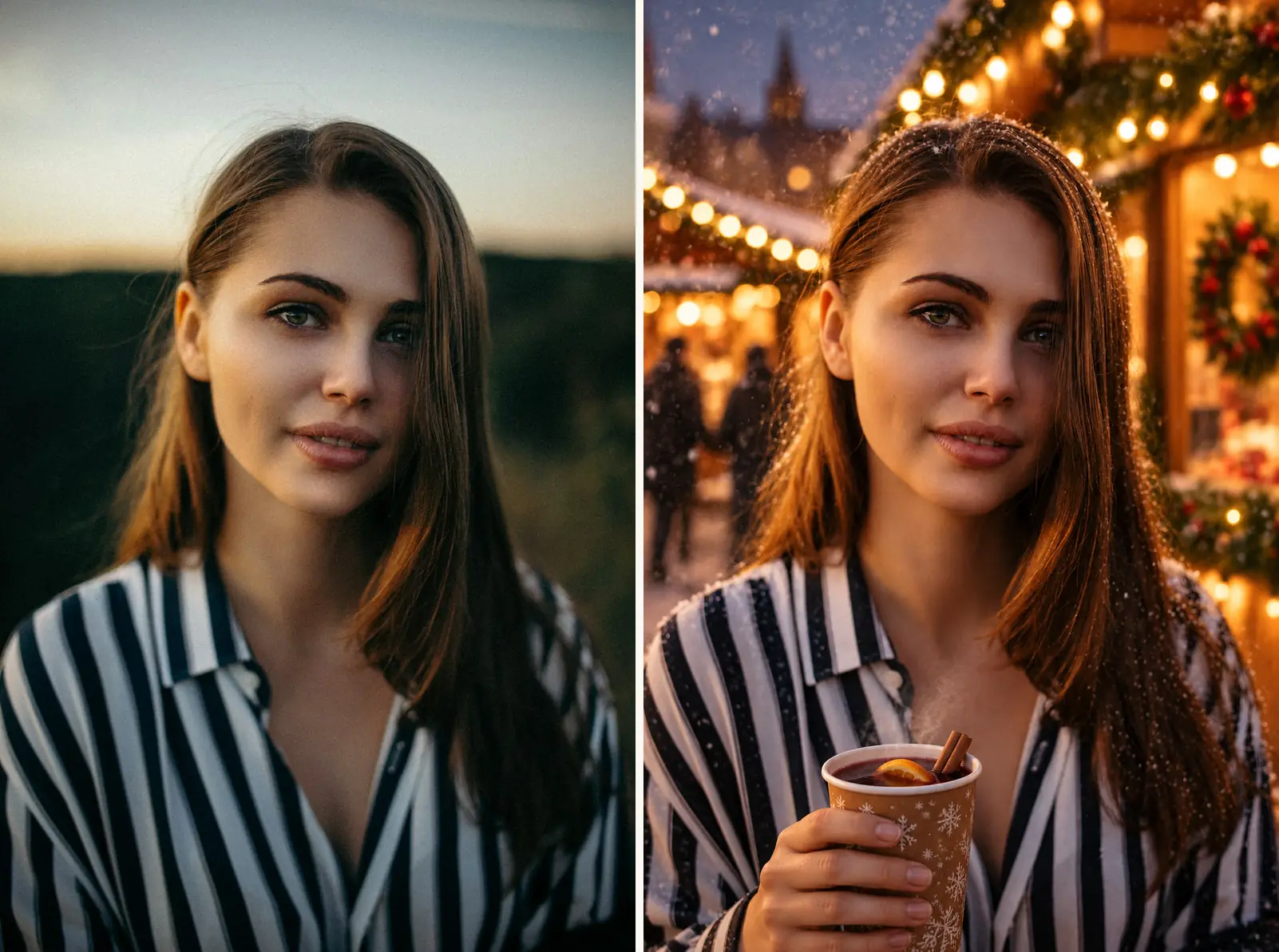
Tuning: hands drift more than faces; if the cup looks wrong, drop the cider line and let the stalls carry the scene.
Snowfall portrait
Turn this photo into a Christmas snow-scene portrait: gentle snowfall
around the subject, snow-covered evergreen trees with tiny warm lights
behind her, a red gift bag in her hand. Keep the face, beanie, scarf, and
pose exactly as in the original photo. Cool, soft winter daylight.
Photorealistic.
Notice the keep-list pins the outfit she already wears; the prompt only adds the season around it.
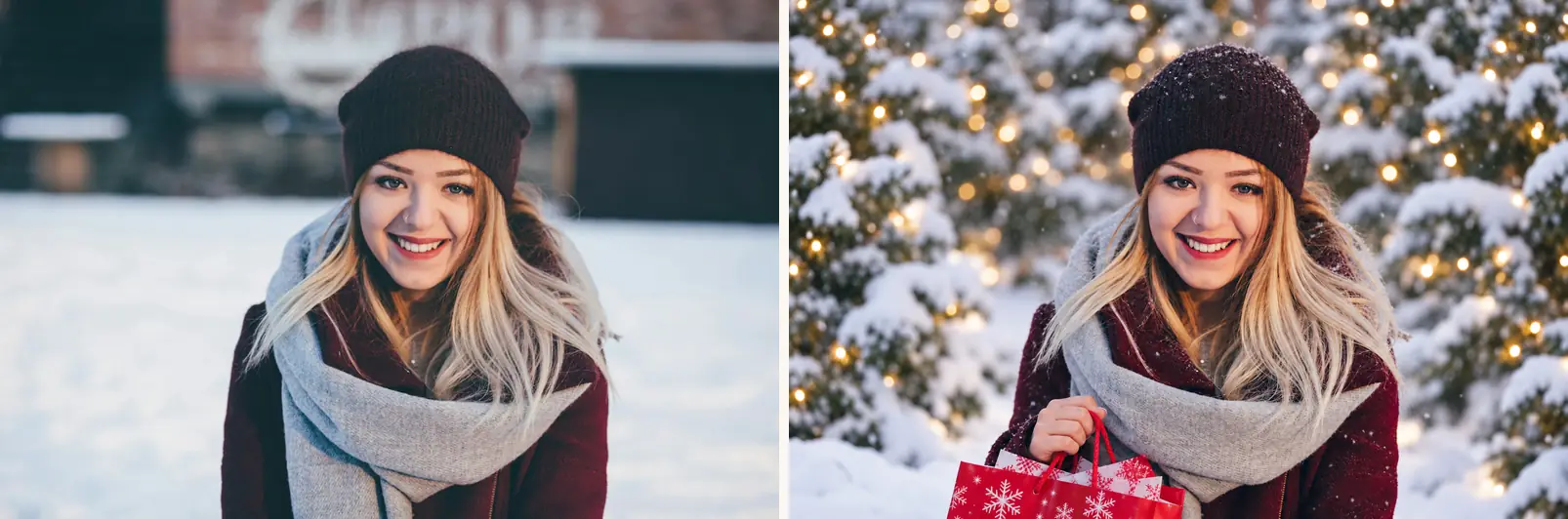
Tuning: heavy "blizzard" wording buries faces in flakes; "gentle snowfall" keeps them clear.
Festive evening walk
Turn this photo into a festive evening walk portrait: the street behind
her lined with christmas market stalls and strings of warm lights as big
soft bokeh, a small wrapped gift bag in her hand, light snow drifting
through the air. Keep the face, hairstyle, coat, and pose exactly as in
the original photo. Warm evening glow. Photorealistic.
City night photos are the easiest inputs to upgrade: the bokeh is already there, the prompt only has to make it festive.
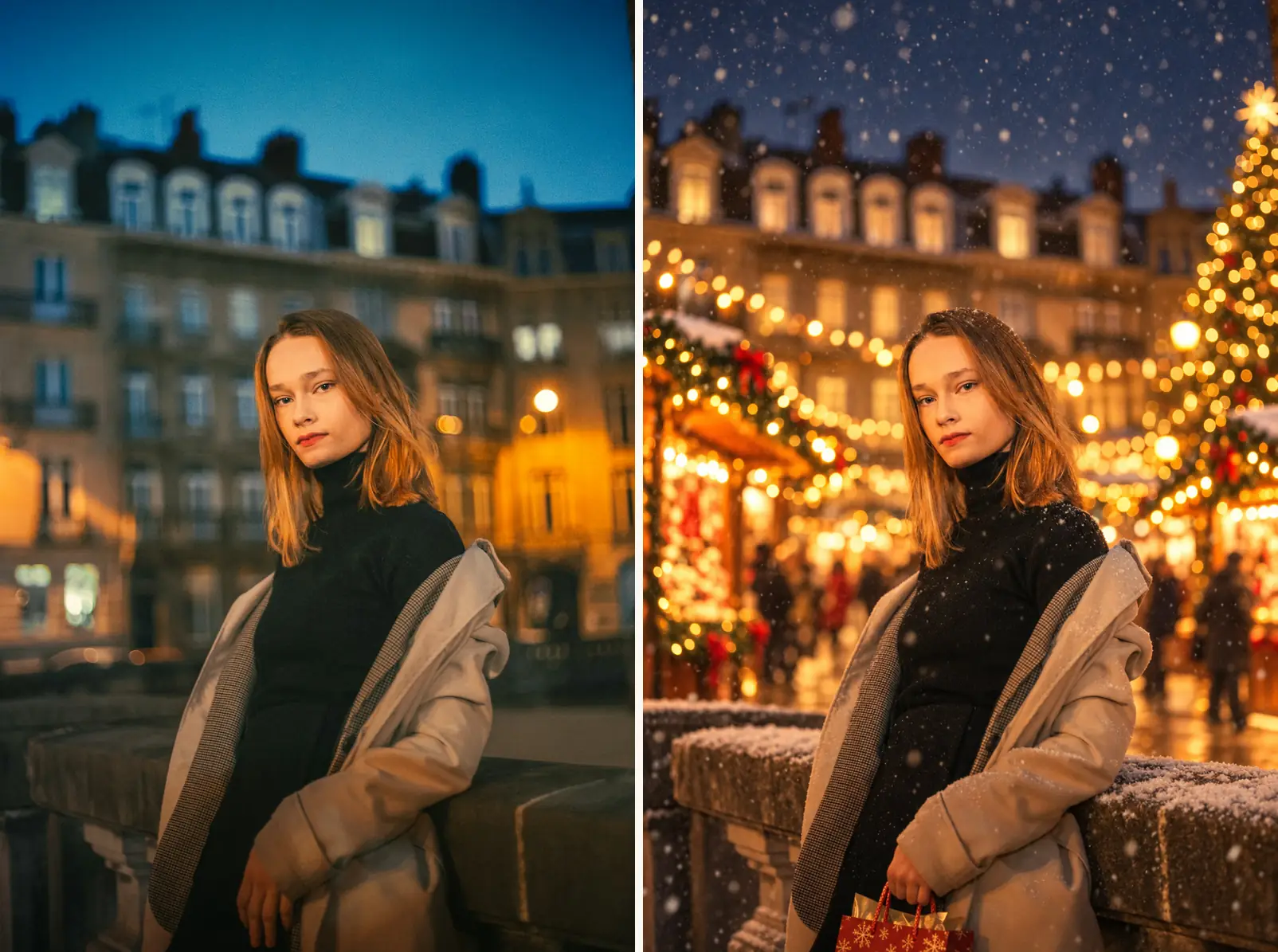
Tuning: if the street wins and the face shrinks, add "upper-body framing" to the scene line.
Christmas morning in pajamas
Turn this photo into a Christmas morning scene: the couple and their dog
relaxing by a stone fireplace with stockings hanging above, opened
presents and two mugs of cocoa on the rug in front of them, soft morning
light through the window. Keep every face, the dog, the pajamas, and the
pose exactly as in the original photo. Soft, warm morning light.
Photorealistic.
Matching pajamas are already half the job; the prompt only supplies the morning around them.
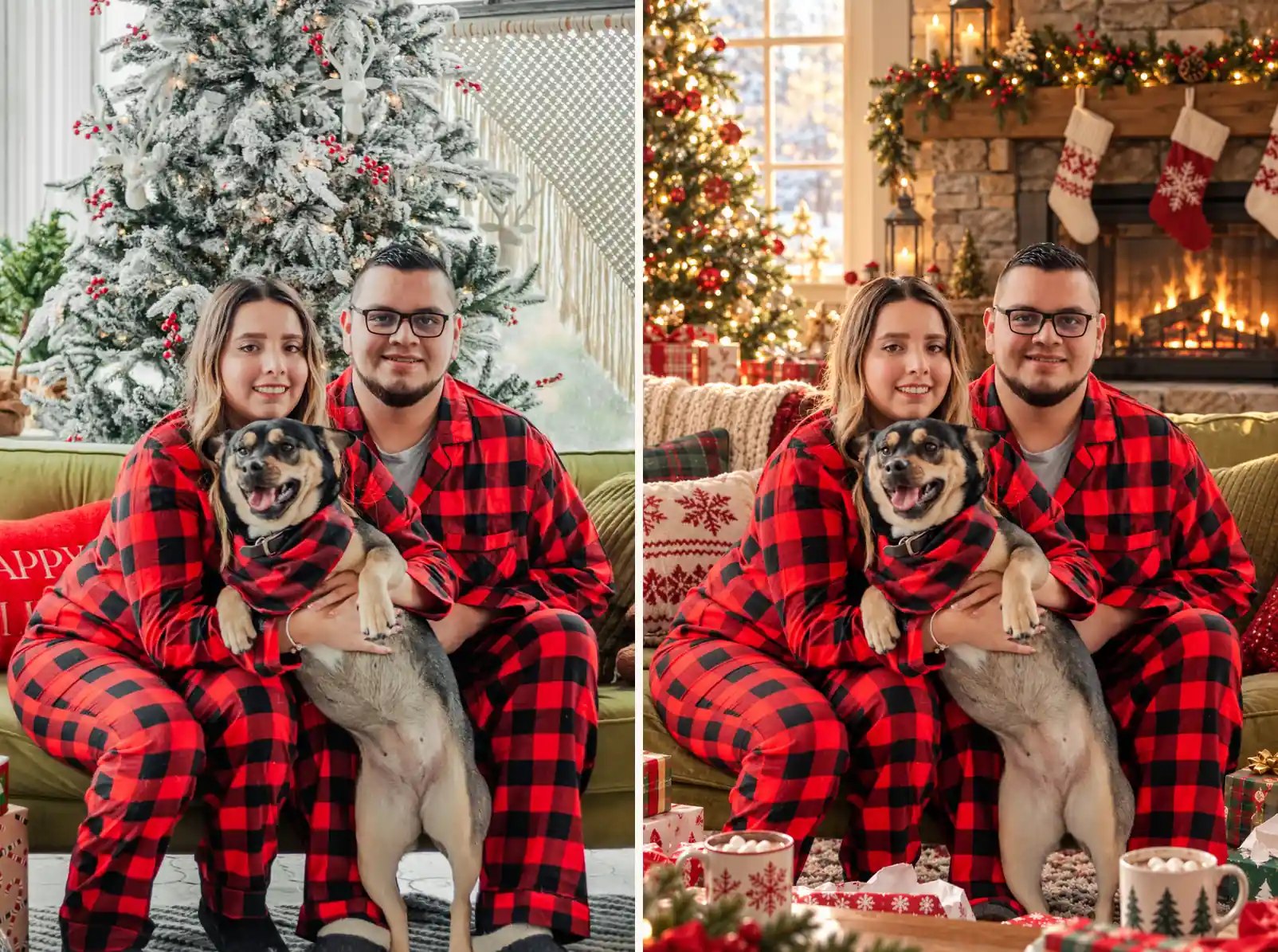
Tuning: with pets in frame, name the dog explicitly in the keep-list or its markings wander.
Santa hat touch-up
Add a festive touch to this portrait: a red santa hat on the subject's
head, warm christmas lights as soft bokeh in the background, and a few
gently falling snowflakes at the edge of the frame. Keep the face,
hairstyle, and expression exactly as in the original. Bright, cheerful
light. Photorealistic.
The smallest change on this page, and the one most people actually want for a profile picture: your photo, one hat, everything else intact.
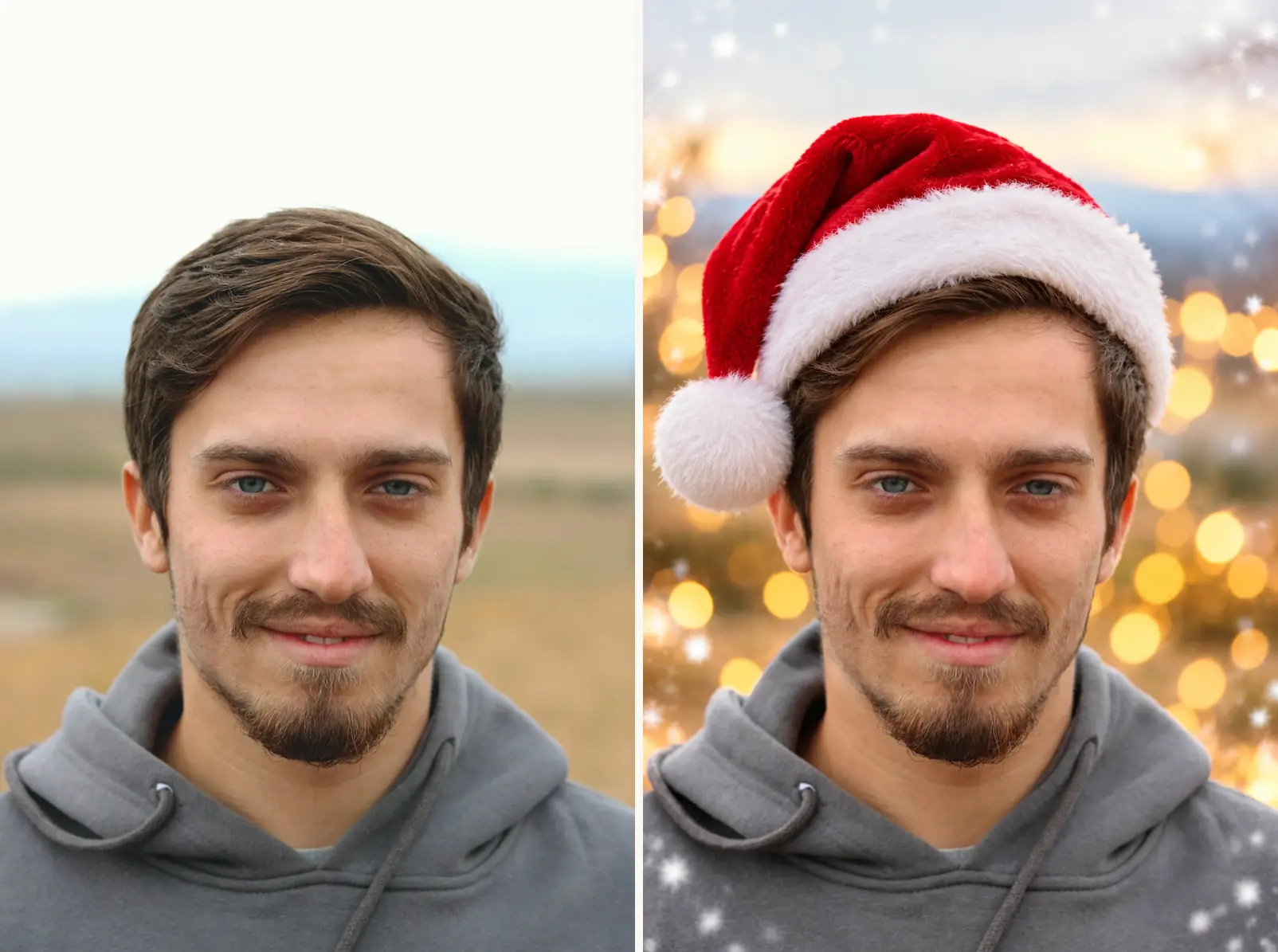
Tuning: hats sit best on hair the model can see the top of; for very tight crops, ask for "the hat resting naturally on the head".
Christmas dinner table
Dress this dinner table for Christmas: red-and-green crackers at each
place, a lit centerpiece of candles and pine sprigs, and fairy lights
glowing brighter on the tree behind. Keep every hand, glass, dish, and
the roast exactly as in the original photo. Warm candlelit glow.
Photorealistic.
Keep-lists work on objects too, not just faces: the hands, glasses, and roast stay because the prompt names them.
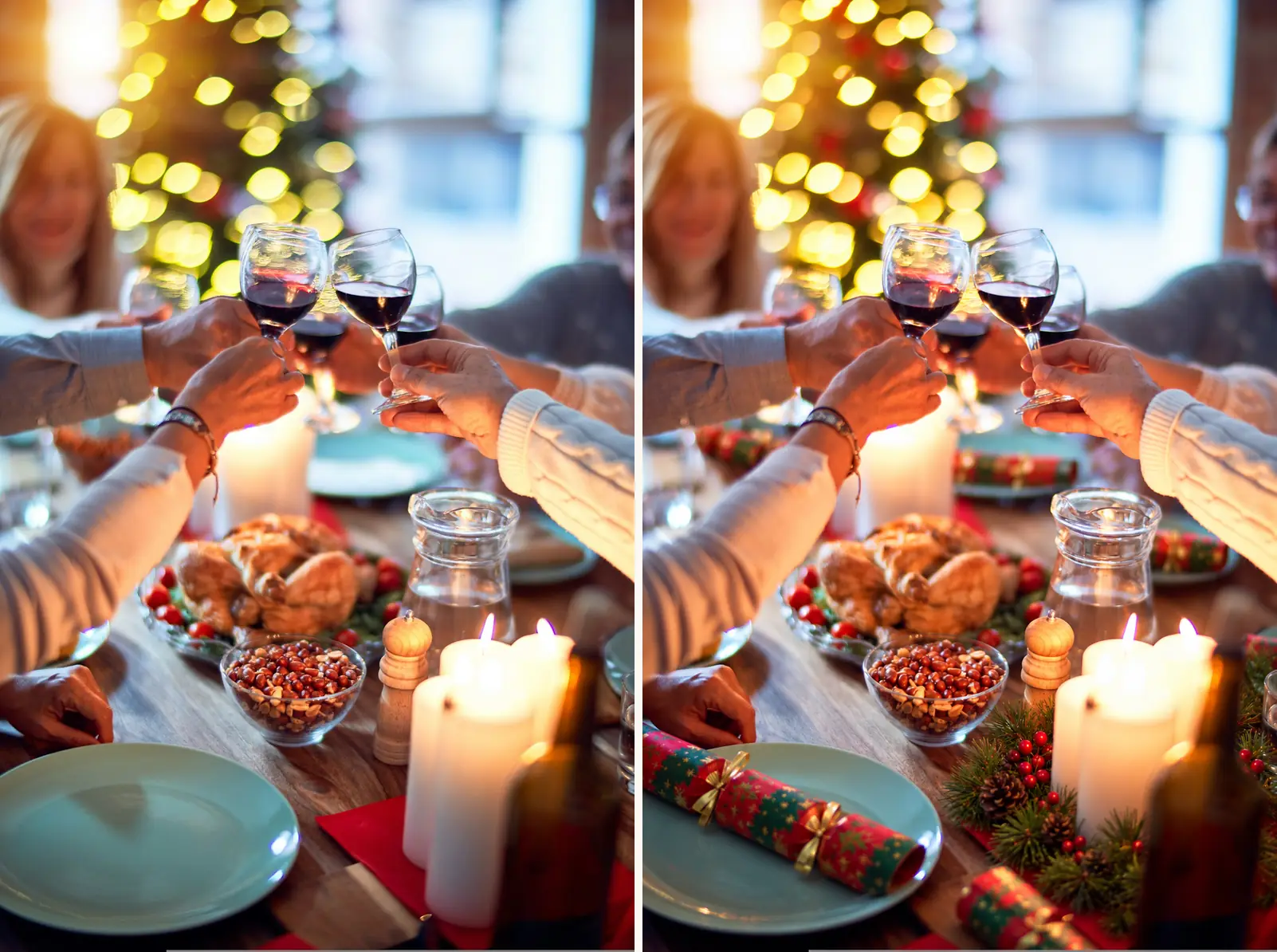
Tuning: one dressing line per rerun; stacking all three at once invites the model to rearrange the table.
The funny one: light-up sweater edition
Turn this photo into a funny Christmas portrait: the subject wearing a
light-up oversized Christmas sweater with a jumbo bow and blinking string
lights, plus a gnome hat with a pompom, holding a mug of cocoa with too
many marshmallows. Keep the face, hairstyle, and pose exactly as in the
original photo. Playful, bright holiday lighting. Photorealistic.
Funny prompts work by stacking named props, not by asking for "humor". The silliness lives in the inventory: every prop you list is a prop you will see.
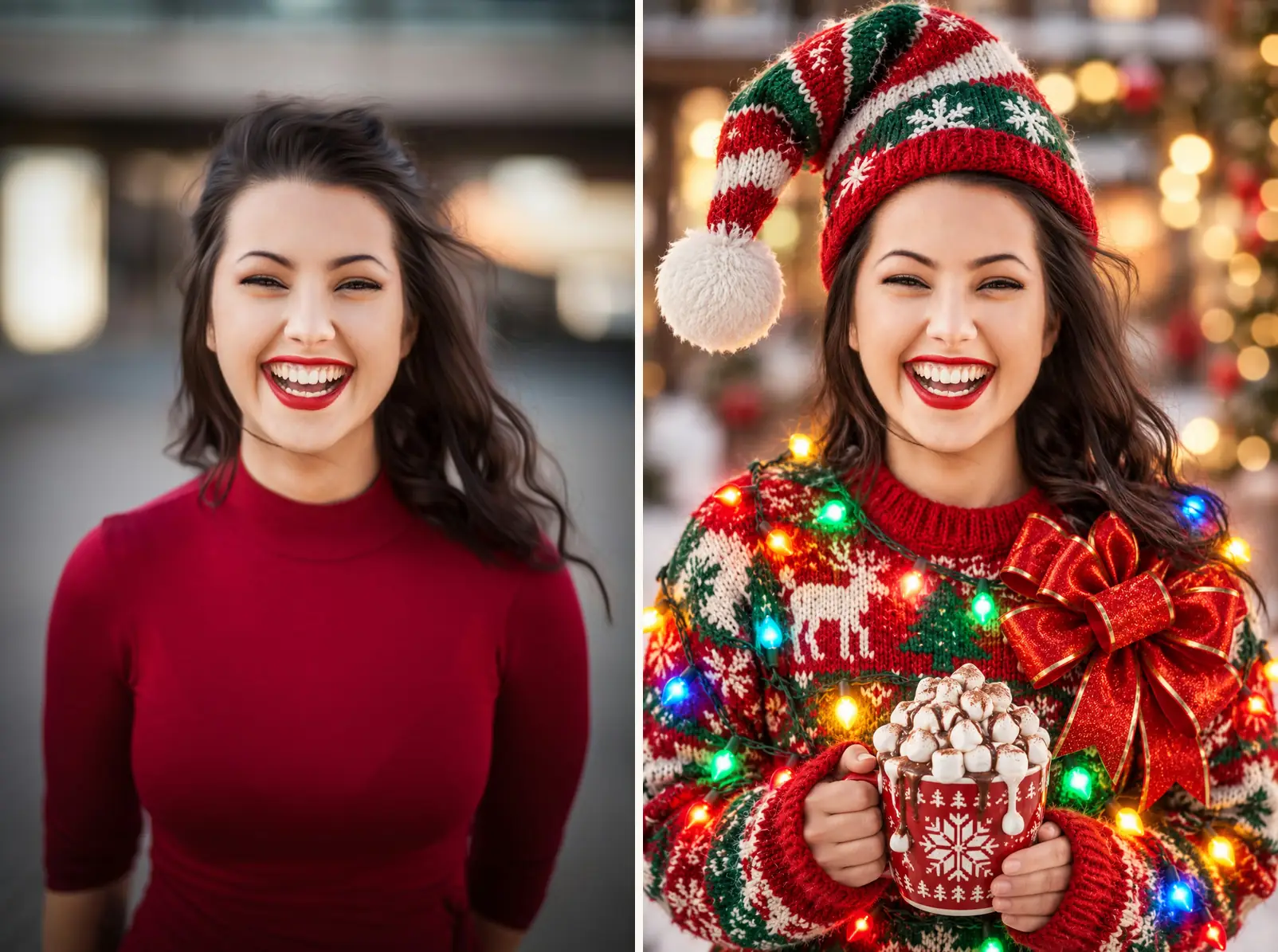
Tuning: the sweater competes with the gnome hat at small sizes; drop the hat line when the frame is a headshot.
Pet portrait with a santa hat
Turn this photo into a Christmas pet portrait: the dog wearing a red
santa hat and a red scarf with white trim, sitting in front of a
decorated tree with wrapped presents, a soft glow of fairy lights
behind. Keep the dog's face, fur pattern, and pose exactly as in the
original photo. Warm, cozy light. Photorealistic.
The keep-list adapts to the subject: fur pattern and ears replace hairstyle, and it is why the dog still looks like your dog rather than a stock beagle in a hat.
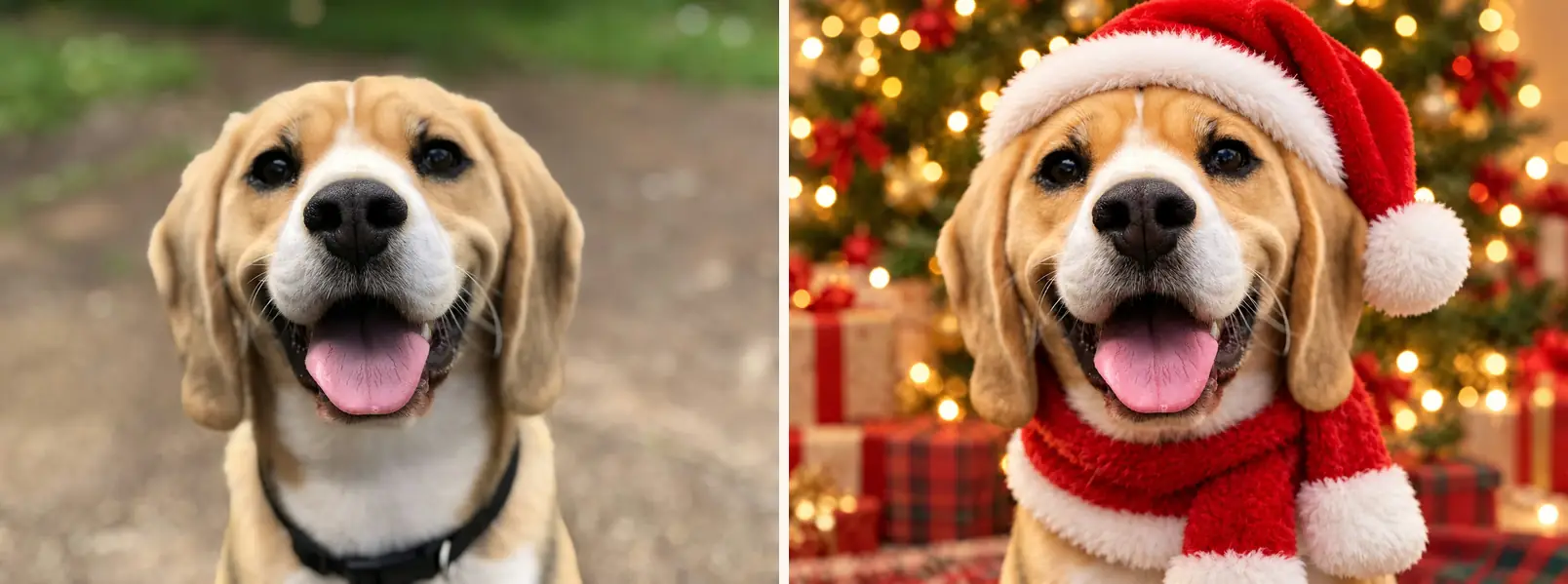
Tuning: for a cat, replace the scarf line with "a velvet collar with a small bell"; antlers swap in for the hat at Christmas-market energy.
Every result above came from one run on the photo shown at left, and the same four prompts that anchor the AI Christmas Photo editor sit in its preset carousel paired with these input photos, so you can rerun any of them on your own upload in one click.
What makes an ai christmas photo prompt work
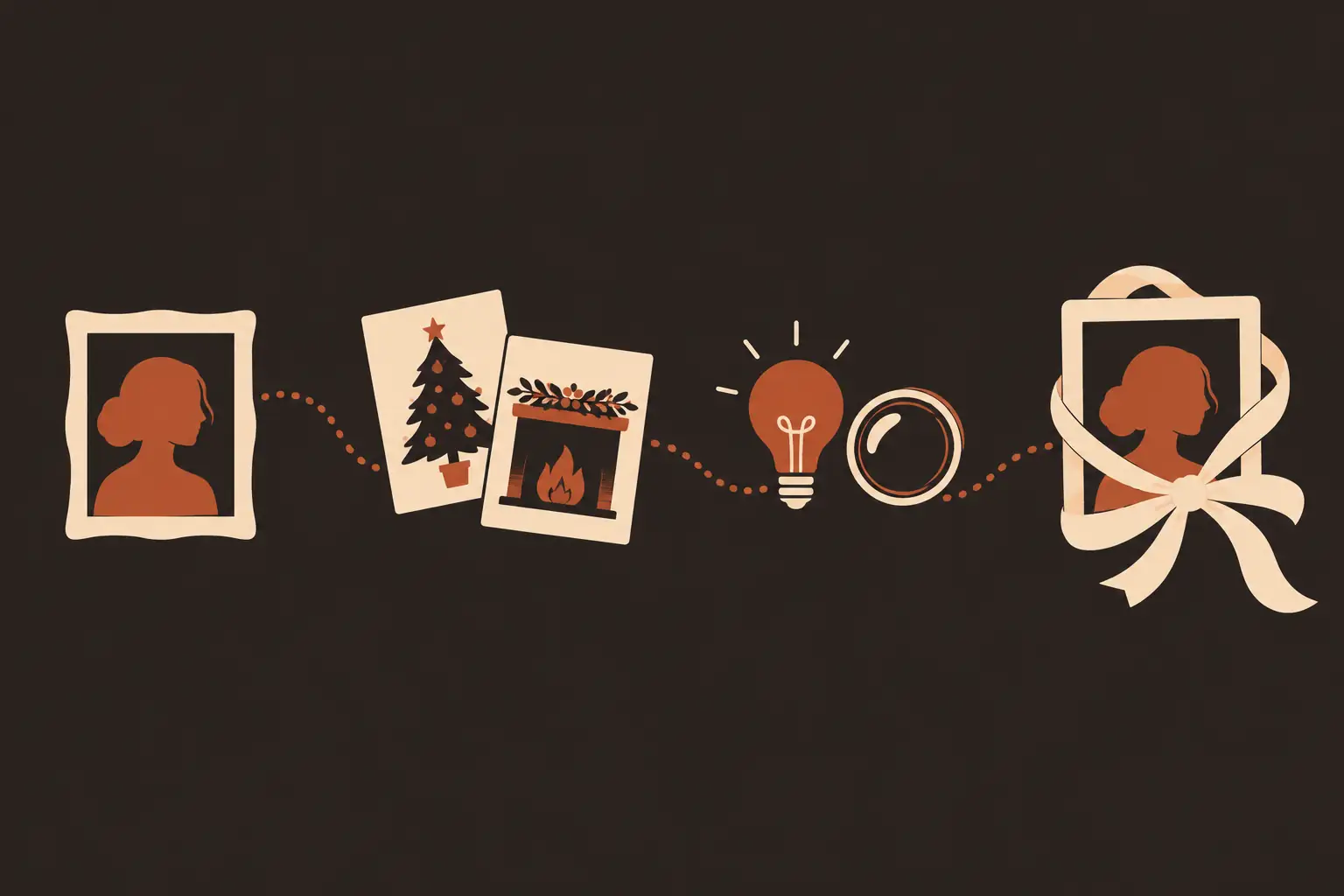
Strip the twelve prompts above down and the same four slots appear, in this order:
- The subject. Who is in the photo and what they wear. Name the garment, not the vibe: "wearing a red sequin holiday outfit" gives the model something concrete to render, "dressed festively" gives it a coin flip.
- The scene. Where they stand and what surrounds them. Giant lollipops, a fireplace, market stalls. Two or three named objects beat a paragraph of atmosphere, because every extra clause is another thing the model can misread.
- The light and lens. "Bright, glossy, festive lighting" produces a toy-ad look; "warm, soft, golden light" produces a family-album look. Naming a lens ("framed like an 85mm lens shot") pushes the model toward portrait compression and a softly blurred background.
- The keep-list. One sentence that pins what must not change: the face, the hairstyle, the pose, each person's position. This is the slot that copy-paste prompt lists almost never include, and it is the reason faces survive the edit. A generation with no keep-list tends to return someone who looks like a sibling of the person in the upload.
Results can vary between runs even with the keep-list, and fine details drift, but the face, hair, and pose hold. When a result misses, the fix is usually a prompt fix, and the tuning notes above say which line to touch.
Two viral prompts, decoded
The two prompts people are asking about this season circulate as screenshots, reposted without authors, so treat them as folk recipes rather than quotations. Both are in the library above; here is what each phrase is doing.
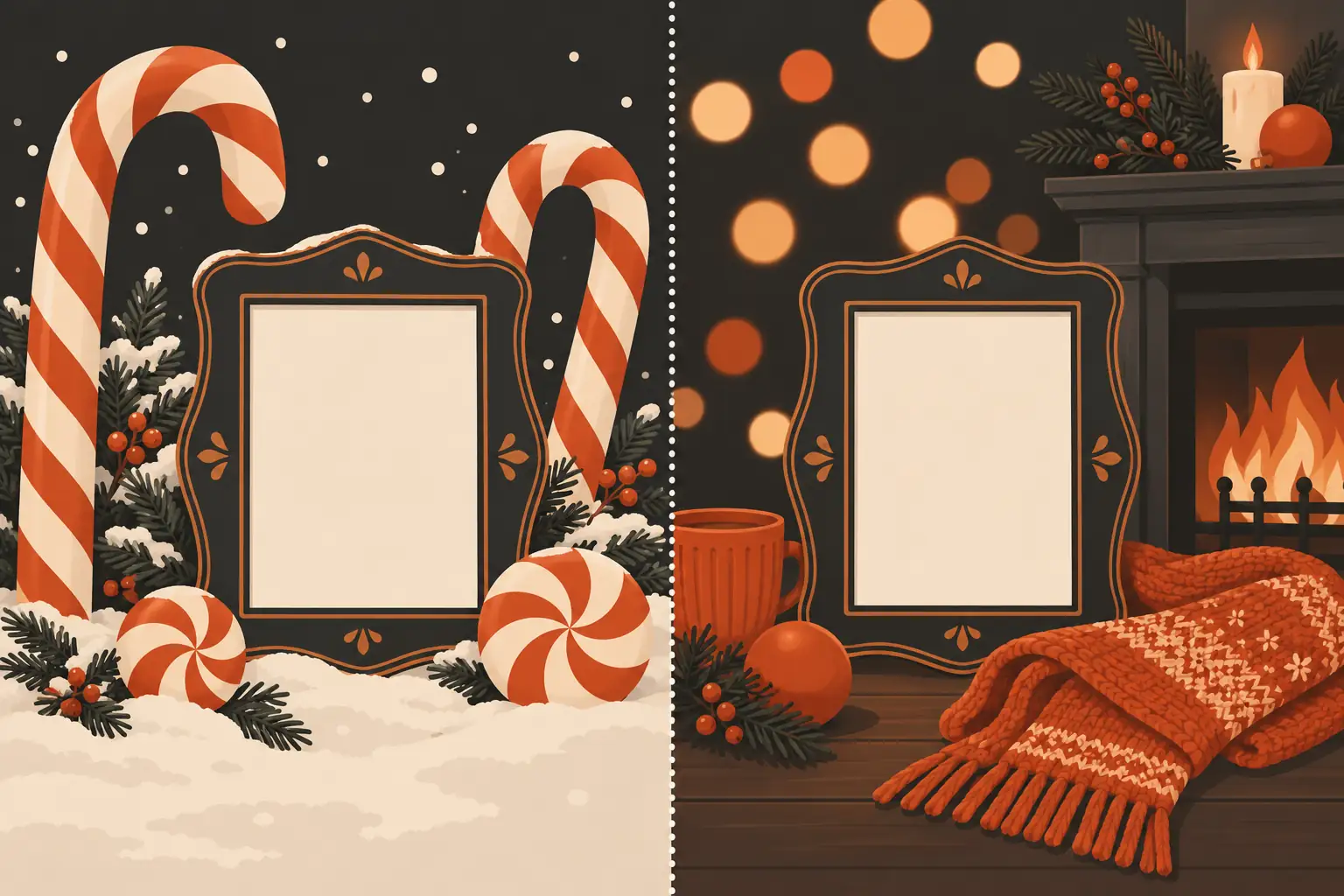
Candy Cane Wonderland. The oversized props shift the scale, which is what makes the frame read as a fantasy portrait instead of a person at a fair. The red sequin gives the model one saturated accent to anchor the palette. The snow-dusted ground grounds the fantasy in a season. The glossy light is the toy-commercial finish. What the screenshot version lacks is the keep-list, which is why some reposts show faces that match the caption more than the person.
Cozy Fireside 85mm. The 85mm line does real work: it is the classic portrait focal length, so it asks for flattened features and a shallow depth of field, which is what turns the fairy lights into round highlights instead of a string of dots in focus. The scarf adds close-up texture the lens can bite into. Of every viral christmas photo prompt in circulation, this one depends most on the light sentence, and it is the first line to change if the result comes out flat.
A decode like this is also how to read the next screenshot you see. Identify the subject, the scene objects, the light, and what the poster forgot to lock, then rebuild it with the keep-list added.
How to do the ai christmas photo trend
Start with the photo, not the prompt. Pick one where the faces are well lit, reasonably large in the frame, and not tilted far off axis; the model can only keep a face it can see. Group photos work when every face is clear. JPEG, PNG, and WebP files up to 20MB are accepted by the editor, and phone photos are the normal input, not a compromise.
Then pick where to run it. There are two honest paths.
In a chat app. Both ChatGPT and Gemini take an image attachment plus a pasted prompt, and the chatgpt christmas photo prompts circulating as screenshots do run there. Two cautions from experience. First, most screenshot prompts carry no keep-list, so the face can come back as a lookalike; paste a version from this library instead. Second, general chat models sometimes decline to edit photos of real people or quietly regenerate the whole frame, and Gemini AI christmas photo prompt runs in particular can return a face that resembles the upload rather than matches it. Neither app was built around protecting the input face.
In the editor. The turn a photo into a christmas photo tool runs the same prompt shape with the keep-list enforced as a first-class part of the workflow: you pick a preset or type your own prompt, the face protection is already in the prompt, and the output is a still image you can download without a watermark. Each generation costs 3 credits, guests get 3 free credits a day, and signed-in accounts get 9, which is enough to test several prompts from this page before spending anything. If a generation goes wrong, credits for failed runs are returned under the refund policy, so a bad result is not a sunk cost.
When the result misses, change one line and rerun. The sweater never appeared? Name the garment instead of the vibe. The face drifted? Strengthen the keep-list sentence, "exactly as in the original photo", and rerun. Everything too dark? Change the light sentence, not the scene. One line per rerun keeps you learning which phrase did what.
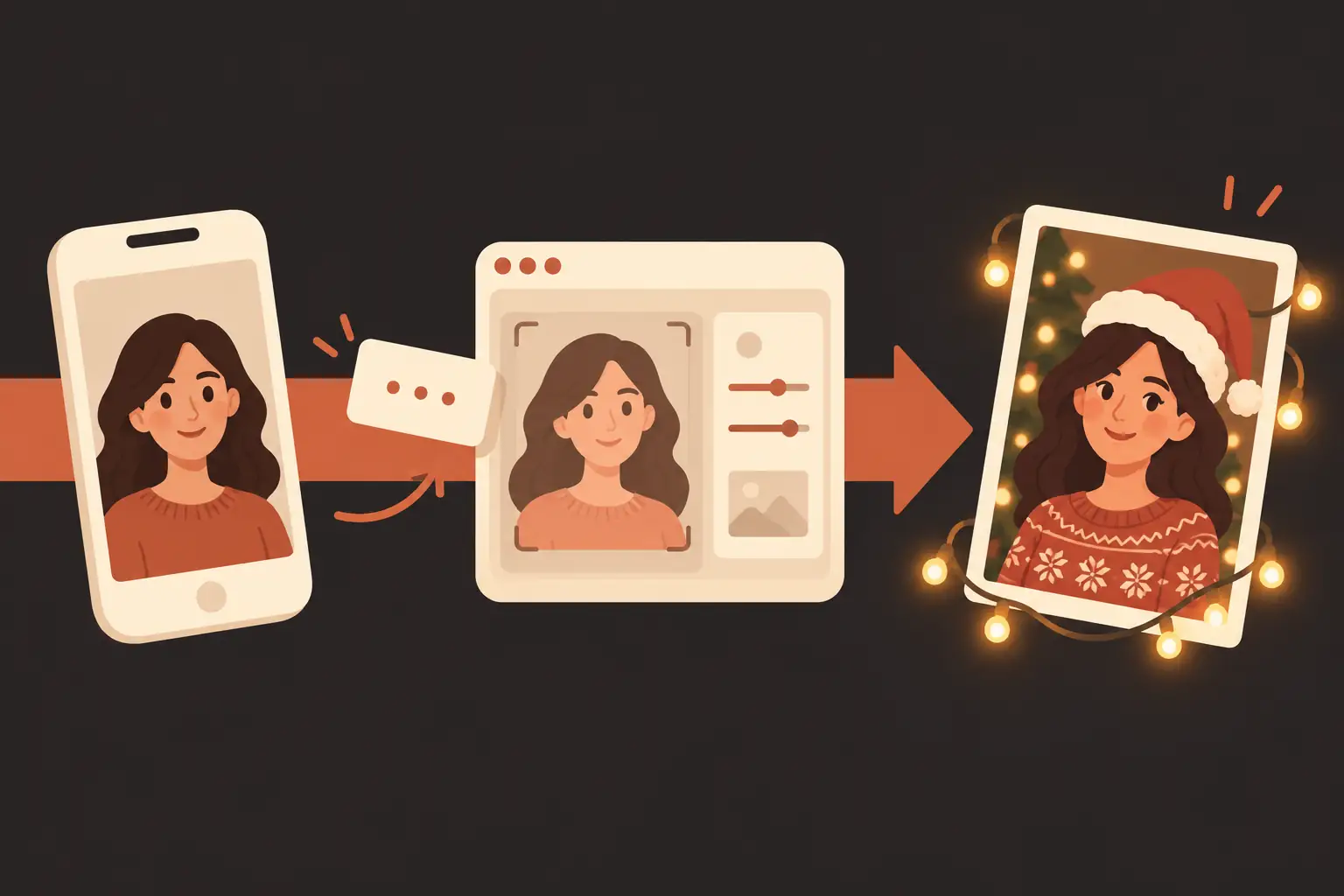
That is the whole cycle: a photo you already have, a four-slot prompt with a keep-list, and one honest rerun. When you are ready, make your christmas photo in the editor, starting from any preset above.
Frequently asked questions
What are some funny christmas AI photo prompts?
The light-up sweater entry above is the reliable one, because humor that comes from named props renders. Others that work the same way: a subject wearing elf ears and an unimpressed expression while holding a half-eaten cookie plate labeled for Santa, or the whole family in matching moose-print pajamas caught mid-eye-roll. Keep the keep-list even in the joke version; a punchline lands better on the right face.
Are there free christmas AI photo prompts?
The twelve on this page are free to copy, no strings. To run them, the editor gives guests 3 free credits a day and signed-in accounts get 9, and each generation costs 3 credits, so the library can be tested for free over a couple of days before you pay for anything.
What is the Reddit christmas photo prompt with 8K and 55mm?
A recipe that circulates on Reddit asks for an 8K resolution render through a 55mm lens in a festive scene. The 55mm line is doing real work; it names a natural portrait lens, so the perspective and background blur come out photographic. The 8K part is mostly decoration, because output resolution comes from the tool, not the prompt. Keep the lens line and the scene words, add the keep-list the Reddit version lacks, and skip the rest.
Is there an ai christmas photo prompt generator?
You do not need one. A generator assembles the same four slots this page teaches, and the editor's preset prompts are pre-tested versions of the same shape. If you use a generator anyway, run its output through the slot test: subject, scene, light and lens, keep-list. Anything missing is what you add before pasting.
What is the ChatGPT christmas photo trend prompt?
It is the candy-cane recipe from the decode section, the one circulating as screenshots: red sequin outfit, oversized peppermint lollipops and candy canes, snow-dusted ground, glossy light. In ChatGPT you attach the photo and paste the prompt, ideally the keep-list version from the library above, because the screenshot form lets the face drift. The trend look itself is prompt-based, so it follows the photo into any tool that accepts both.
Do Gemini AI christmas photo prompts work the same way?
The same four slots apply, and scene words carry over unchanged. The differences are at the edges: Gemini can decline to edit some photos of real people, and when it does edit, the face sometimes comes back as a close lookalike rather than a match, so the keep-list sentence earns its place twice over. For runs where the face must hold, a dedicated editor with face protection in the prompt is the steadier path.
ImagEditorAI Team
Written by the ImagEditorAI Editorial Team. We research and test image editing workflows, outfit coordination, and generative AI models.
Run these prompts on your own photo
Pick a preset from this library or write your own in the editor; the keep-list protection is already wired in, and results download without a watermark.
Related Guides & Articles

Jewelry Product Photography: The Home Setup Guide
Jewelry product photography at home: the setup, per-piece shots for rings and necklaces, the failure modes to expect, and the edit pass that finishes them.
Product Photography Ideas: 12 Shots That Sell
Twelve product photography ideas ranked by effort: the setup, the phone version, and the edit pass that turns each shot into a finished listing image.

Nano Banana 2.1 vs Nano Banana Pro: Which for Photo Edits?
Nano Banana 2.1 vs Nano Banana Pro: official specs, real per-image prices, and three photo-edit tests we ran side by side, with the results pictured.