
Jewelry Product Photography: The Home Setup Guide
Jewelry product photography at home: the setup, per-piece shots for rings and necklaces, the failure modes to expect, and the edit pass that finishes them.
Jewelry is the least forgiving product you can put in front of a camera. Polished metal mirrors the room and the person holding the phone, dark stones swallow whatever light you give them, and at the distances jewelry demands, every fingerprint and dust speck shows. That is why jewelry product photography is a paid specialty: Squareshot, which specializes in jewelry, lists its service from $70 per image with an eight-business-day turnaround, and Clipping Magic estimates a professional can spend six hours staging, lighting, and shooting a single piece before editing even starts. This guide is the small-seller route: one home setup built from a window and a few dollars of material, the shots each piece type needs, the failure modes to expect, and the edit pass that makes a home frame read like studio work.
Jewelry product photography starts with the setup
The whole jewelry photography setup costs close to nothing, because jewelry's problems are solved with geometry and patience rather than gear.
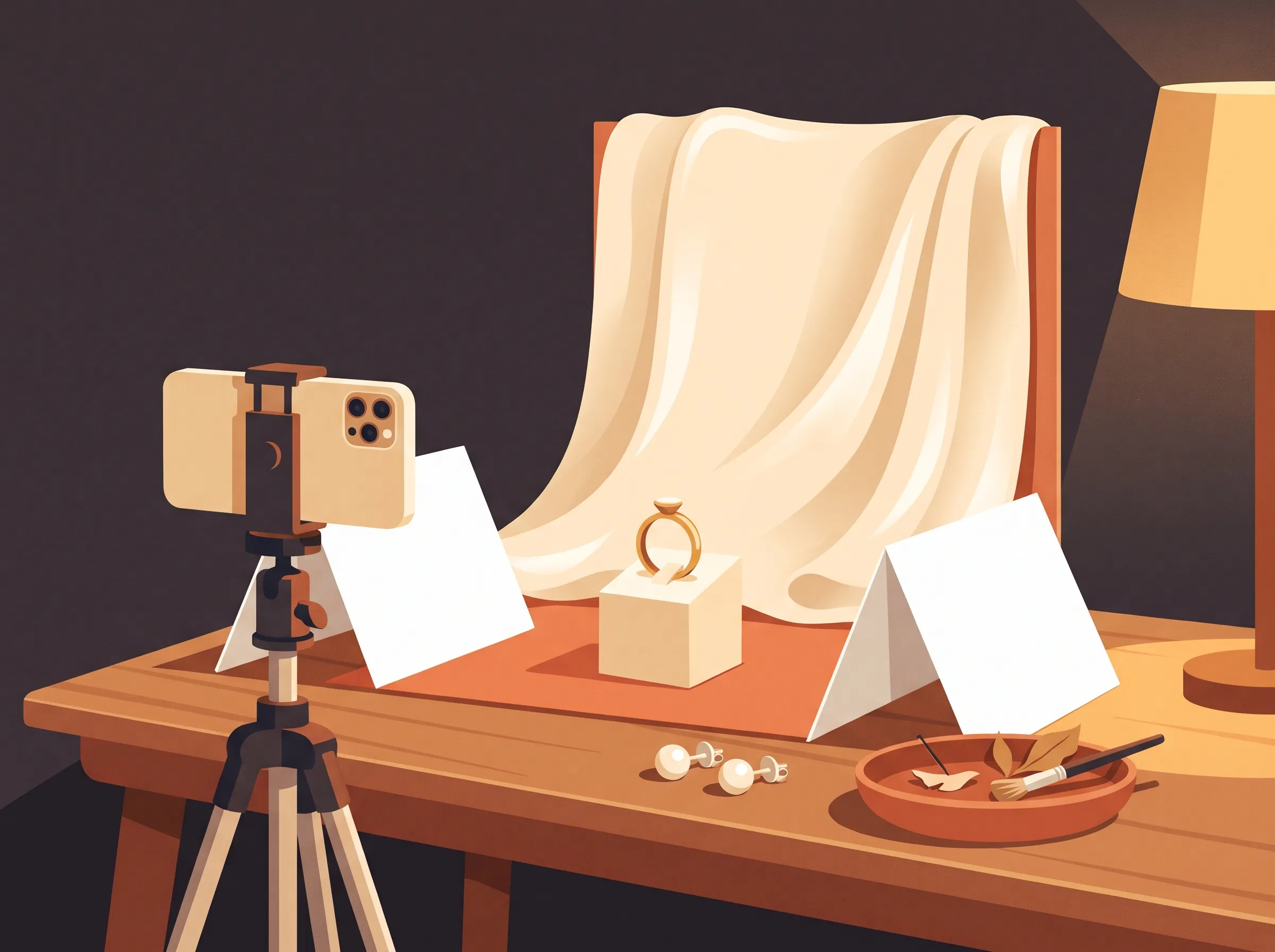
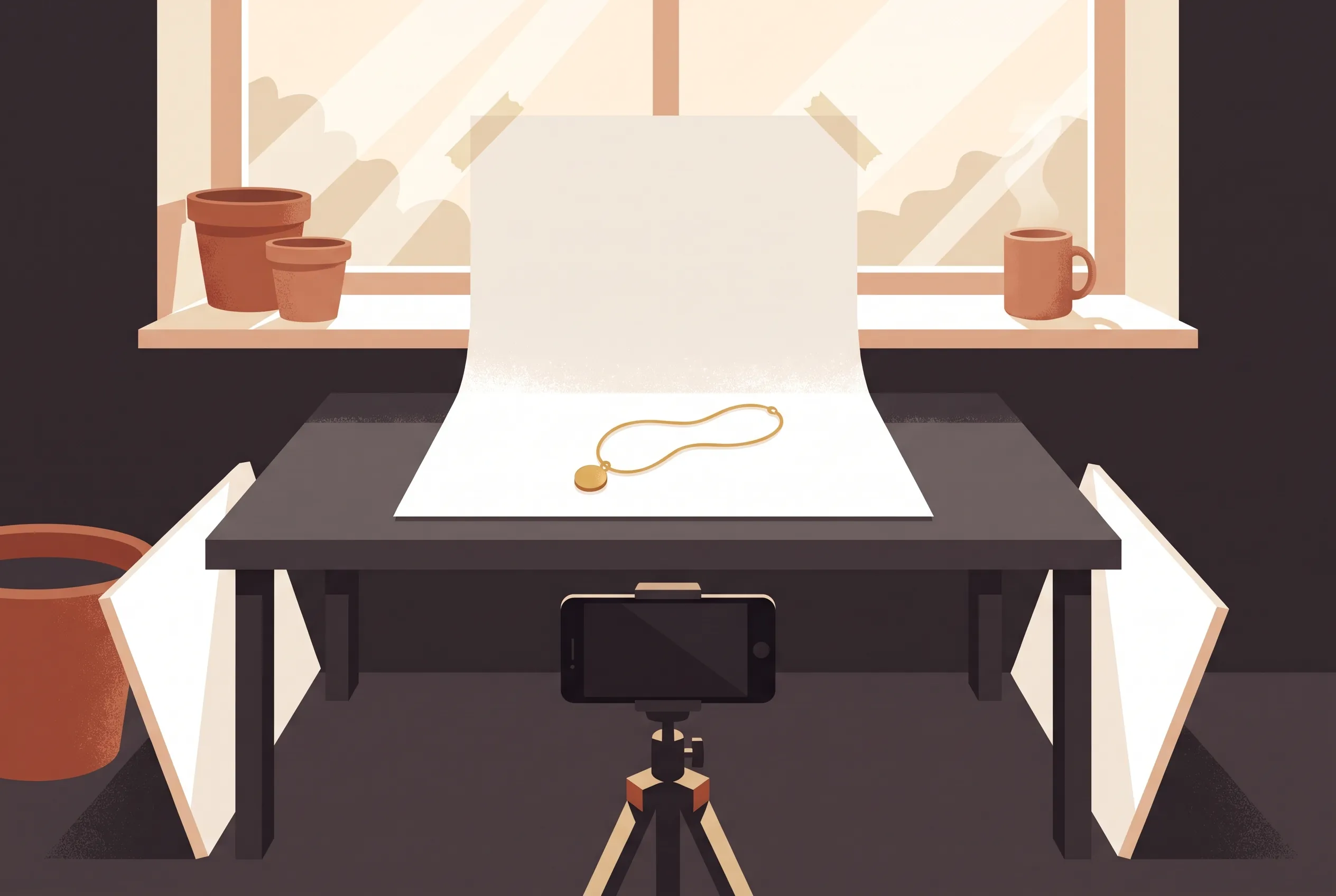
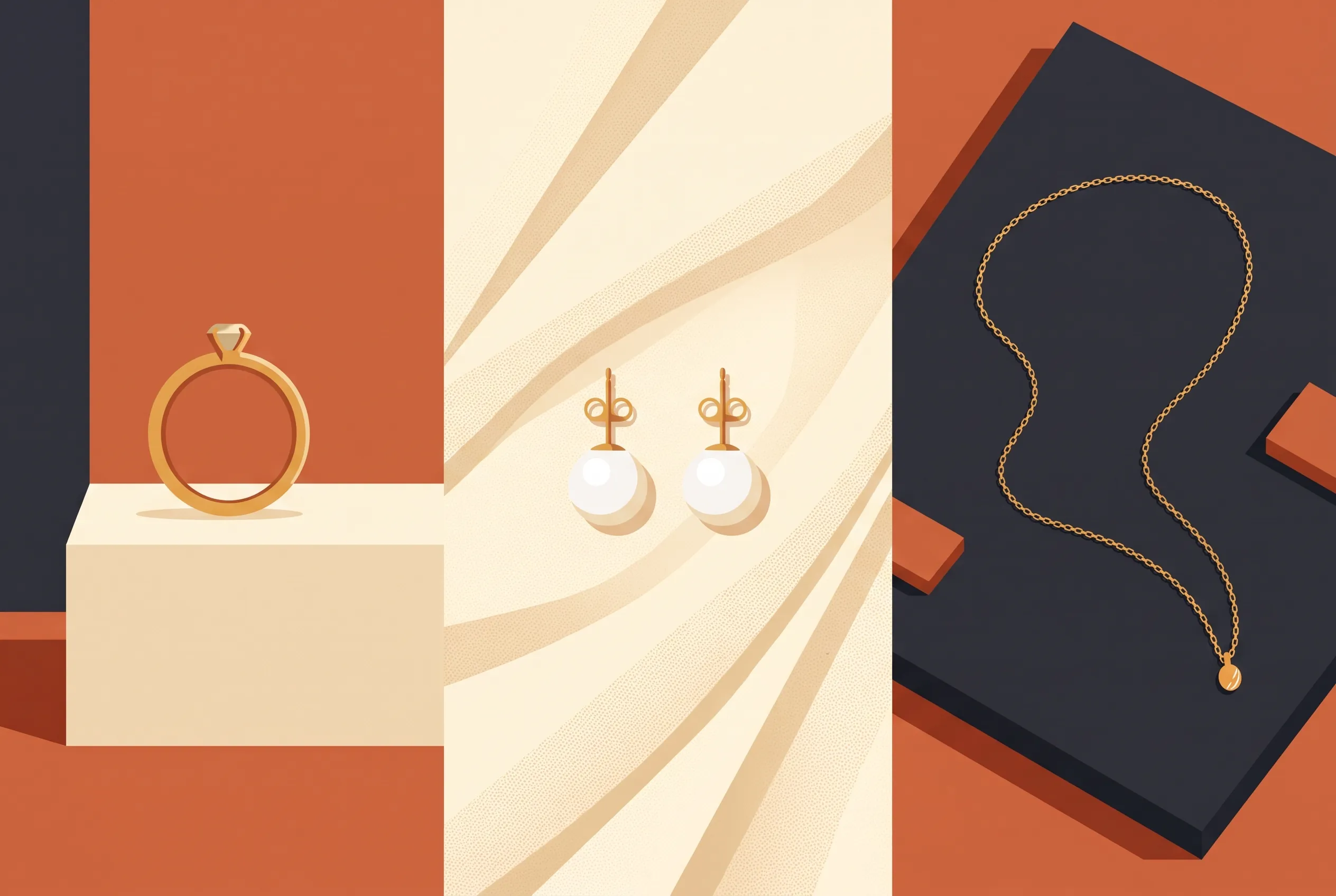
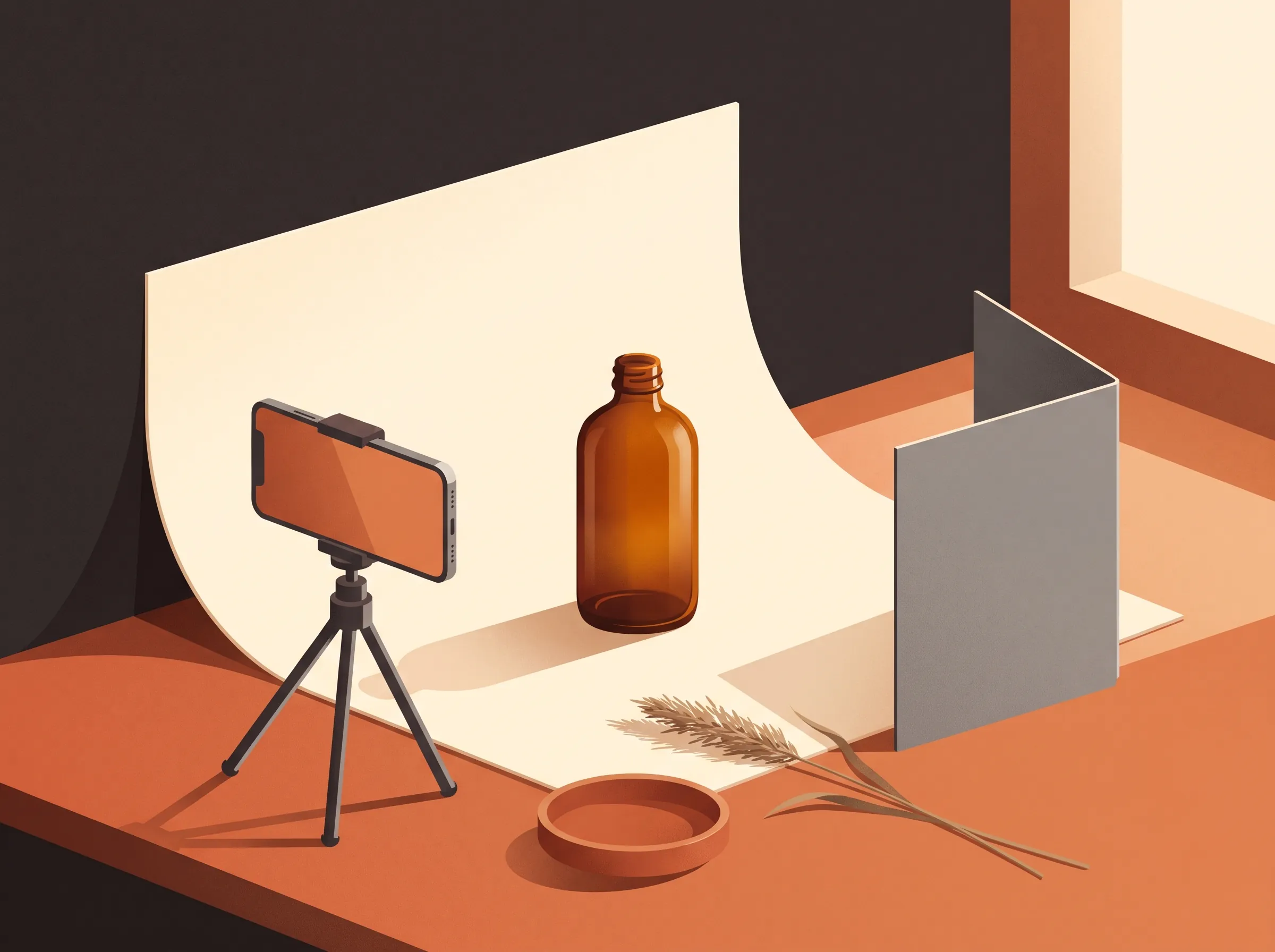
Work beside a window with indirect daylight, the same way you would for any product, but plan for the size: jewelry needs the camera close, so a table pushed against the window beats a floor sweep. Lay your backdrop over the table and let it curve up against something rigid behind the piece. Fabric choice does half the styling work: matte velvet swallows reflections and makes silver pop, satin or silk adds a soft sheen that flatters gold, and a raw tile or slate slab reads modern and cool. Pick the surface that matches the metal you shoot most and stay loyal to it across the catalog, because a consistent backdrop is what makes a jewelry grid look like one brand.
Set the phone on a small tripod or a stack of books, wipe the lens, and tap to lock focus and exposure on the piece before each frame. Then deal with the mirror problem: at close range, the phone, your hands, and the bright window behind you all appear in the polished metal. Two cheap fixes. First, shoot slightly downward so the backdrop, not the room, fills the reflection. Second, cut a small hole in the middle of a white card and shoot through it, so the camera sees card instead of camera and the metal picks up a clean bright field.
Lean white foam board or an opened notebook on the far side as a bounce card, angled up at the piece. The window is the key light; the bounce lifts the shadow side so the metal keeps detail on both edges.
The shots each piece type needs
Listings convert on completeness, and each jewelry type hides its flaws differently, so the shot list changes with the piece.
Rings sell from a standing hero shot, which they refuse to do on their own. Stand them in a slot cut into a card, press them into a lump of gallery putty hidden behind the band, or lean them against a small prop and crop the crutch out later. Shoot one straight-on hero, one three-quarter angle, and one macro of the stone setting.
Earrings need the pair, and the pair needs symmetry. Lay them mirrored on the fabric, shoot straight down, and nudge rather than reshoot until the two shadows agree. One angled pair shot showing how they drop from an ear finishes the set.
Necklaces photograph best as a styled curve: lay the chain in a soft S or an open oval on the backdrop, clamp the clasp under the top edge of the fabric so it stays put, and let the pendant sit at the curve's lowest point. If you shoot a bust form, keep the chain tension even on both sides; uneven chains read as secondhand.
Bracelets work standing, coiled into a circle with the clasp hidden, or flat with a gentle bend so the band keeps a shape. Whatever you choose, the clasp is the detail shot: buyers check it, so give it its own frame.
The worn shot closes the set, because metal on skin reads differently than metal on fabric. You do not need a model: your own collarbone, wrist, or hand is enough. Prep the skin with a matte moisturizer, keep competing accessories off, and sit near the window with the piece turned slightly toward the light so it catches one live glint. Crop close to the jewelry rather than the face; the piece is the product, and skin is only there to give it scale.
The failure modes that ruin jewelry shots
Jewelry photos fail in the same five ways, and every one has a physical fix worth doing before an edit pass.
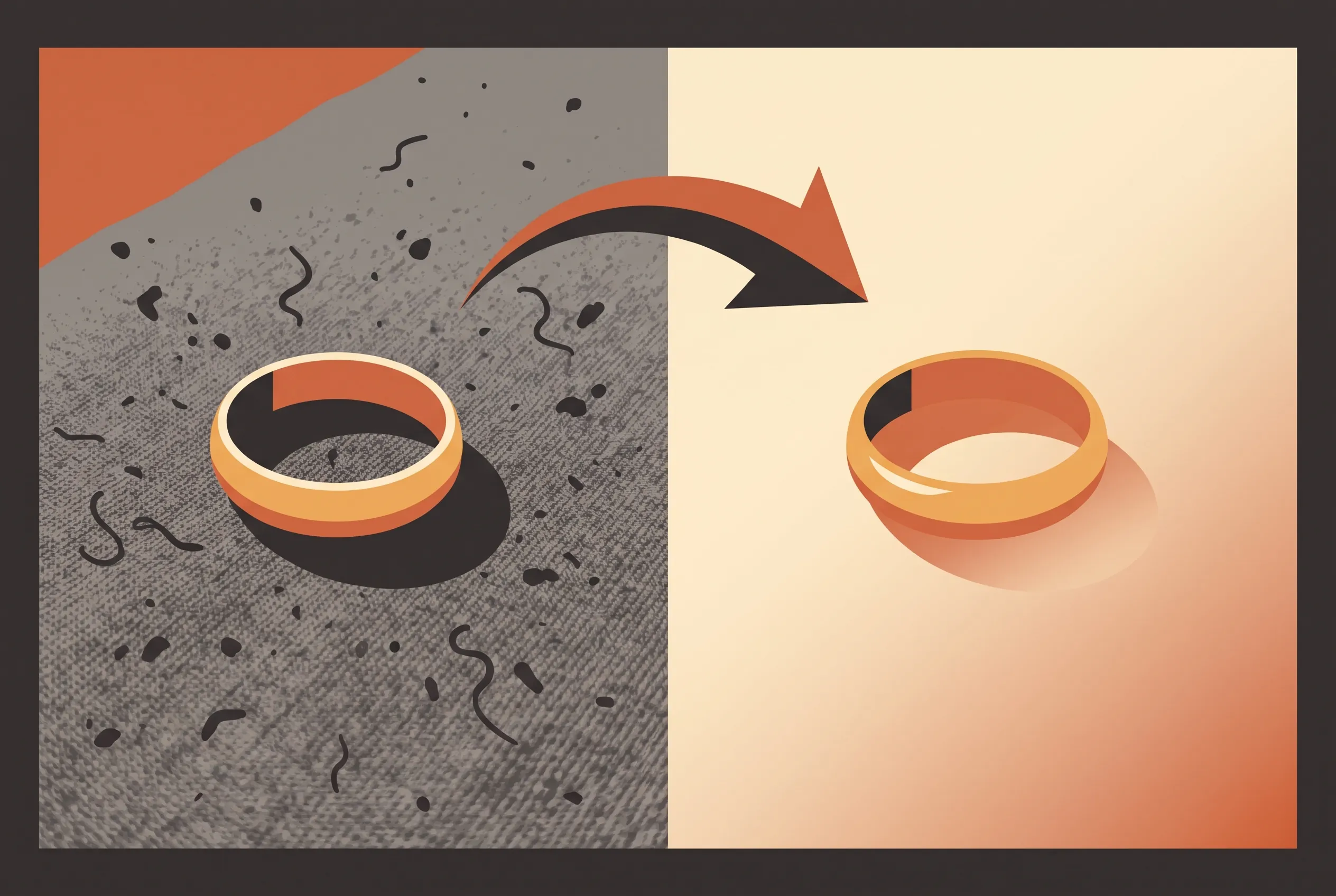
Fingerprints. Oils from handling show as smears on polished surfaces at macro distance. Wipe the piece with a microfiber cloth immediately before each frame, handle it by the edges or with cotton gloves, and re-wipe between setups. A print you catch in the shoot is one you do not fight in the edit.
Lint and dust. Velvet and satin attract fibers that look like hair at close range. Run a lint roller over the fabric between frames, keep tweezers on the table for the strays, and check the frame at full zoom before moving on, because lint hides at review size and ruins a shot you thought was the keeper.
Harsh reflections. A hot highlight or a dark window shape in the metal means the piece is mirroring something specific. Move the jewelry a few inches before you move the lights; usually a small rotation finds the angle where the reflection becomes a clean gradient. The hole-in-the-card trick from the setup section exists for exactly this.
Dark stones going black. Onyx, deep garnet, and black diamonds turn into holes without light of their own. Angle the piece so the window grazes across the stone's face, or bounce light from behind and below the stone to give it an edge. If it still reads flat, expose slightly brighter than feels right and pull it back in the edit.
Mixed-metal color casts. Gold picks up warmth from wood and cream surfaces, silver picks up blue from shadow. Shoot against a neutral patch of the backdrop with one light source, and if the metal still drifts from its true tone, that is a color-accuracy problem to note for the edit pass rather than a reason to reshoot.
The edit pass that finishes jewelry
The physical fixes protect the piece; the edit pass finishes everything around it. A marketplace-ready frame starts with the background: a white background edit lifts the piece onto a clean field for the listing's main image, which is what marketplaces crop and compare. Lifestyle frames come from a scene swap instead of a room you do not own: AI product photography rebuilds the setting around your piece from a description and holds up to five reference images when you want a specific mood. Distracting shadows go with a shadow removal pass when the shadow fights the composition, and stray fibers on the backdrop leave with an object remover cleanup.
Color variants deserve one honesty note. A recolor pass can turn a gold ring toward rose gold or silver for variant swatches, and it is worth doing for browse grids, but treat the output as indicative: metal tones read differently on every screen, and a catalog that promises exact alloys should photograph each metal for real. The piece itself always comes from your camera; editing rearranges the world around it, and that is the whole honest boundary. Write each edit as one sentence with a keep-list of what must not change, and judge the result at full zoom before it meets a customer.
You can run all of it in the browser editor here without an account or a card. Uploads take JPEG, PNG, and WebP files up to 20MB. Guests get 3 free credits a day and signed-in accounts get 9, a standard edit costs 3 credits, and failed runs are refunded automatically. Downloads come without a watermark, so the frame you approve is the frame you list. For the cross-category version of this workflow, our guide to product photography ideas covers the twelve shots every catalog needs, and the clothing guide handles garments, which forgive almost everything jewelry does not.
FAQ
How do I take pictures of jewelry with a phone?
The phone is the easy part. Rest it on a tripod, wipe the lens, lock focus and exposure on the piece, and keep every frame of a product at the same height. How to take pictures of jewelry with phone cameras comes down to the setup doing the work: indirect window light, a curved backdrop, and bounce cards, so the phone only has to record a scene you already controlled.
What background works best for jewelry shots?
A white or near-white field for the marketplace main image, one styled surface for the brand frames, and nothing else. Velvet flatters silver and dark metals, satin flatters gold, and a matte tile reads modern. Whichever you choose, shoot the whole line on it; a jewelry grid on one consistent background looks like a brand instead of a flea market.
How do I avoid reflections in polished metal?
Darken or declutter what the metal can see: shoot close and slightly downward so the backdrop fills the reflection, kill the room lights, and use the white card with a hole cut in it so the camera photographs card instead of itself. Move the piece before the lights; a small rotation usually turns a hot spot into a clean gradient.
Which props earn their place in jewelry photography?
Restraint first: props exist to give scale and story. The reliable jewelry photography props are one natural material per line, a raw stone, a piece of matte tile, a fold of raw silk, a dried leaf, so the metal stays the brightest thing in the frame. Anything reflective competes with the piece, and anything busy shrinks it.
Can AI editing fix jewelry photos?
The best jewelry product photography ends in an edit pass rather than a rescue. Editing fixes the world around the piece, not the piece: backgrounds, shadows, backdrop lint, and scene swaps are exactly what the edit pass is for. But a fingerprints-on-the-stone shot is a reshoot, not a rescue, because the flaw lives on the product itself, and a metal recolor is an indicative variant, not a substitute for photographing the real alloy.
How many shots should a jewelry listing have?
Six to eight covers it: the clean main image, two angles of the piece, the clasp or setting detail, one worn or in-context frame, one texture or prop frame for brand feel, and the variant grid if the line comes in several metals. Below five, buyers start imagining the piece, and imagination drives returns.
ImagEditorAI Team
Written by the ImagEditorAI Editorial Team. We research and test image editing workflows, outfit coordination, and generative AI models.
Test your outfit combination on yourself
Generate coordinated outfits or swap clothing pieces on your own photo with AI before wearing or buying.
Related Guides & Articles
Product Photography Ideas: 12 Shots That Sell
Twelve product photography ideas ranked by effort: the setup, the phone version, and the edit pass that turns each shot into a finished listing image.
Nano Banana 2.1 vs Nano Banana Pro: Which for Photo Edits?
Nano Banana 2.1 vs Nano Banana Pro: official specs, real per-image prices, and three photo-edit tests we ran side by side, with the results pictured.

Nano Banana Pro: What It Is and How to Edit with It
Nano Banana Pro is the Gemini 3 Pro Image model from Google: what it does well, how to prompt photo edits it obeys, SynthID, and a no-setup path.